

bartonlew
Legend
February 27, 2019
Answered

gradient not applied to entire selection

  • February 27, 2019
  • 2 replies
  • 820 views

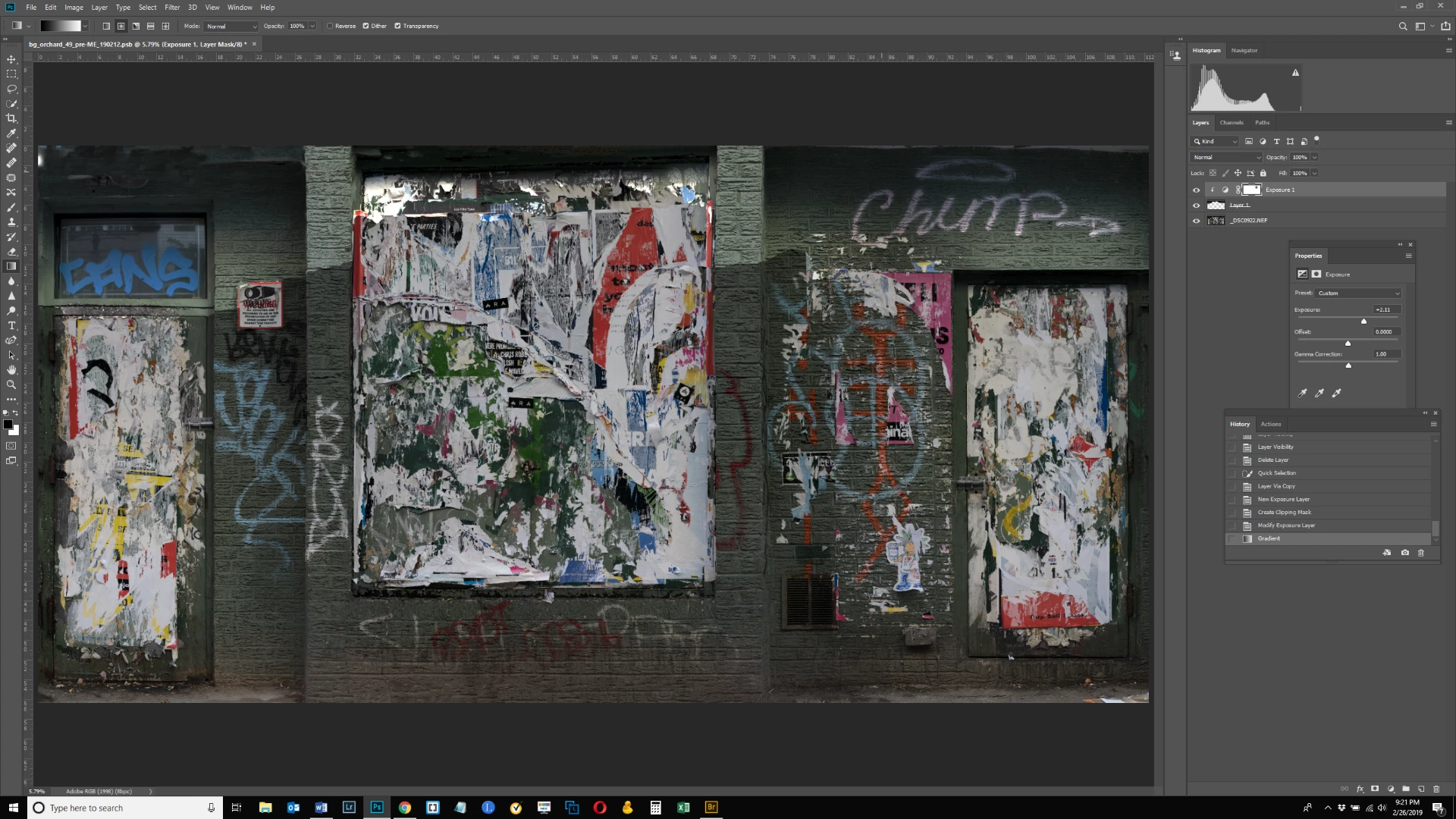
In the image below, the top area is too dark.  So I made a selection of it, made it lighter with an exposure layer and then tried to apply a gradient, clicking on the bottom of the exposure layer and dragging up.  But the gradient applies only locally - to the immediate area where I am clicking - not across the entire selection layer horizontally.  The spot where I created the gradient can be seen right under the letters "Ch" on the right hand side.  The selection layer has an uneven bottom border - it's higher up in the middle section on the torn paper and lower on the sides on the brick - is this why the gradient isn't working across the entire layer from left to right?  Thanks.
This topic has been closed for replies.
Correct answer Michael Bullo

I think the problem is that you are using a radial gradient instead of a linear gradient. Repeat what you did but after first switching to a linear gradient which I've circled in the image below.

2 replies

Trevor.Dennis
Community Expert
Community Expert
February 27, 2019

Also consider using Foreground to Transparent (as opposed to Foreground to background).  This has the advantage of allowing to build up the gradient with multiple passes

Michael Bullo
Community Expert
Michael BulloCommunity ExpertCorrect answer
Community Expert
February 27, 2019

I think the problem is that you are using a radial gradient instead of a linear gradient. Repeat what you did but after first switching to a linear gradient which I've circled in the image below.

bartonlew
bartonlewAuthor
Legend
February 27, 2019

Thank you!

Michael Bullo
Community Expert
Community Expert
February 27, 2019

Happy to help
