
Resuelto
Gradient not centered properly
Simple gradients aren't centered anymore but slightly moved on the left side of the canva.
Using 0° or 180° leads to the same result.
Checked on PS 22.5.3 and works just fine.
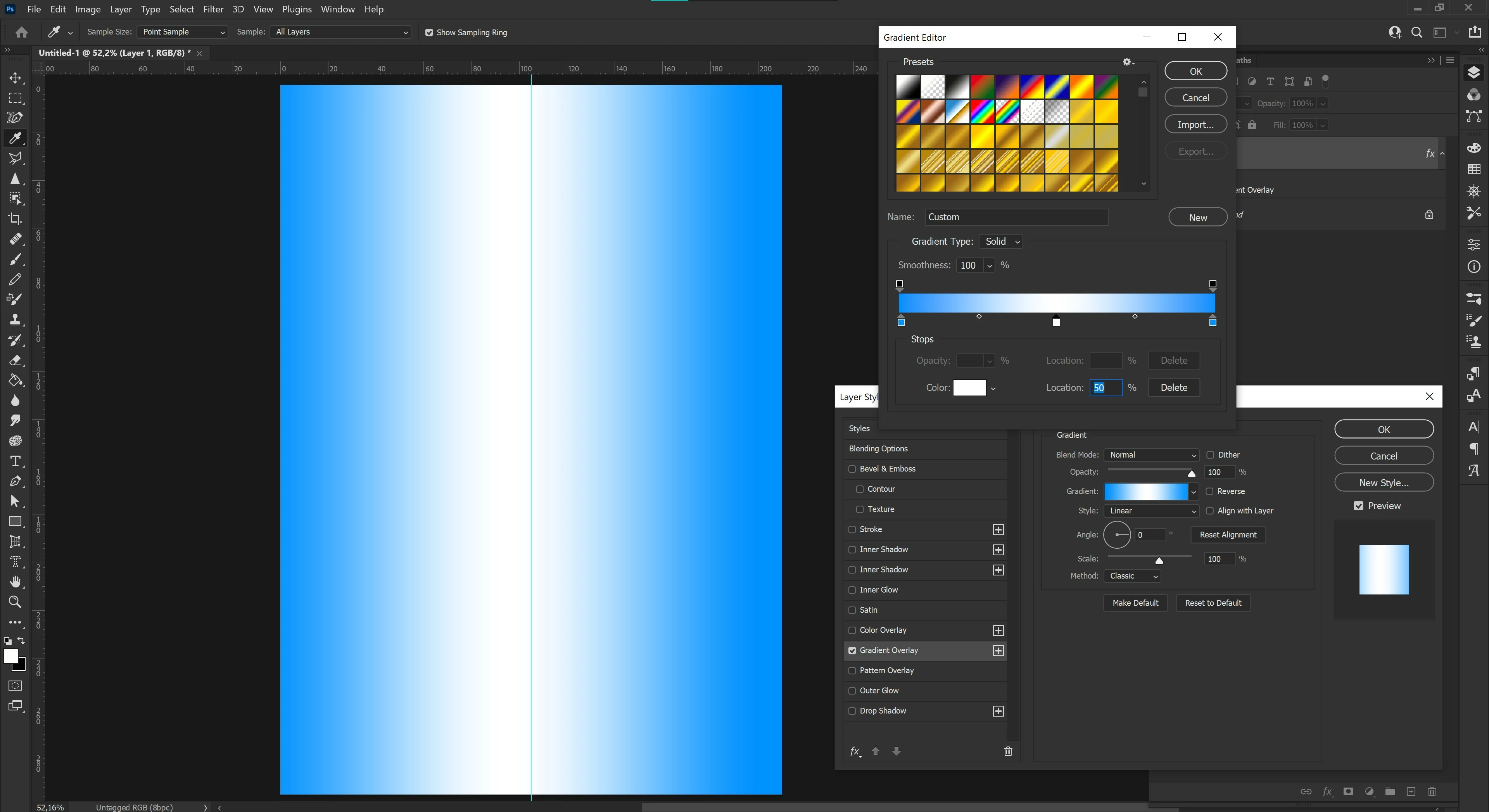

Simple gradients aren't centered anymore but slightly moved on the left side of the canva.
Using 0° or 180° leads to the same result.
Checked on PS 22.5.3 and works just fine.
Uninstall/reinstall won't likely work unless you restore prefs. Try this instead:
Restore your preferences using this manual method. Does it work correctly?
https://helpx.adobe.com/photoshop/using/preferences.html#Manually
If that doesn't solve it, you can quit Photoshop and put the Settings folder back.
Enter your E-mail address. We'll send you an e-mail with instructions to reset your password.
 AdChoices