bartonlew
Legend
November 22, 2023
Answered

gradient not working with gaussian blur

  • November 22, 2023
  • 3 replies
  • 1297 views

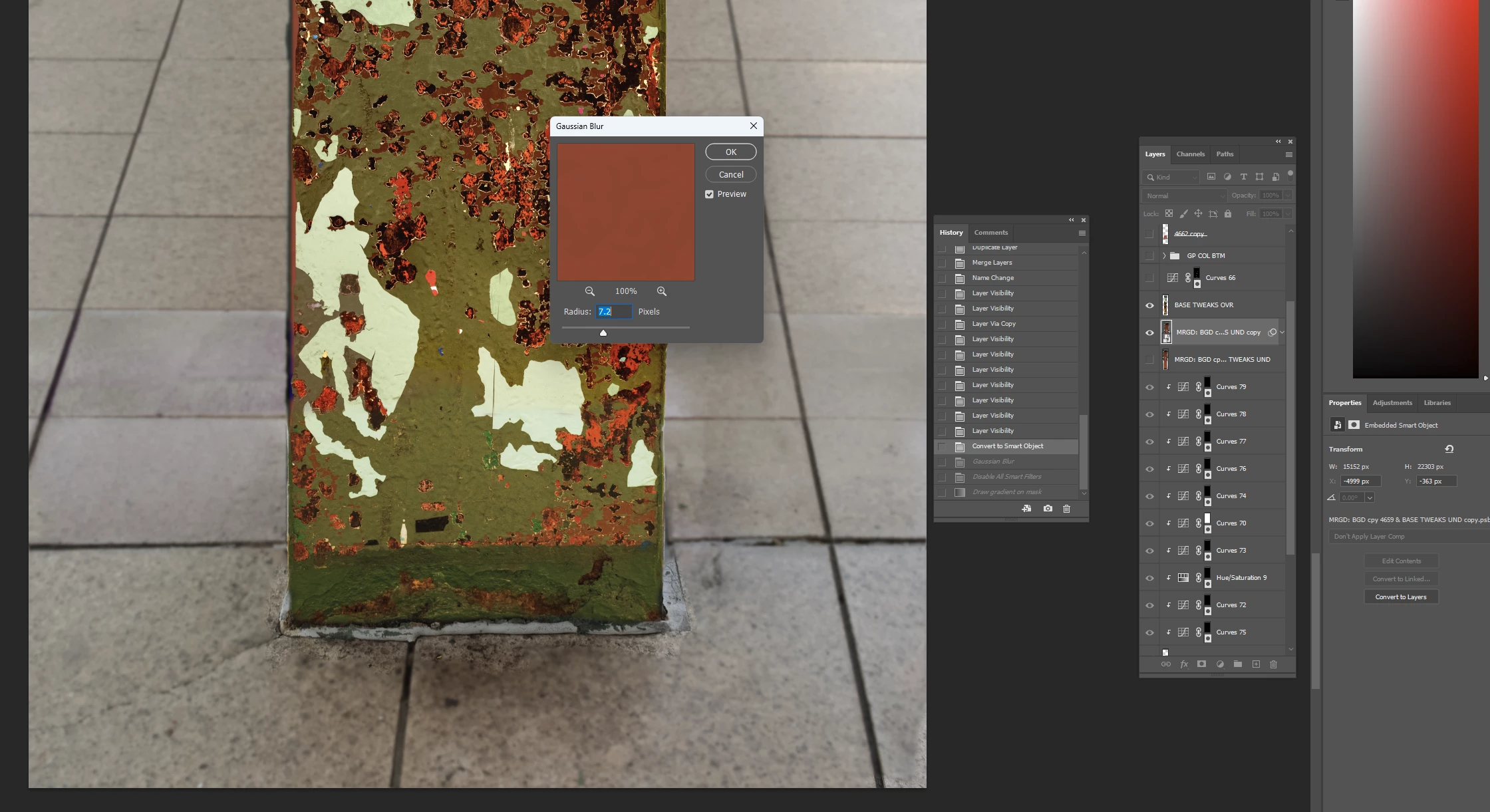
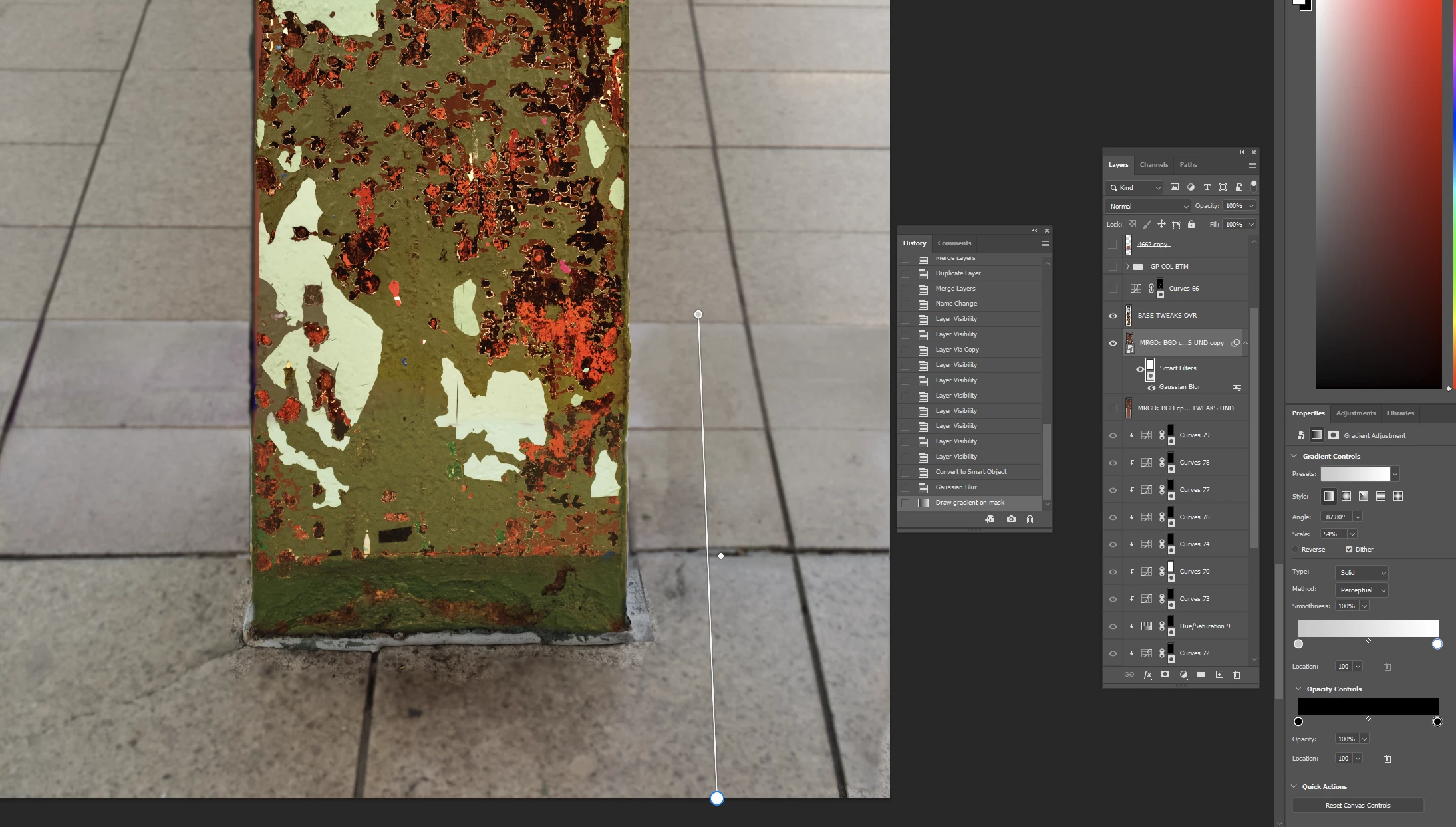
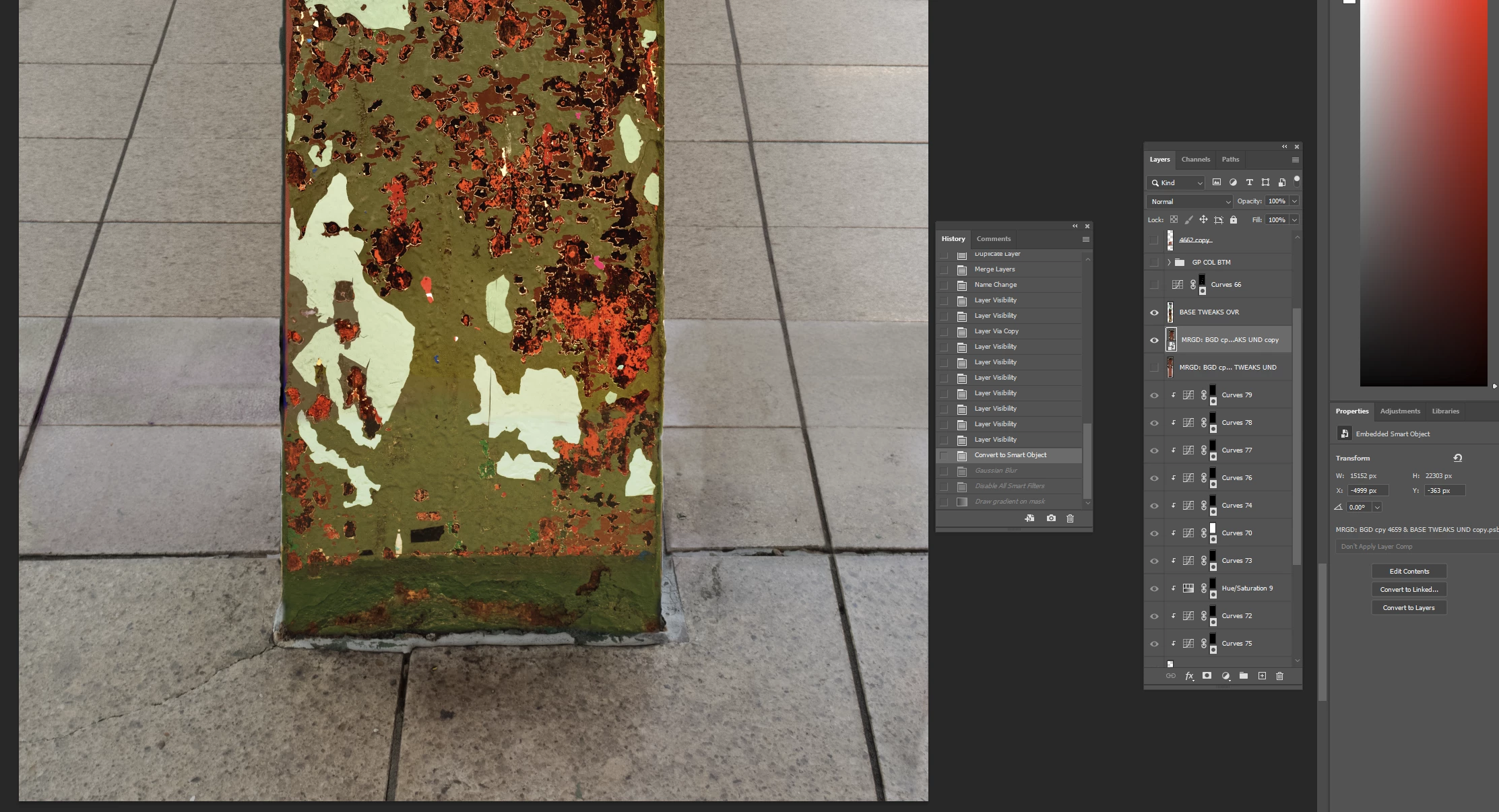
Can someone tell me why the gradient is not working with my gaussian blur smart filter?  In screen shot 1 I have a smart object layer.  In screen shot 2 I am adding a gaussian blur filter.  In screen shot 3 I have drawn a linear gradient down to the bottom of the image but there is no change in the background from screen shot 2.  Why not?  Thanks.   


This topic has been closed for replies.
Correct answer bartonlew

Edit:  this method will work if you have the background layer further down in the layer panel also visible. 


Essentially two background layers, one as a smart object and with blur, and the other unaltered.


I had to reset Preferences recently and I'm wondering if a setting has changed that is the issue.  

3 replies

Participating Frequently
November 22, 2023

What overall impression or style are you aiming for? I think we can come up with some wise suggestions if we have a better understanding of that.


I believe you are attempting to apply a gradient to a smart object, which is not possible without first rasterizing the object to make it a standard layer.

George_F
Community Expert
Community Expert
November 22, 2023

What general effect or look at you trying to achieve?  If we better understand that, I bet we can make some solid recommendations.


It appears to me like you are trying to apply a gradient to a smart object, which you can't do without rasterizing it to become a standard layer first.

George F, Photographer & Forum Volunteer
bartonlew
bartonlewAuthor
Legend
November 22, 2023

Thanks.  I want the base of the column to be in focus, and a progressive blur effect in the background.   You can't apply a gradient to a Smart Object?  In the imaeg below, the base of the column is in focus, but the background becomes blurry as you move up the image.  The background is a smart object with a blur gallery smart filter.  I'm sure I achieved this by applying a gradient.  But I can't remember exactly what I did or replicate it.  


George_F
Community Expert
Community Expert
November 22, 2023

I believe that applying the gradient to a layer mask instead of directly to the layer would achieve the effect you are going for.  That's how I would approach this at least.

George F, Photographer & Forum Volunteer
Trevor.Dennis
Community Expert
Community Expert
November 22, 2023

You haven't helpped us a whole lot with your screen shots because we can't see enough of the layers panel, so I am going to have to guess.


From what I can see, you have applied the Gaussian Blur to a layer filled with a solid colour.  A blur will make no difference to most of a solid colour layer.  Maybe just blur the outside edges.


As for the third screen shot, I don't have a clue. 

Have you applied it to a layer mask?

To a new layer?

What layers are above it in the layer stack?

What are the properties of the gradient?


So if you can show us a full res screen shot of the entire workspace showing the layers panel, the Properties panel with the gradient applied. And arrange the panels so that everything is visible, I am sure we'll then be able to help you.

bartonlew
bartonlewAuthor
Legend
November 22, 2023

Thank you.  here is the entire workspace.  I basically have 2 active layers - the column and the background.  I duped the background and made it a Smart Object.  I added a Gaussian Blur Smart Filter.  I drew a gradient but it's not working.  The 2nd screen shot (which was the 3rd screen shot in the first message) shows that I have selected the mask and the gradient I am applying.  Does that answer your first 2 questions?  I have done this many times (though not recently) so I know it can be done but I've obviously missed something.  You say I've applied a blur to a layer filled with a solid color.  I see an image - a column and its background - not a solid color.  What is the solid color layer you're talking about?


Thanks for your help.