
May 17, 2017
Answered

Gradient Overlay Issue?

  • May 17, 2017
  • 3 replies
  • 1254 views

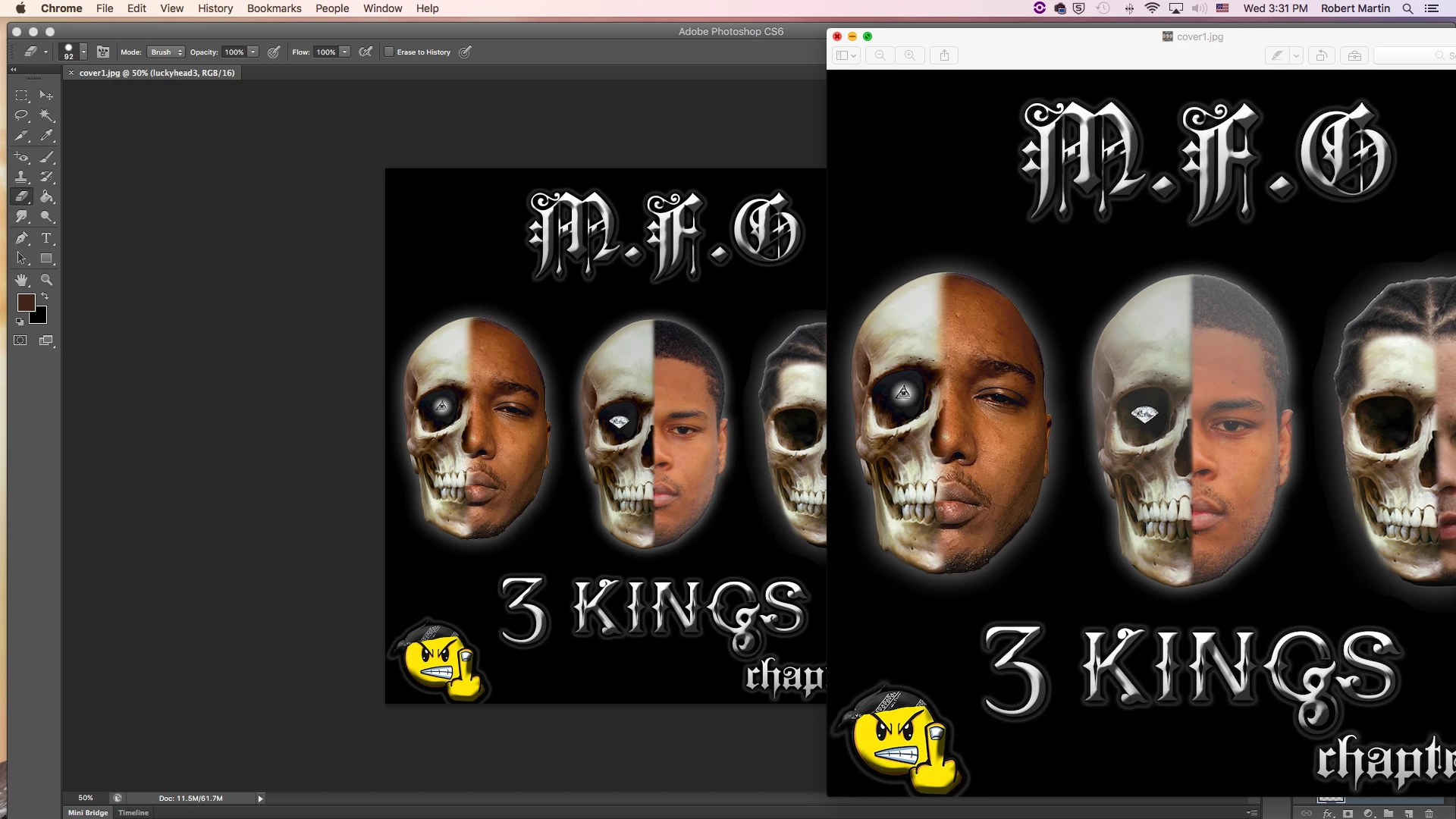
Hi everyone! I'm pretty new to Photoshop and having an issue with the gradient overlay i believe. I'm working on my album cover and when I zoom or save the file, part of my image is "washing out" or fading. I went back and removed the gradient overlay and it doesn't happen. But when the picture doesnt look good when I remove it! Can someone help me on how to fix this? It's the middle face of the image. I'm working in CS6 Thanks in advance!
    This topic has been closed for replies.
    Correct answer davescm

    If you see a difference when zooming it is usually due to the way Photoshop renders the screen using previews at zoom levels of less than 100% but uses the full image at 100% zoom. It is done to speed up rendering and usually does not show a visible difference , but occasionally the difference shows.

    The correct blend (that will be seen when sent elsewhere or printed) is the one you see at View - 100% zoom. Adjust you're gradient to look good at that zoom level.

    Dave

    3 replies

    melissapiccone
    Community Expert
    Community Expert
    May 17, 2017

    Glad I could help. Can you please mark this question answered? Thanks!

    Melissa Piccone | Adobe Trainer | Online Courses Author | Fine Artist
    melissapiccone
    Community Expert
    Community Expert
    May 17, 2017

    Try applying a different blend mode for you gradient overlay - like soft light or overlay.

    Melissa Piccone | Adobe Trainer | Online Courses Author | Fine Artist
    davescm
    Community Expert
    davescmCommunity ExpertCorrect answer
    Community Expert
    May 17, 2017

    If you see a difference when zooming it is usually due to the way Photoshop renders the screen using previews at zoom levels of less than 100% but uses the full image at 100% zoom. It is done to speed up rendering and usually does not show a visible difference , but occasionally the difference shows.

    The correct blend (that will be seen when sent elsewhere or printed) is the one you see at View - 100% zoom. Adjust you're gradient to look good at that zoom level.

    Dave

    May 17, 2017

    thanks worked!

    davescm
    Community Expert
    Community Expert
    May 17, 2017

    You're welcome

    Dave