Answered
Gradient rendering issue - How it is possible?
Photoshop ver 23.0.0
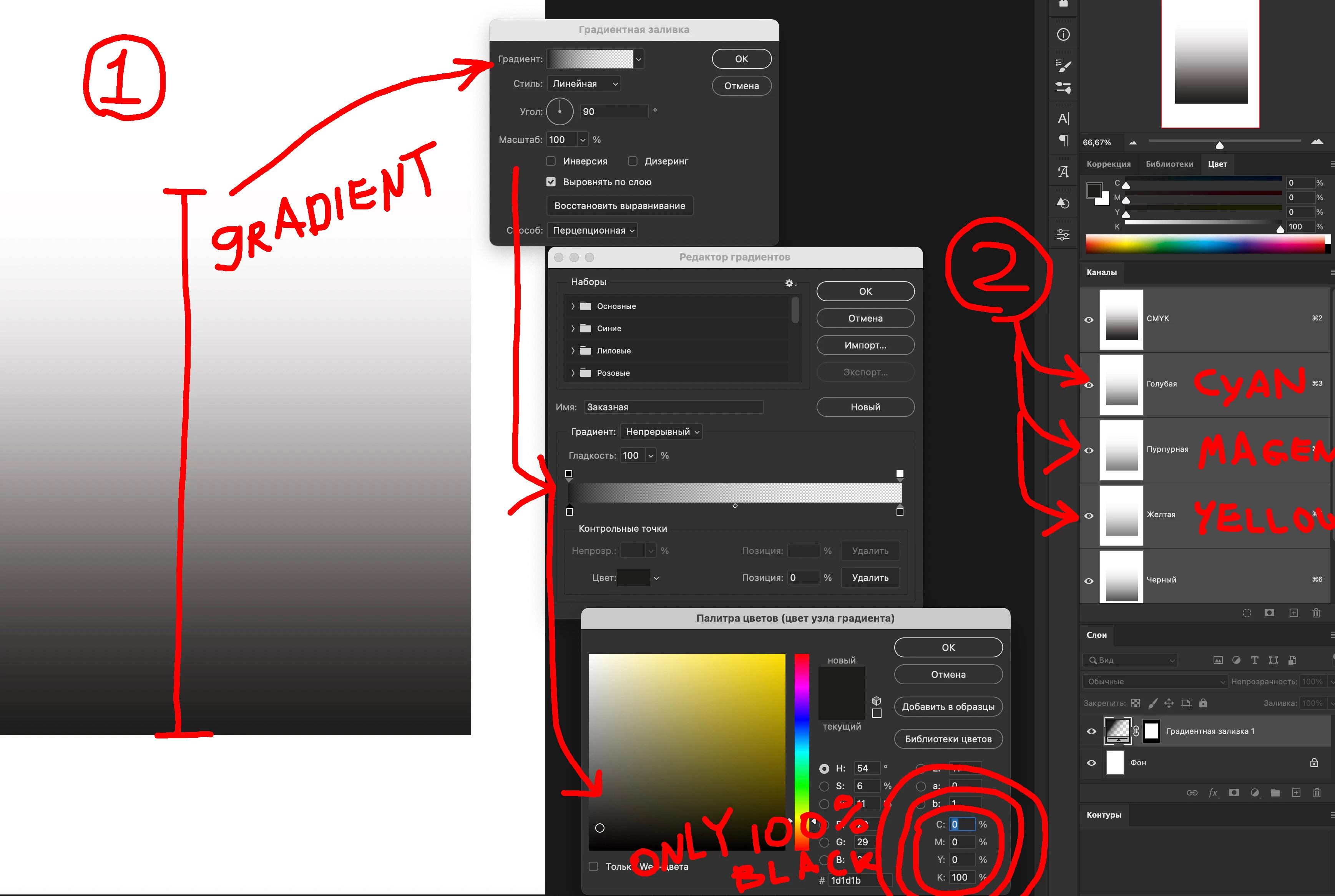
I need show grdient only 100% black color.
But in file it is split on all channels.
Why is is happens.
Photoshop ver 23.0.0
I need show grdient only 100% black color.
But in file it is split on all channels.
Why is is happens.
This is due to the new gradient types in the latest update.
Change the gradient type from "Perceptual" back to "Classic" to work around the problem.
Adobe should fix this ASAP so that the new Linear/Perceptual modes honors the channels in CMYK mode (and not only in RGB).
Already have an account? Login
Enter your E-mail address. We'll send you an e-mail with instructions to reset your password.
 AdChoices