
chrisb33930735
Participant
June 26, 2023
Answered

Gradients not exporting with image

  • June 26, 2023
  • 33 replies
  • 19501 views

Something really strange is going on. My gradients look fine when I'm editing, but when I export, it's only showing the leftmost color. I've attached images.


Correct answer c.pfaffenbichler

Here's a better screenshot. I cannot provide the file due to copyright issues.
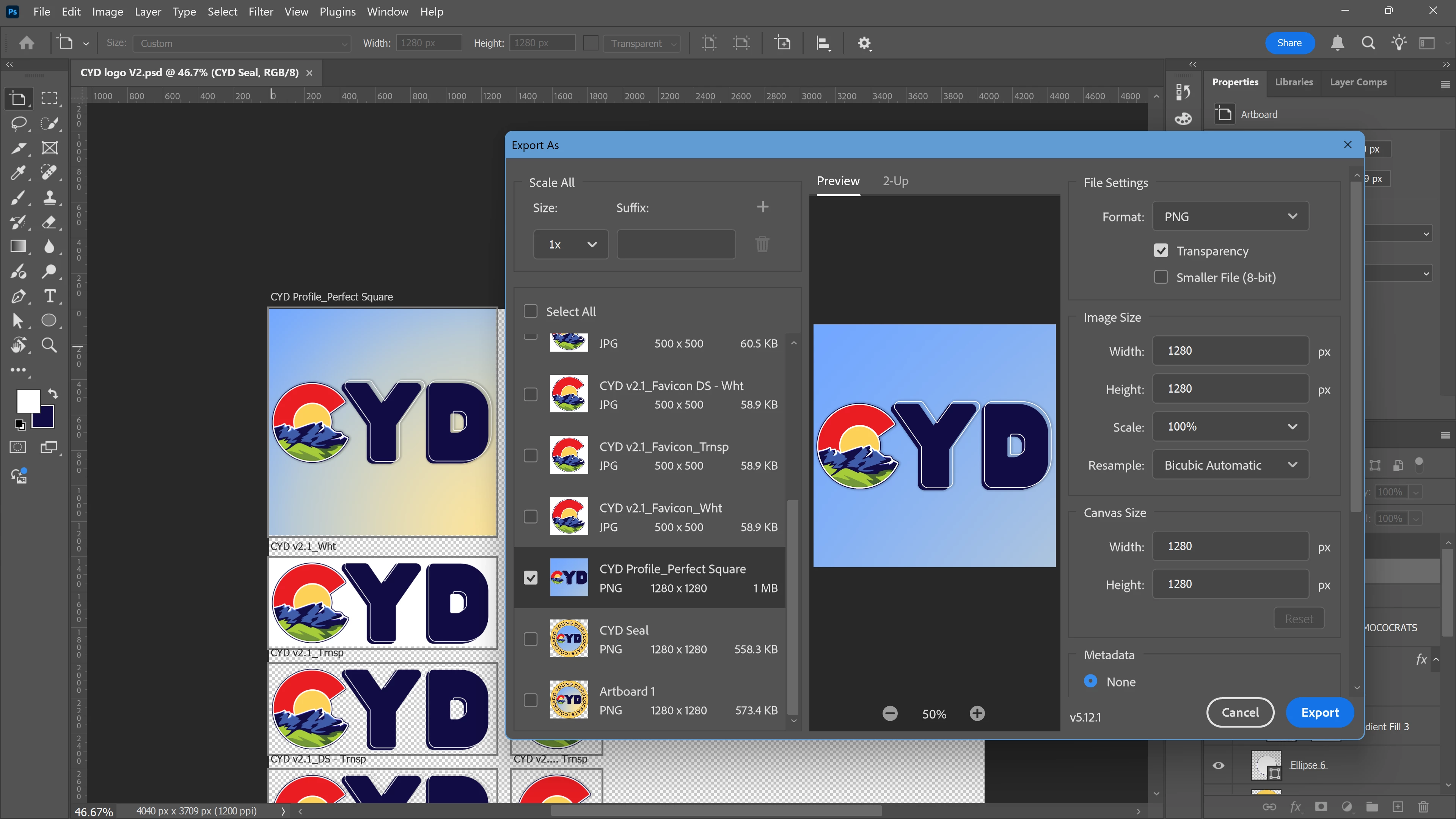


If I remeber correctly this is a known issue with »Export As«. 

In the meantime please use the work-around of applying a Layer Mask (of the Artboard’s dimensions) to the Gradient Layer or convert it to a Smart Object. 

33 replies

mglush
Community Expert
Community Expert
June 28, 2023

This sounds like an issue that the Photoshop team will need to address. But, in the meantime, did you try flattening your file and then exporting? Save your file with all of your layers intact, then do a "Save As" and save it with a different file name. Then flatten the image and save out to your desired format. Do yuo still have the same issue?

Michelle

chrisb33930735
Participant
June 28, 2023

Thanks for getting back to me! I've attached an image of the full window


I'm running photoshop 2023 version 24.6

Participant
February 23, 2025

There's a work around that i found. instead of duplicating the layers and files, you can group your gradients and convert them as smart object and this seems to work for me.


mglush
Community Expert
Community Expert
June 27, 2023

Hi!

That is strange! Can you show us a screenshot of your window with your panels visible and the Gradent tool selected so we can see the settings in your Options bar. We need to see what you are working with. Also, what version of Photoshop are you working with? What format are you exporting to?

Michelle

Participant
April 19, 2024

having the same issue here