Participant
August 22, 2021
Question

Graphical Glitch After Update 22.5.0

  • August 22, 2021
  • 4 replies
  • 627 views

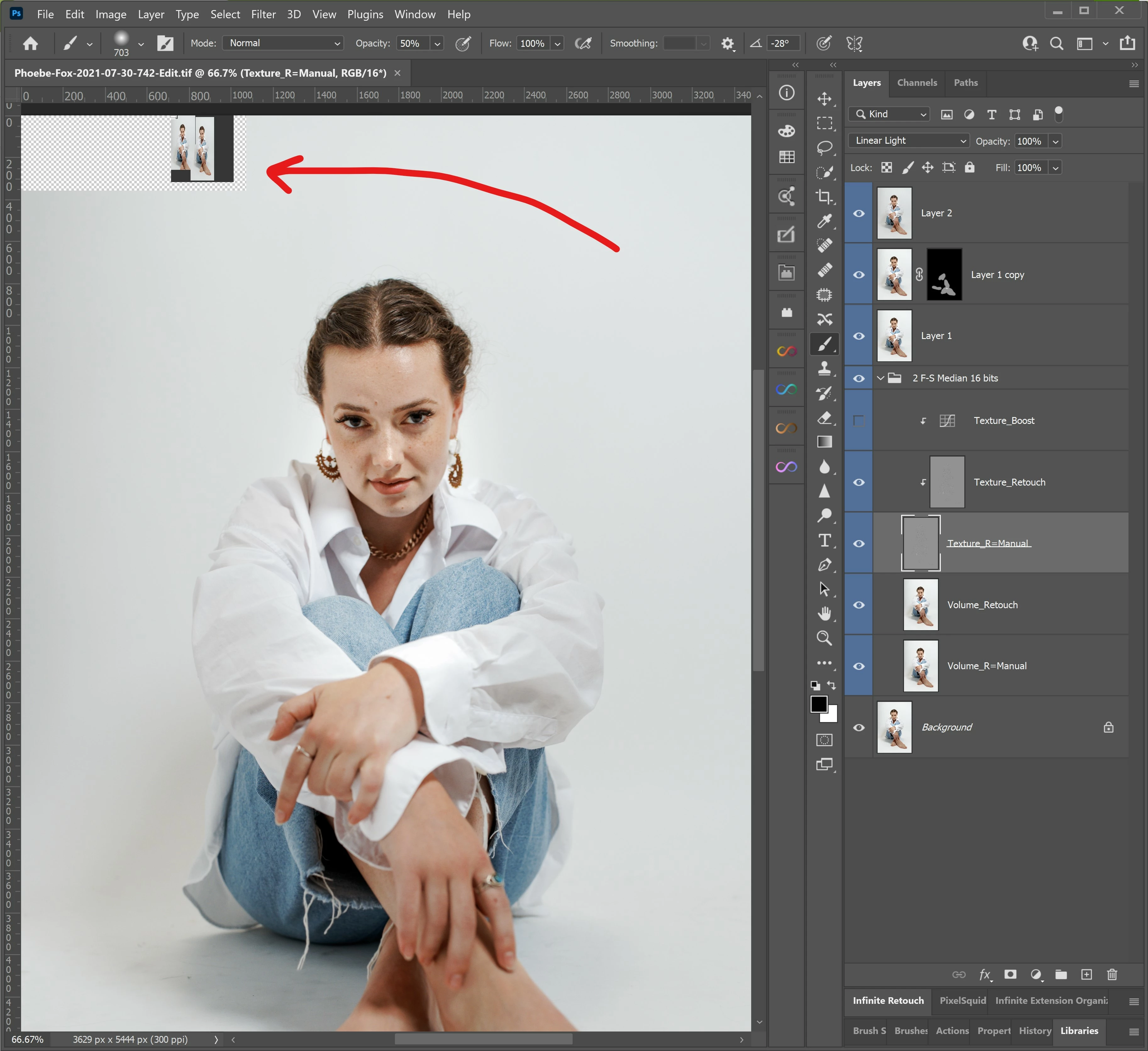
Immediately after updating a few days ago I started seeing a video memory glitch in the upper left of all the documents I edit. It seems harmless, but it's hella distracting. It just flickers a composite of the document on and off while I edit. Nothing too serious. Just wanted to report it.
 

This topic has been closed for replies.

4 replies

Jörg Vogeltanz
Participating Frequently
October 10, 2021

I have also a huge problem with Photoshop since the 22.5 update (Only switching back to 22.4 "solved" it).

So... After inDesign (which still crashes on start and I always have to reboot my system and open inDesign immediately after reboot to get it to work... despite all your "tipps" to eliminate the issue) Photoshop now behaves crappy. After EACH workstep I have to open the task manager to get Photoshop to accept my input... plus: the dropdown-menus flicker and sometimes do not react to my input... Seriously, Adobe, what is wrong with your applications? FIX THIS or I switch to Affinity Photo and Publisher for good like I happily moved from Premiere to DaVinci! Your Adobe CC Apps are FAR TOO EXPENSIVE for all this trouble. Nearlly any cheap or free open source App is better programmed than this overpriced scam! Pardon my French, but I am really pissed for months because of all the trouble I go throgh with Adobe applications!

And, YES, my system meets the proper system requirements. And, NO, I do not want to do anything with my system or program preferences. It has to work when I pay for it, if not, YOU have to repair it.

lkc1
Known Participant
August 24, 2021


Mine has gone wacky too!  Just opening a new document I get this skewed display.   All my current files look this way now...


lkc1
Known Participant
August 24, 2021

Rolling back to 22.4.3 fixed the issue.  

(for now)

Ged_Traynor
Community Expert
Community Expert
August 22, 2021

Hi

Try enabling this option in preferences and restarting Photoshop to see if it's helps

Participant
August 24, 2021

Ótima dica. Na hora de abrir qualquer arquivo, o programa t

ravava completamente e, depois que eu desativei a tela nativa, voltou a funcionar. 

lambiloon
Community Expert
Community Expert
August 22, 2021

Hi this is may be bug in latest version yet or maybe your graphic card is old enough according to new updated...regards

Ali Sajjad / Graphic Design Trainer / Freelancer / Adobe Certified Professional