
Participant
May 31, 2017
Answered

graphics processor
  • May 31, 2017
  • 2 replies
  • 409 views

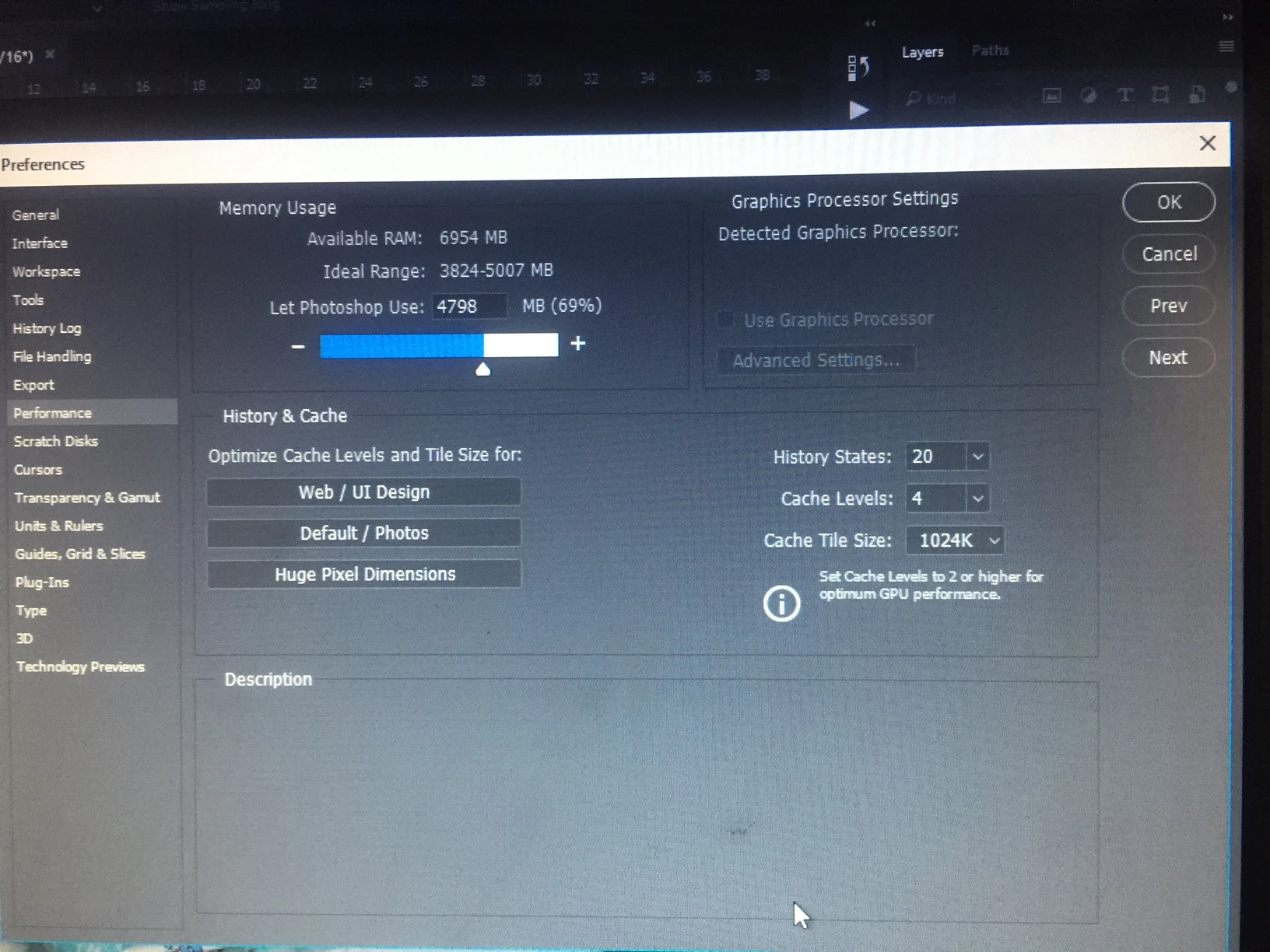
Please help me understand what the problem is. I'm going into preferences-> performance A sign of use graphics processor does not work and does not let me mark V.

In addition, I open a liquify - I get a message(attach a screenshot) that I have to use graphics processor . After I open the liquify, however, Ps do not see the face and option ctrl A does not work.

I have :

Intel (R) HD Graphics 2000

I made it an update that I downloaded from the Intel site

What could be the cause of the problem?

Is it because my card is old?

I want to be sure I will not replace the graphics processor and the problem will remain.

Thanks.

    This topic has been closed for replies.
    Correct answer c.pfaffenbichler

    The card does not seem to be listed among the tested ones.

    Photoshop graphics processor (GPU) card FAQ

    2 replies

    Trevor.Dennis
    Community Expert
    Community Expert
    May 31, 2017

    What sort of computer is this?  I'm guessing it is a few years old if using HD2000 and possibly a laptop, or a desktop that uses onboard video from the motherboard? 

    What operating system does this computer use? 

    It might be helpful if you open Photoshop and go Help > System info > Copy and paste to this thread.

    It also looks like you used a camera to get your screen shot.  It's great that you supplied the screen shot.  They are nearly always helpful, but grab them directly if you can.  If your computer is using Windows 7 or later you can use the Scissors tool.  If your keyboard has a Print Scrn key, hit that to copy to paste board, and paste directly to this thread with Ctrl v.

    c.pfaffenbichler
    Community Expert
    c.pfaffenbichlerCommunity ExpertCorrect answer
    Community Expert
    May 31, 2017

    The card does not seem to be listed among the tested ones.

    Photoshop graphics processor (GPU) card FAQ