Participant
May 24, 2024
Answered

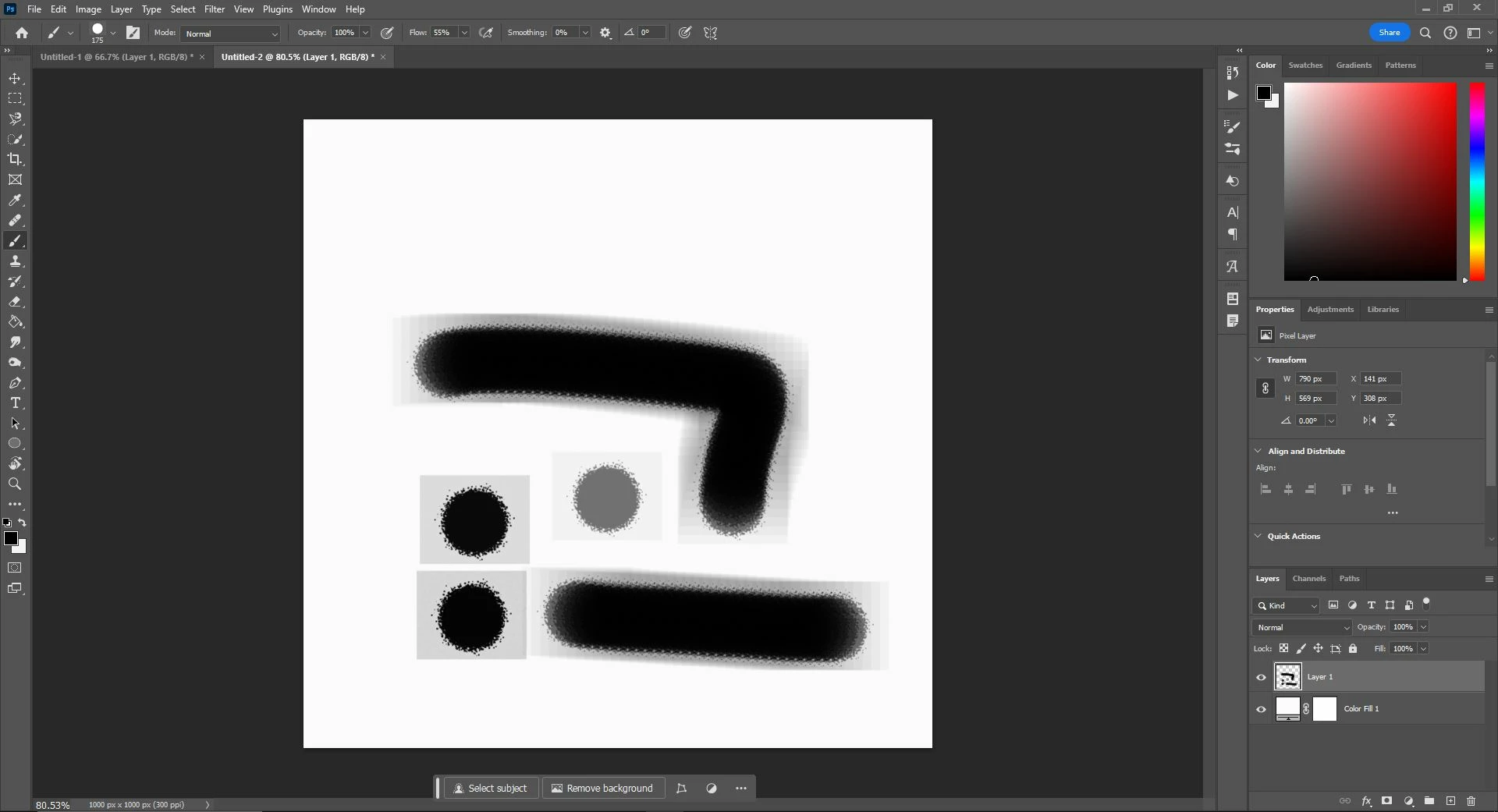
Gray box around brush preset problem

  • May 24, 2024
  • 2 replies
  • 382 views

Hi, 


I followed a tutorial to make a custom brush but everytime I draw, a light gray box is present within the brush strokes. The grey box even shows in the small brush picker icon. When I defined the brush preset it was on a solid white background. 


Would appreciate any insight on how to get rid of the box around the brush!
This topic has been closed for replies.
Correct answer Trevor.Dennis

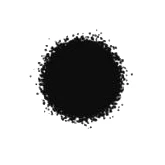
The area around the brush preset you are trying to create must be full white or transparent.  It looks like you had a light gray background when creating the new brush preset, and that has been incorperated into the preset.  If you copy the image below to Photoshop and use it to create a new brush preset, the grey box will bee gone

2 replies

Trevor.Dennis
Community Expert
Trevor.DennisCommunity ExpertCorrect answer
Community Expert
May 26, 2024

The area around the brush preset you are trying to create must be full white or transparent.  It looks like you had a light gray background when creating the new brush preset, and that has been incorperated into the preset.  If you copy the image below to Photoshop and use it to create a new brush preset, the grey box will bee gone

Bojan Živković11378569
Community Expert
Community Expert
May 25, 2024

Can you post screenshot of file where you are defining brush preset?

Participant
May 25, 2024

Hi here's a screenshot. For clarification the reason why I'm defining the brush preset on a white background is because to achieve the custom brush I apply filter gallery on a regular soft round brush. The tutorial I'm following doesn't have the gray box. I could link the tutorial if that would help.