Magic_Zach
Participant
May 26, 2019
Pergunta

Grayscale to Color Channel Not Working Properly!

  • May 26, 2019
  • 1 resposta
  • 1668 Visualizações

This has my grinding my teeth down, because in every way I can imagine, this SHOULD work, but it does NOT.

I am making a normal map, or at least trying to, by hand.  The normal map generator is not to my satisfaction, and doing this manually (while more work) provides greater hands-on detail that I want.
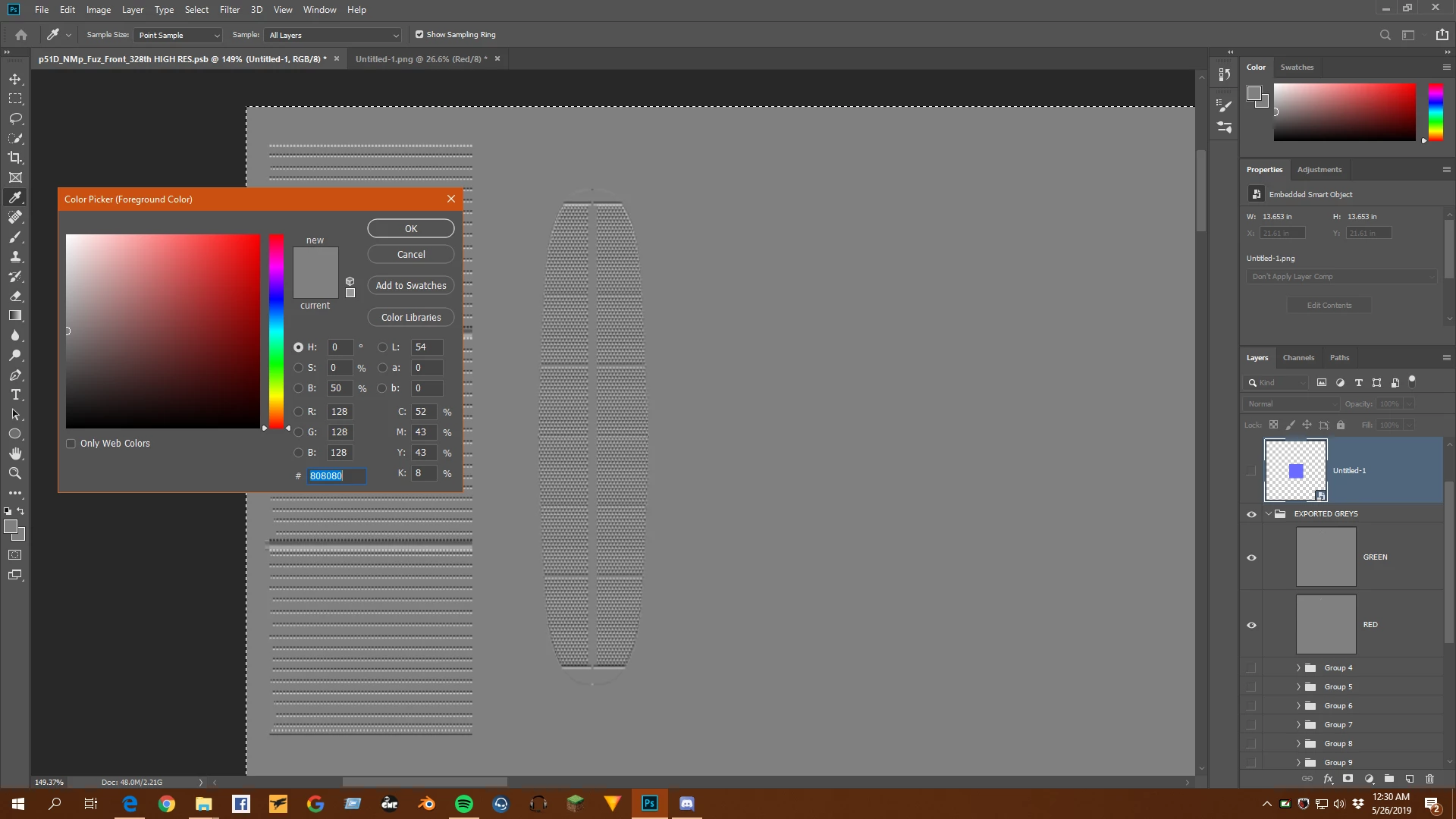
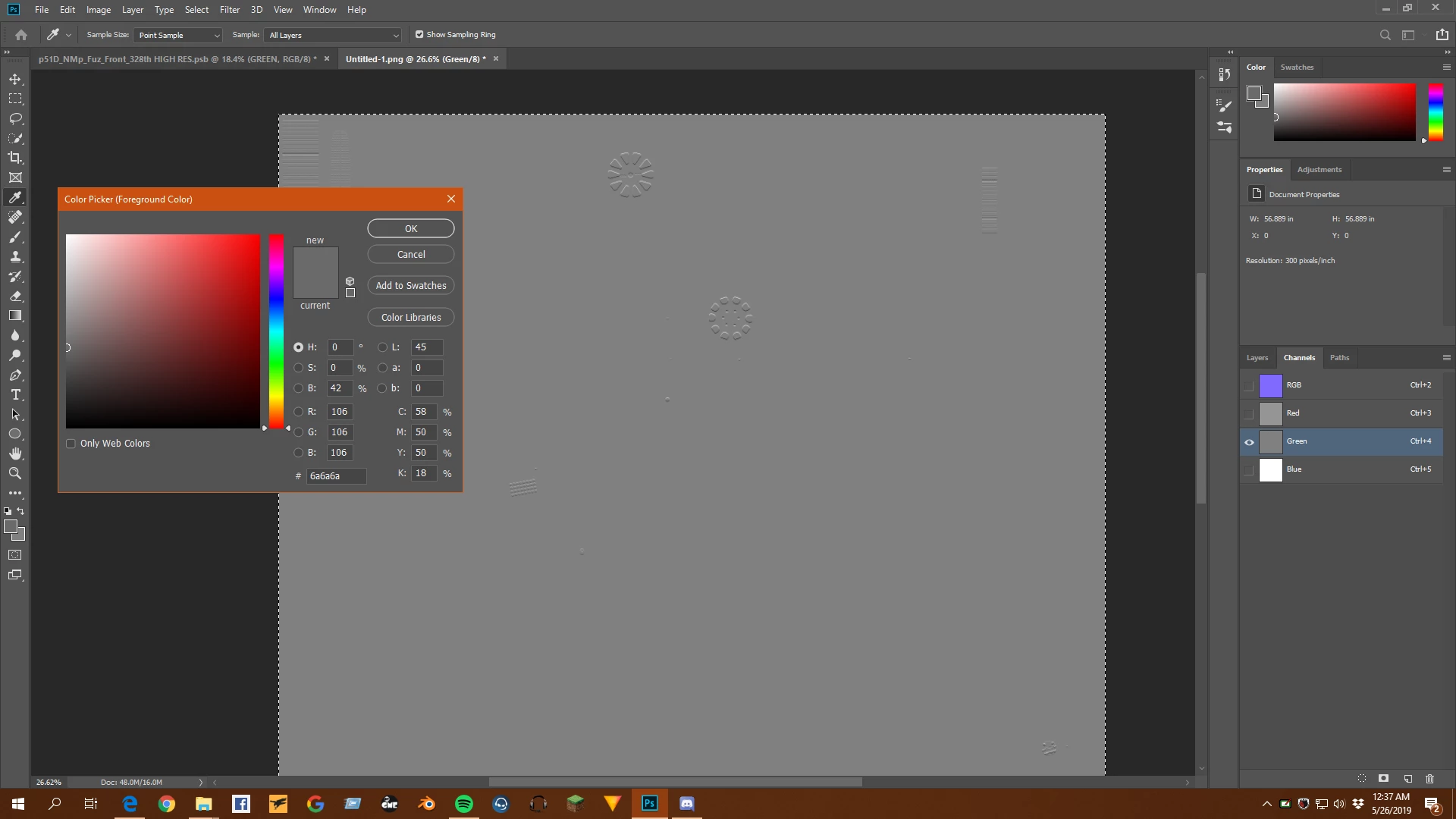
However, in my process, I have two workspaces that are in identical format, RGB 8bit, both of them.  In one, I have my main workspace where I make grayscales, emboss different layers between 90 and -150 degrees for the green and red channels, combine the reds and greens into their own single layer (with an #808080) background.  My second workspace open is for the color channels.  I select say my green channel, copy it (CTRL+C), and then clicking on the green channel in my second work space, I paste it.  I do the same with the red channel.

HOWEVER, it is not pasting correctly.  My original green channel has an #808080 background, but when I paste it into my second workspace's green channel, it is #6a6a6a, not at all what I want.  It does the same with my red channel.  Obviously I have my blue channel as a solid white.  But this makes my end result extremely blue, not at all how it should be.  I've run through everything I can think of, and I'm real close to calling it a bug.  I need some help or I'm going to lose my mind.  I've put 4-5 hours into this, and this wall I've hit is turning my hair white.
Este tópico foi fechado para respostas.

1 Resposta

davescm
Community Expert
Community Expert
May 26, 2019

Hi

Check the colour profile (colour space)  of your two documents.  The hex values are nothing special - just RGB values expressed in base 16.  On their own they are meaningless and only describe a particular colour in the context of a colour space. So the same colour will have different numbers in two different colour spaces. Conversely the same numbers in two different colour spaces will describe different colours.

Dave

Legend
May 26, 2019

A channel can't have a value of 808080. That's all three channels R=80 G=80 B=80. You're talking about channels but you seem to be working with layers - the channel palette isn't open.

D Fosse
Community Expert
Community Expert
May 26, 2019

He means hex #808080, and he's pasting into the green channel.

Anyway, Dave is right. And there's an added complication: a single channel is a grayscale image, and it's getting your working gray assigned, before being further converted into the target color space upon pasting.

So that's a lot of balls to keep in the air at the same time, but it is in fact the way it has to work to maintain consistency and accuracy. Photoshop can't take any shortcuts here. You need to work with it.

You can make this a lot easier if you set a working gray that corresponds with the target document RGB. You need a gray with the same tone response curve. So if the document is sRGB, set sGray as your working gray. If the document is  Adobe RGB, set gray gamma 2.2.