
Question
Grid issue when straightening photo with the crop tool
Hi,
Since I updated to Photoshop 21.0.1 I am having a problem when straightening photos using the crop tool.
I have the rule of thirds selected on the crop tool, which displays as expected. Before updating, when I grabbed the curved arrow for rotating it brought up more grids that I used to straighten the photo. Something like this image below.
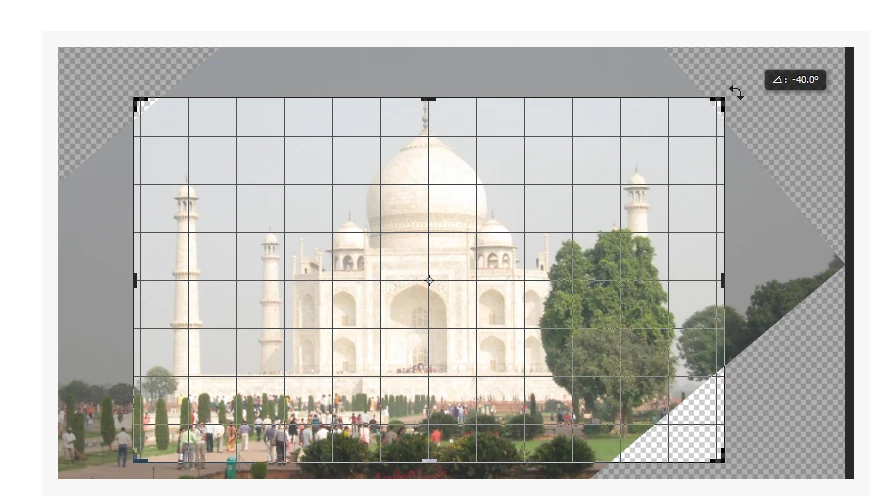
However, now when I do it has a far busier grid - so busy that I often can't see the image below to straighten it. This is what it looks like:
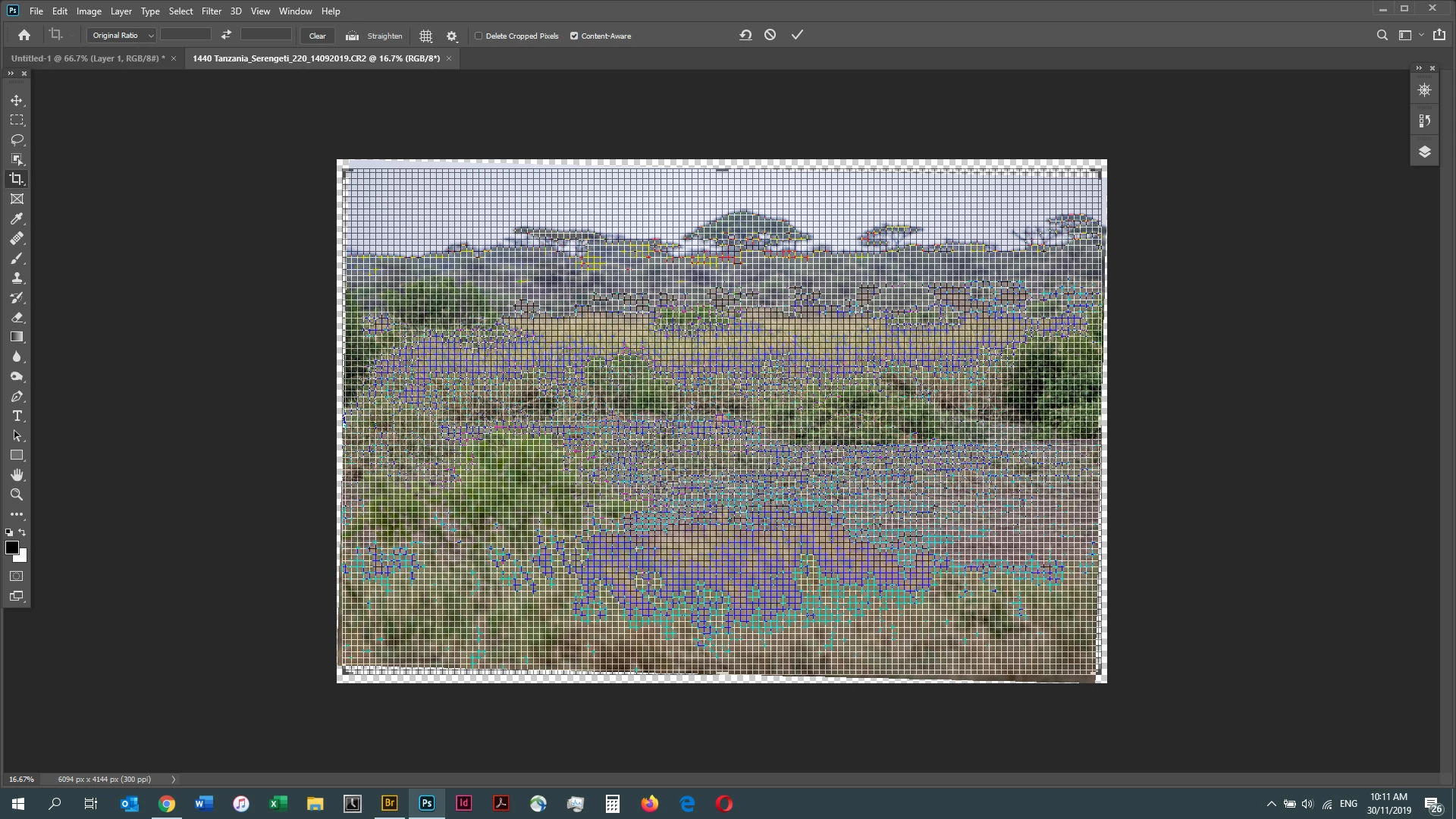
Can anyone tell me if there is a tweak to the settings I can make to have a simpler gride when straightening? All the settings seem to only affect the initial view, not what happens when I try to straighten. I hope that makes sense!
 AdChoices