
Question
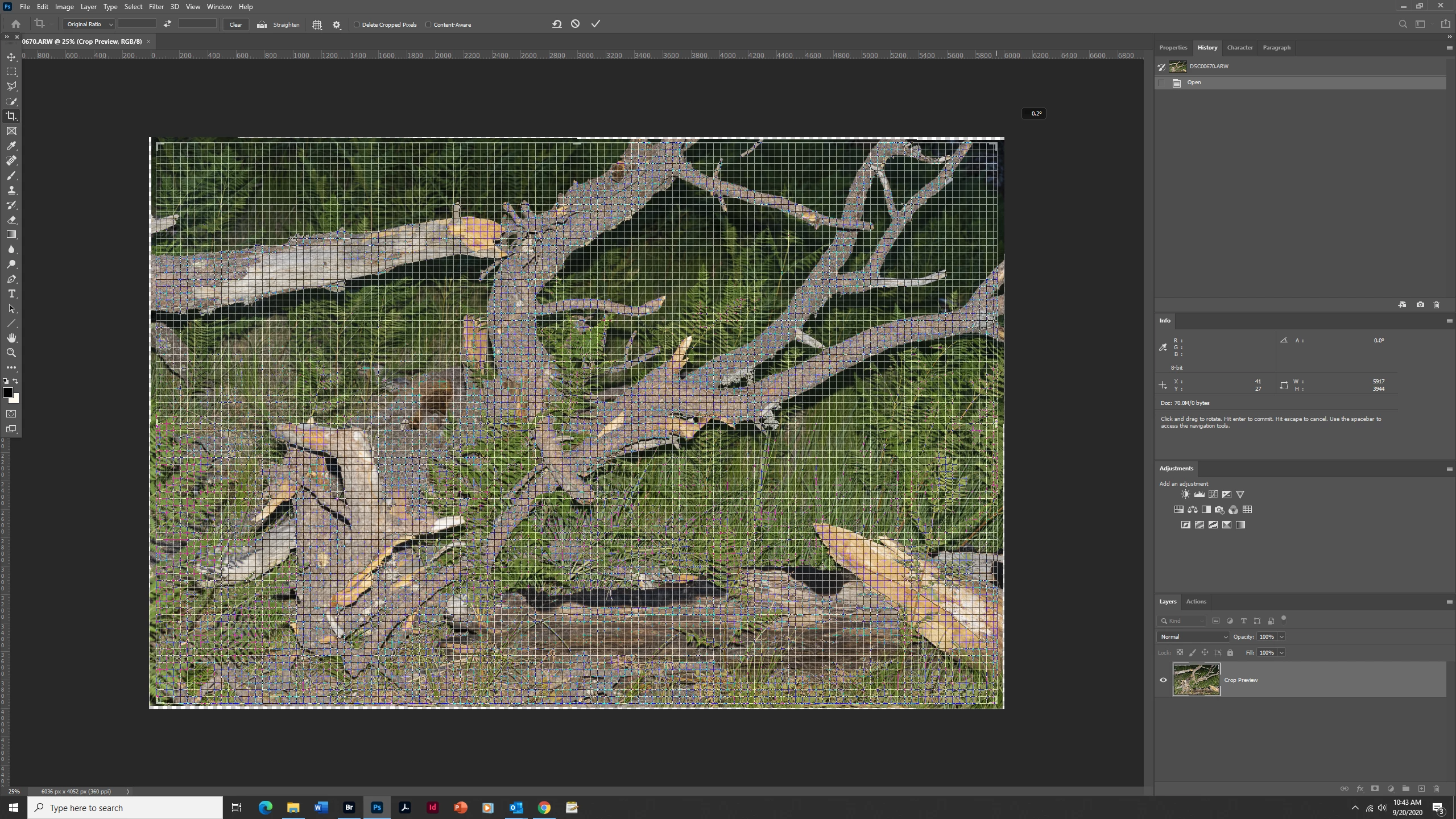
Grid On Crop/Rotation Tool Too Tight
Hi. I have seen this posted two times before but Adobe isn't providing a fix or solution. Perhaps someone else has figured it out?
I am having a problem with the crop tool. When I use it to crop and rotate an image it creates a VERY intense grid on the image (see below). The grid is so intense I can't really see the image. This is new with one of the updates. I have gone through the crop tool settings but can't seem to get rid of this tight grid. Any suggestions?
Thank you.
 AdChoices