
Question
GUI problems with Photoshop 2020 - Windows desktop app - menu bar not visible, palettes problems
Hi, I am using Photoshop on Windows 10. There are some GUI display problems, the top menu is not visible, it is clickable if I find the right spot to click, but the menu text is not visible. Also are various buggy display issues to do with the window frame and palettes.
I have updated the graphics card driver, AMD Radeon R7 M360. I have tried various performance setting options, Legacy Compositing, Use Graphics Processor etc. The UI was displaying correctly previously and now is not. I am not sure what has changed.
Any help would be appreciated, I cannot find any support on a general Google search that addresses this.
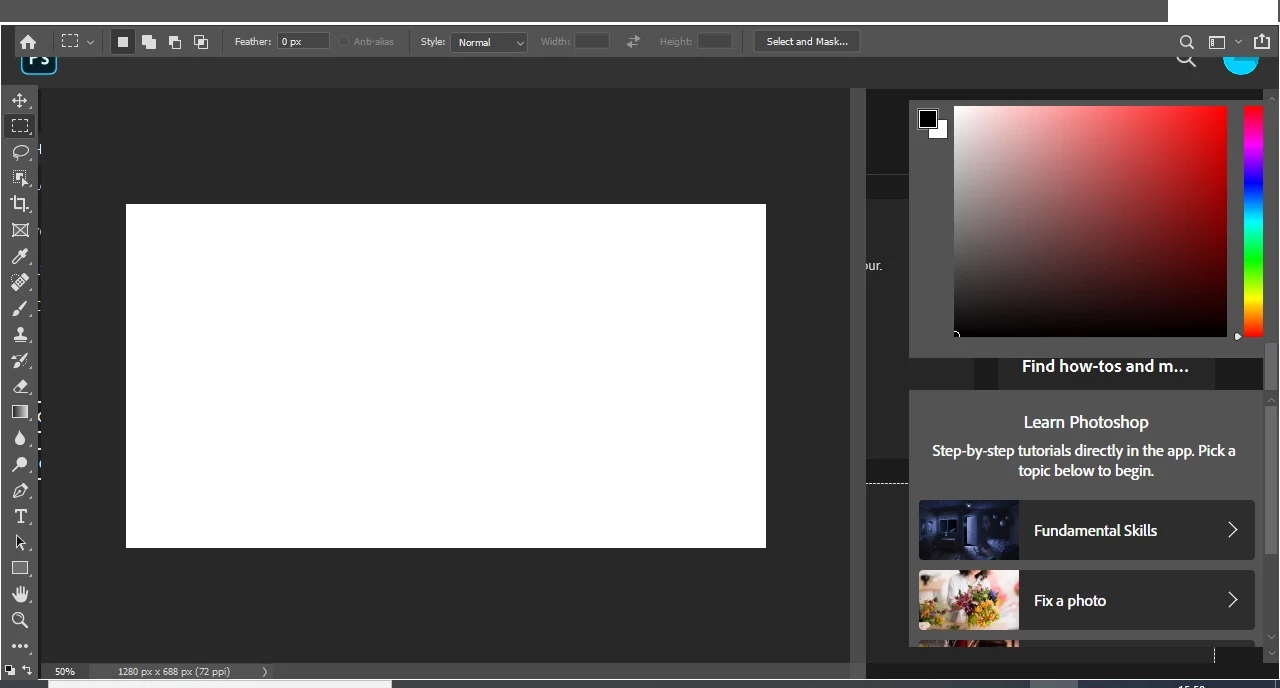
{Thread title edited by moderator}
 AdChoices