bartk64719234
Participating Frequently
March 4, 2019
Answered

Guides between pixels

  • March 4, 2019
  • 2 replies
  • 1402 views

Hi all,

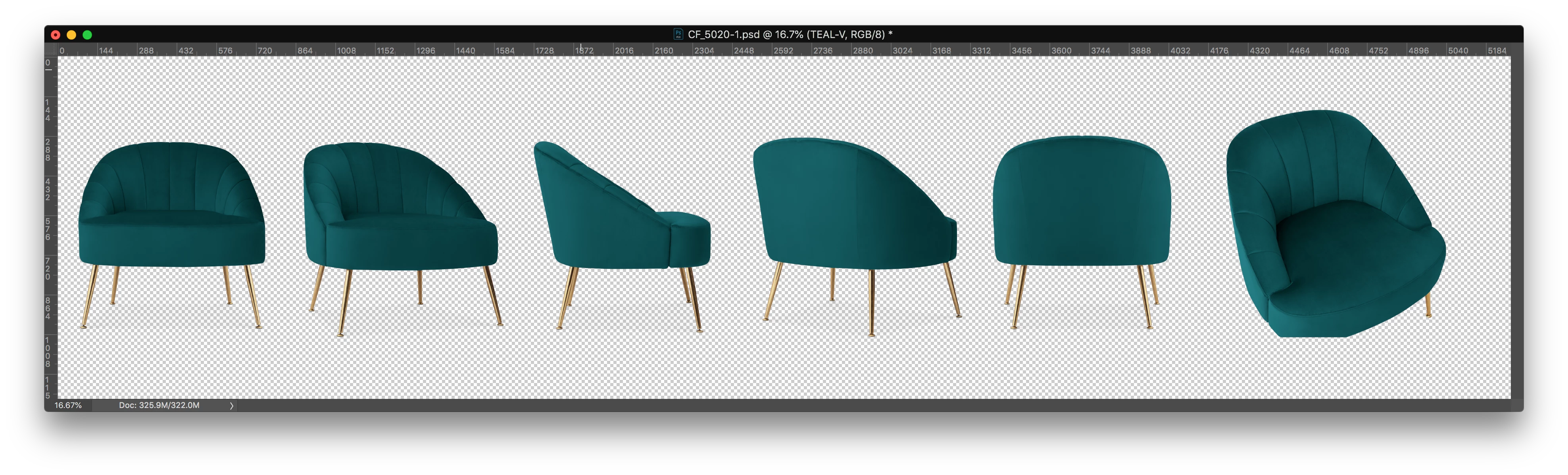
I'd like to know if its possible to create a script that place a vertical guide in between pixels like in the example below:


before:

after:
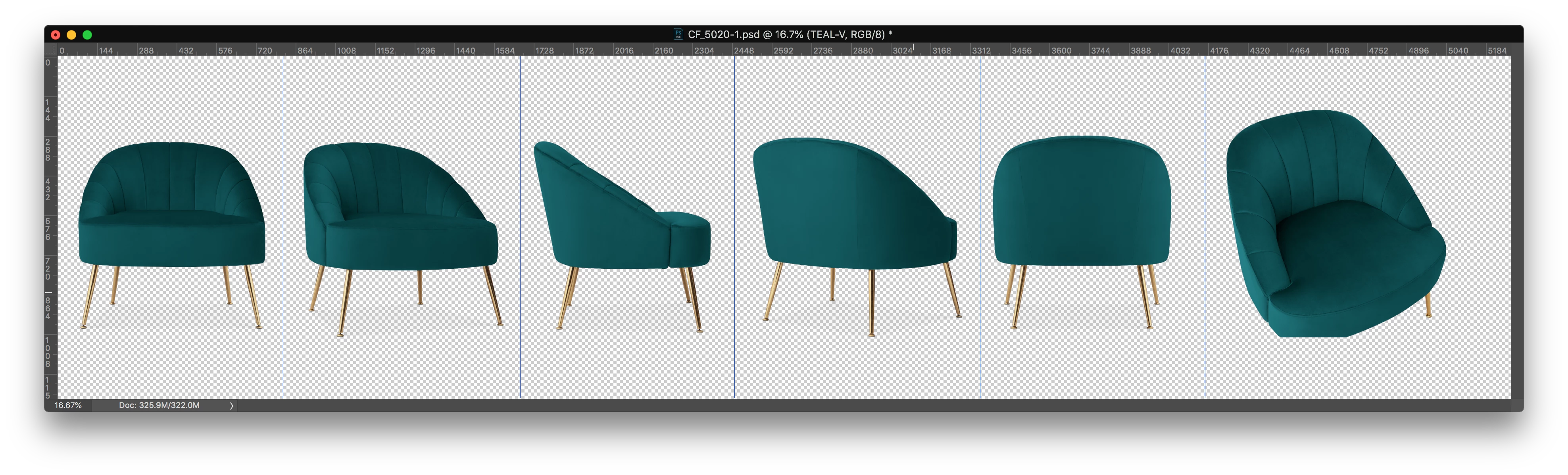
This is a png files with just one layer.

Is that possible?

Thanks!

This topic has been closed for replies.
Correct answer r-bin

If your objects are located on a transparent background and are arranged sequentially horizontally (in the middle of the height of the document),

then you can try this script.

Not very fast.

preferences.rulerUnits = Units.PIXELS;

var doc = activeDocument;

var h = doc.height.value;

var w = doc.width.value;

var step = w/100;

var b = new Array();

magicwand(0, h/2);   

b.push(doc.selection.bounds);

for (var i = step; i < w; i+= step)

    {

    magicwand(i, h/2);   

    if (doc.selection.bounds[0] != b[b.length-1][0] && doc.selection.bounds[0] != b[0][0]) b.push(doc.selection.bounds);

    }

doc.selection.deselect();

doc.guides.removeAll();

for (var i = 1; i < b.length-1; i++)

    {

    doc.guides.add(Direction.VERTICAL, (b[2]+b[i+1][0])/2);

    }

////////////////////////////////////////////////////////////////////////////////////////////

function magicwand(x,y)

    {

    try {

        var d = new ActionDescriptor();

        var r = new ActionReference();

        r.putProperty(stringIDToTypeID("channel"), stringIDToTypeID("selection"));

        d.putReference(stringIDToTypeID("null"), r);

        var d1 = new ActionDescriptor();

        d1.putUnitDouble(stringIDToTypeID("horizontal"), stringIDToTypeID("pixelsUnit"), x);

        d1.putUnitDouble(stringIDToTypeID("vertical"),   stringIDToTypeID("pixelsUnit"), y);


        d.putObject(stringIDToTypeID("to"), stringIDToTypeID("point"), d1);

        d.putInteger(stringIDToTypeID("tolerance"), 255);

        d.putBoolean(stringIDToTypeID("antiAlias"), false);

        d.putBoolean(stringIDToTypeID("merged"), true);

        executeAction(stringIDToTypeID("set"), d, DialogModes.NO);

        return true;           

        }

    catch (e) { throw(e); }

    }

2 replies

r-binCorrect answer
Legend
March 5, 2019

If your objects are located on a transparent background and are arranged sequentially horizontally (in the middle of the height of the document),

then you can try this script.

Not very fast.

preferences.rulerUnits = Units.PIXELS;

var doc = activeDocument;

var h = doc.height.value;

var w = doc.width.value;

var step = w/100;

var b = new Array();

magicwand(0, h/2);   

b.push(doc.selection.bounds);

for (var i = step; i < w; i+= step)

    {

    magicwand(i, h/2);   

    if (doc.selection.bounds[0] != b[b.length-1][0] && doc.selection.bounds[0] != b[0][0]) b.push(doc.selection.bounds);

    }

doc.selection.deselect();

doc.guides.removeAll();

for (var i = 1; i < b.length-1; i++)

    {

    doc.guides.add(Direction.VERTICAL, (b[2]+b[i+1][0])/2);

    }

////////////////////////////////////////////////////////////////////////////////////////////

function magicwand(x,y)

    {

    try {

        var d = new ActionDescriptor();

        var r = new ActionReference();

        r.putProperty(stringIDToTypeID("channel"), stringIDToTypeID("selection"));

        d.putReference(stringIDToTypeID("null"), r);

        var d1 = new ActionDescriptor();

        d1.putUnitDouble(stringIDToTypeID("horizontal"), stringIDToTypeID("pixelsUnit"), x);

        d1.putUnitDouble(stringIDToTypeID("vertical"),   stringIDToTypeID("pixelsUnit"), y);


        d.putObject(stringIDToTypeID("to"), stringIDToTypeID("point"), d1);

        d.putInteger(stringIDToTypeID("tolerance"), 255);

        d.putBoolean(stringIDToTypeID("antiAlias"), false);

        d.putBoolean(stringIDToTypeID("merged"), true);

        executeAction(stringIDToTypeID("set"), d, DialogModes.NO);

        return true;           

        }

    catch (e) { throw(e); }

    }

bartk64719234
Participating Frequently
March 5, 2019

it works as well but is a bit slower than the other code...

can you describe the steps? I didn't get the magic wand part... maybe we can improve it!

Legend
March 5, 2019

Use

var step = w/20;


This will speed up five times. Find up to about 20 objects.

Kukurykus
Legend
March 4, 2019

Duplicate Layer, use Treshold, then on only visible layer Shadows in Color Range, make Path, and then a loop over all of them (big objects). Take into array the most distant left and right anchor of each object, then basing on distance between right anchor of left object and left anchor of right object put a guide. Repeat for all pairs...

bartk64719234
Participating Frequently
March 4, 2019

Thanks for the help, but how can I get each big object? there is a way to make a selection from a subpath?

// GET THE ORIGINAL DOCUMENT UNITS

var originalUnit = app.preferences.rulerUnits;


// set the ruler type

if (app.preferences.rulerUnits != Units.PIXELS) {

   app.preferences.rulerUnits = Units.PIXELS;

}

var doc = app.activeDocument;


// create selection

var idsetd = charIDToTypeID( "setd" );

   var desc2505 = new ActionDescriptor();

   var idnull = charIDToTypeID( "null" );

   var ref108 = new ActionReference();

   var idChnl = charIDToTypeID( "Chnl" );

   var idfsel = charIDToTypeID( "fsel" );

   ref108.putProperty( idChnl, idfsel );

   desc2505.putReference( idnull, ref108 );

   var idT = charIDToTypeID( "T " );

   var ref109 = new ActionReference();

   var idChnl = charIDToTypeID( "Chnl" );

   var idChnl = charIDToTypeID( "Chnl" );

   var idTrsp = charIDToTypeID( "Trsp" );

   ref109.putEnumerated( idChnl, idChnl, idTrsp );

   desc2505.putReference( idT, ref109 );

executeAction( idsetd, desc2505, DialogModes.NO );


// create workpath

var idMk = charIDToTypeID( "Mk " );

   var desc2456 = new ActionDescriptor();

   var idnull = charIDToTypeID( "null" );

   var ref75 = new ActionReference();

   var idPath = charIDToTypeID( "Path" );

   ref75.putClass( idPath );

   desc2456.putReference( idnull, ref75 );

   var idFrom = charIDToTypeID( "From" );

   var ref76 = new ActionReference();

   var idcsel = charIDToTypeID( "csel" );

   var idfsel = charIDToTypeID( "fsel" );

   ref76.putProperty( idcsel, idfsel );

   desc2456.putReference( idFrom, ref76 );

   var idTlrn = charIDToTypeID( "Tlrn" );

   var idPxl = charIDToTypeID( "#Pxl" );

   desc2456.putUnitDouble( idTlrn, idPxl, 20.000000 );

executeAction( idMk, desc2456, DialogModes.NO );


// get total of subpaths

var subPathsNumber = doc.pathItems[0].subPathItems.length;


// get each subpath ?

for (var i=0; i < subPathsNumber; i++){


}

Geppetto Luis
Legend
March 4, 2019