
Handle Size Too Small - I need to be able to keep Pen Line Small but need much larger handles.
Handle Size Too Small - I need to be able to keep Pen Line Small but need much larger handles.
PS 21.2 - Win10.
I KNOW I can change to 3px - but that ALSO changes the width of the pen line - I need the pen line to remain small. I want ONLY the Handle Size for the pen tool to change. They are so tiny they are difficult for me to even see, much less efficiently grab and work with.
The hardest part is clicking (using pen tablet) on the original point to close the pen loop, or to click the tiny dumbel handle to change the direction of the bezier curve. I miss the point often and it slows me down like litterally doubling or tripling my time to get a job done.
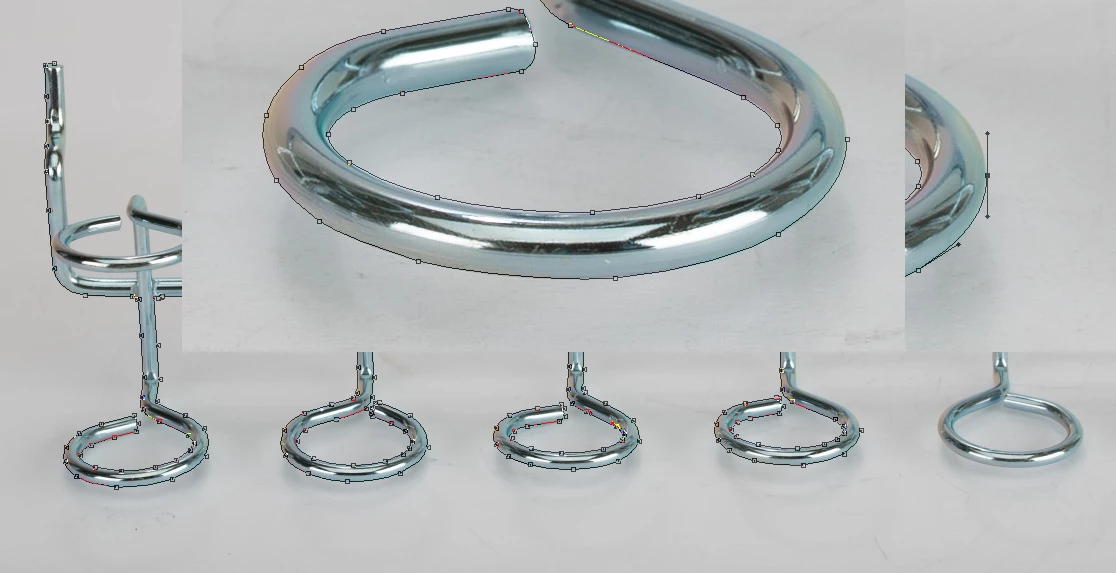
Please photoshop developers for the LOVE OF PHOTOSHOP just give us the opportunity to customize the handle sizes and the pen line independently from one another! Also - stop limiting it to 3px - why limit it at all? Just let me set the size, and we're done.
PS - the new Object Select tool in Photoshop 21.2 has NO IDEA what to do with THIS object. There's no chance at all photoshop can even begin to select this object.
 AdChoices