
Participant
July 25, 2024
Question

Hard round pressure brush

  • July 25, 2024
  • 1 reply
  • 3885 views

Hi guys, so I took everyone's advice 

and I got the brushes I was looking for 
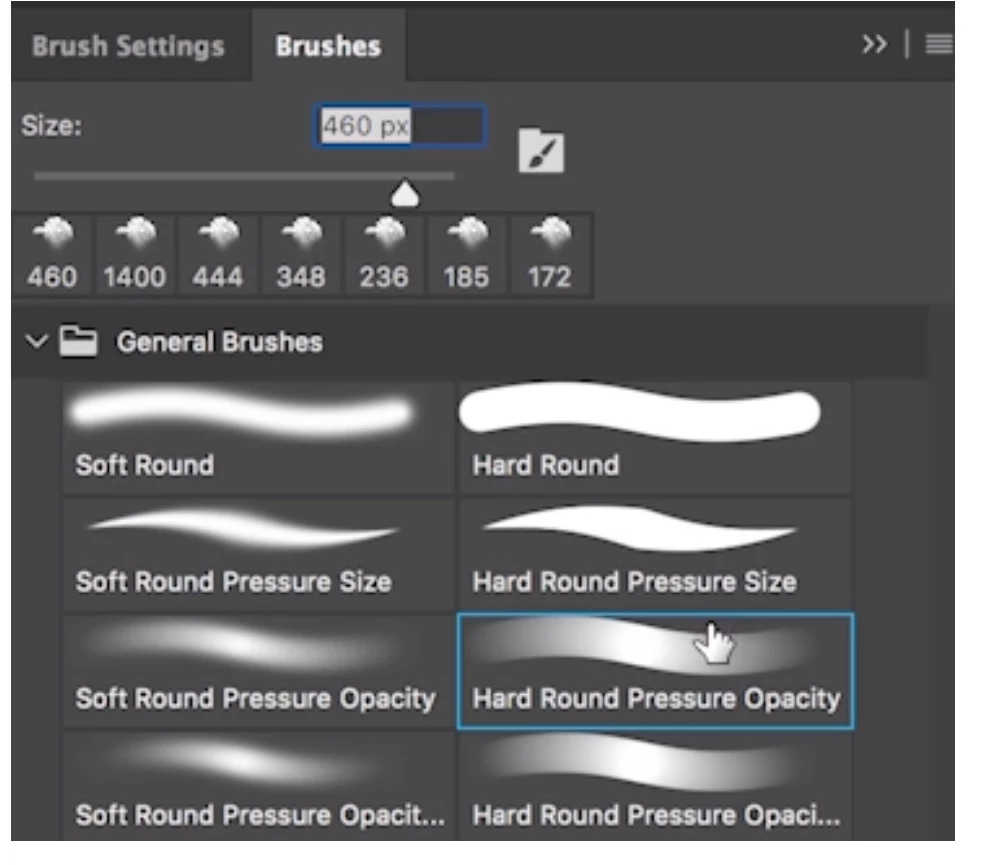
 but now for some reason they disappeared again , I have tried everything to get them back but I can't I'm just so frustrated right now. 
any help would be greatly appreciated thanks 🙏 

1 reply

Trevor.Dennis
Community Expert
Community Expert
July 25, 2024

Hi Ann.  What does it take to lose the presets?  Is it just restarting Photoshop?


Where do you put your presets?  And how do you get them back when you lose them?

They are part of the Legacy set, and should stay in the Presets > Brushes folder when loaded.


If you download brushes, place the .abr files directly in the presets>brushes folder.  This way they will definitely survive a restart, and should also survive updates.  (Note the file path below is for the release version and not the beta version)


C:\Users\ [Your User Name] \AppData\Roaming\Adobe\Adobe Photoshop 2024\Presets\Brushes


You'll need to make Hidden Items visible in File Explorer to see the appdata file path, if not already turned on.


Good luck

Participant
July 25, 2024

Hi Trevor,

I just downloaded photoshop

i didn't download any brushes yet

i know a few people mentioned to press the 

convert legacy tool presents and it will add those brushes i did try that and it just duplicates the brushes i already have lol, and i am using a Bosto drawing tablet even with that i was getting the brushes for a few days but then they just disappeared again