Inspiring
October 30, 2018
Question

Hardness Texture for 3D Model

  • October 30, 2018
  • 2 replies
  • 701 views

Hey.

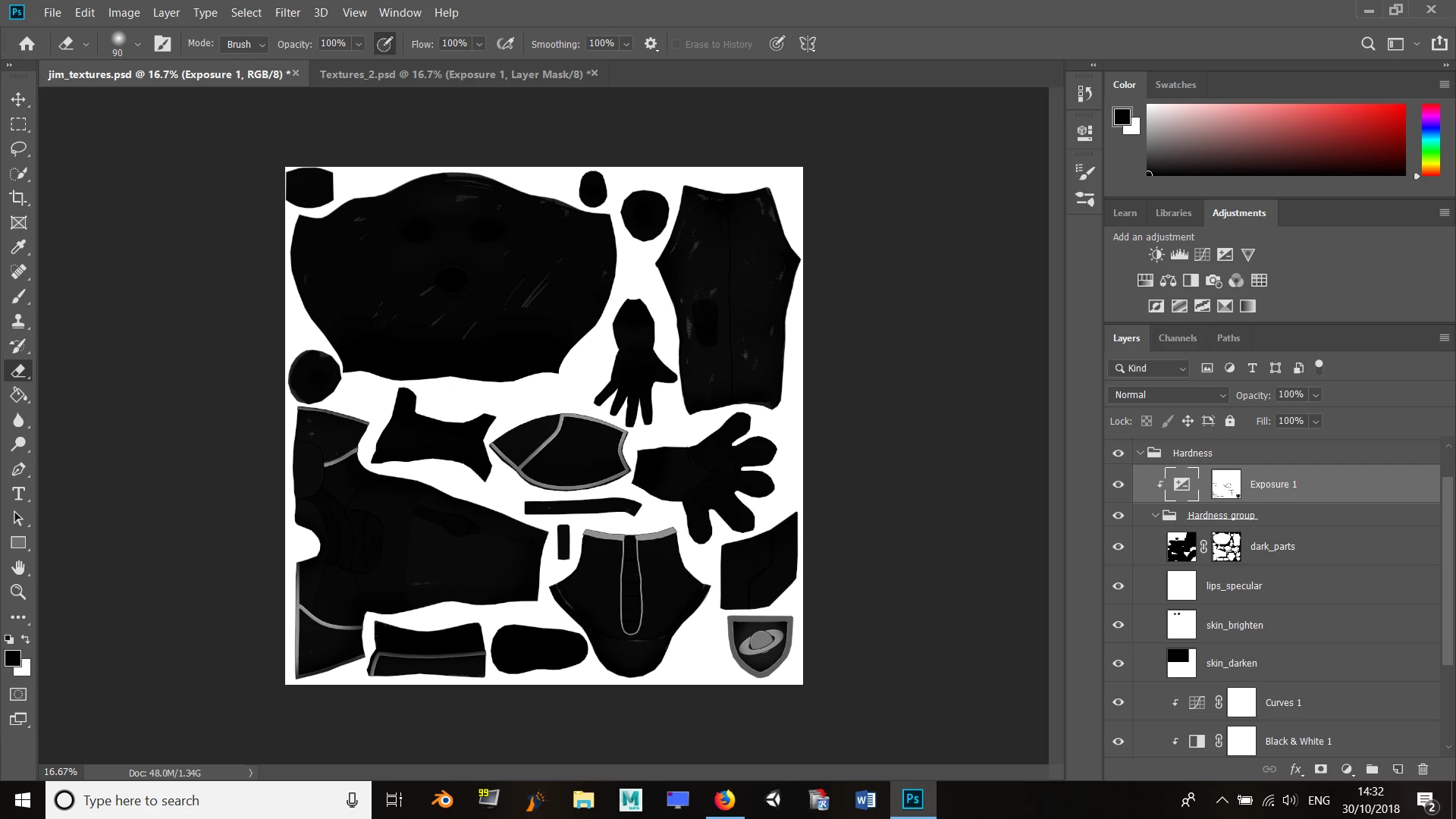
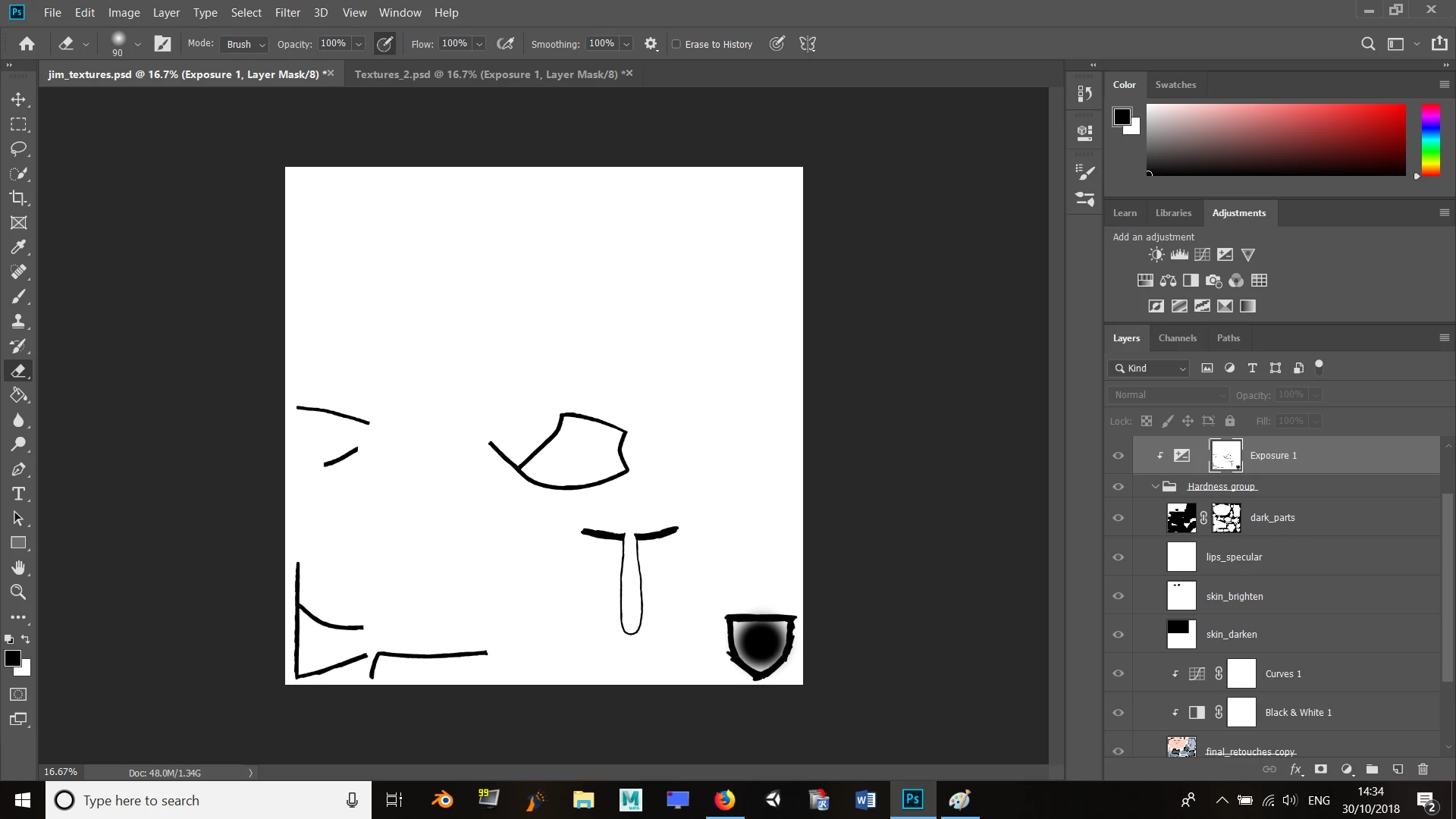
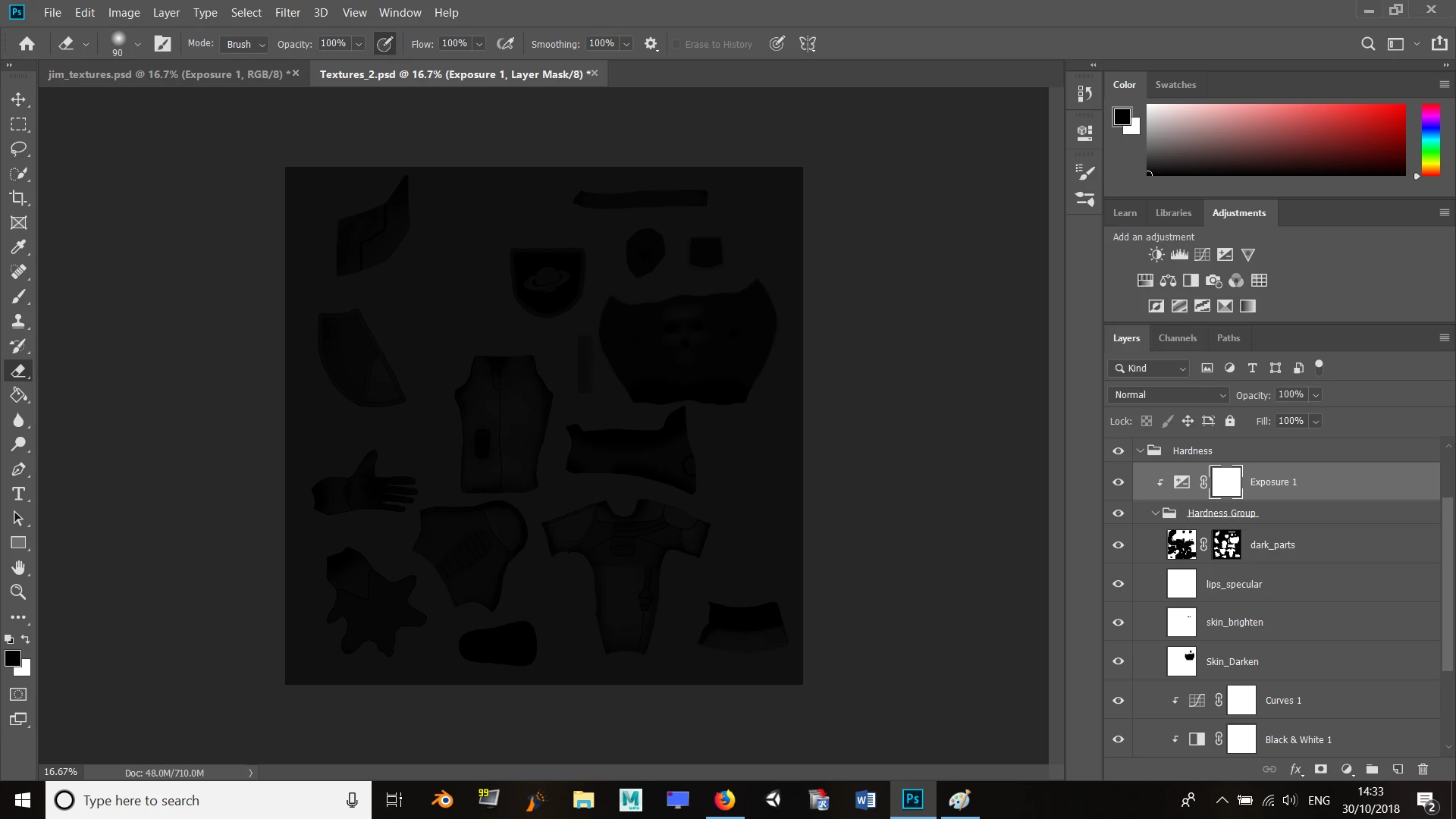
I've just recently completed a specular texture by following the way an author for a Blender book has done it. I'm now trying to do a hardness texture, but I can't seem to get something right. They've got their specular texture grouped into a folder called 'Hardness group', which is inside the hardness texture folder. Then, an exposure adjustment and layer mask were snapped to that folder, which is somehow supposed to make all the shapes black against a white background. I'm not sure what they've done here to achieve this because when I do it, everything goes black for me. 😕😕

Theirs:
Their layer mask:
Mine:
Any suggestions?

Thanks.

This topic has been closed for replies.

2 replies

Inspiring
October 31, 2018

Is a hardness texture even a thing? I’ve tried looking up guides on how to make them, but nothing comes up. :-/

War Unicorn
Community Expert
Community Expert
October 30, 2018

Did you check the blending modes for specific layers like the "dark parts" layer?

Inspiring
October 30, 2018

Yep, they all match the author's - they're all set to Normal. Only the folders are set to Pass Through.

War Unicorn
Community Expert
Community Expert
October 30, 2018

The properties of the Exposure adjustment layer, are they the same? (Double-click the Exposure icon for that layer to open the Properties panel.)