
Participant
December 19, 2022
Question

Having a strange text problem, text tool not working at all

  • December 19, 2022
  • 2 replies
  • 214 views

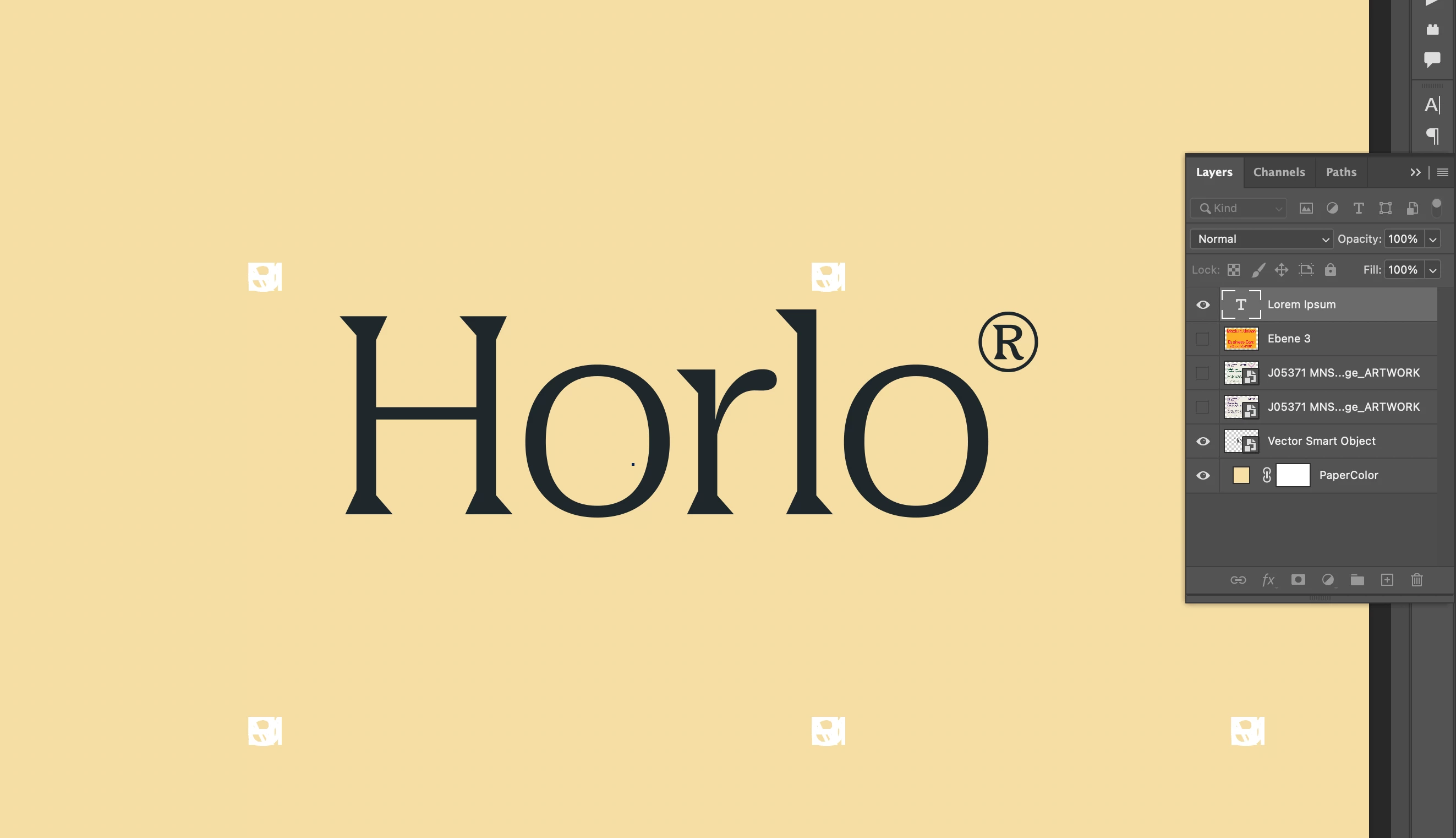
Hello,  Im having a strange problem in Photoshop. The text tool isn't working at all, when I go to use it either the text isn't visable or it appears in a grid like pattern (see images). It sems to have only happened today as everything was working fine yesterday 

Is anyone else having the same problem or know any fixes? I updated but it's still happening  


Thanks 🙂
 

This topic has been closed for replies.

2 replies

Sameer K
Community Manager
Community Manager
December 20, 2022

Welcome to the Photoshop community. I'll help you figure this out. You can begin with resetting the tool itself in this case. Right-click on the Tool icon in the Toolbar menu & select Reset Tool.


If this does not help, ensure no stale preferences in your Photoshop. Go to the location of the preference folder mentioned below and rename it to backup. https://helpx.adobe.com/photoshop/using/preferences.html


  • macOS: In the Finder, hold down the Option key when using the Go menu > Library > Go to Preferences/Adobe Photoshop [version] Settings
  • Rename the Adobe Photoshop folder by adding a .old at the end. (Adobe Photoshop 2023 > Rename > Adobe Photoshop 2023. old)


These changes will give a fresh start to Photoshop as a fresh install. Let me know how it goes.

Thanks!

Sameer K

Mylenium
Legend
December 19, 2022

Check your character palette and reset the parameters. You seem to have fiddled with the kerning or something and may accidentally have a zero value somewhere.


Mylenium