



Ty Walker
Participant
March 6, 2020
Question

Heal and Clone tools fly off the page at end of use in Photoshop 2020 on Windows 7

  • March 6, 2020
  • 1 reply
  • 112 views

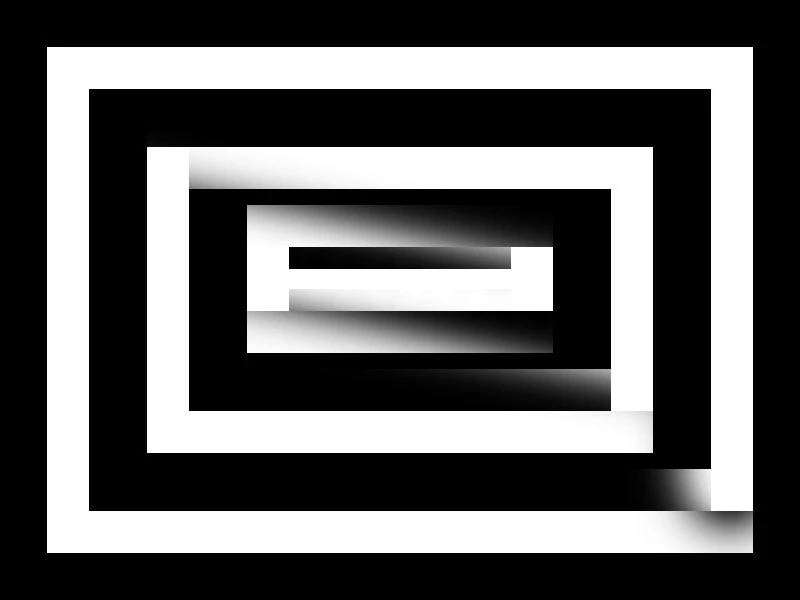
When using heal and clone, after releasing my left mouse button, the tool stays active and flies off the page in a west by north-westerly direction. For example, in the image below, I only used the clone tool in the lower right of the first white box. Then the tool flies off. 

Using Windows 7, and Photoshop CS 2020.


{Thread title edited by moderator}

    This topic has been closed for replies.

    1 reply

    nikunj.m
    Legend
    March 7, 2020

    Hi there,


    We are sorry about the experience with the Clone tool in Photoshop. The behavior you have mentioned seems similar to a known issue where the drawing actions are snapping to the top left corner of the canvas when the mouse click is released. 


    If you started experiencing the issue after the latest update for Photoshop, please check: https://feedback.photoshop.com/photoshop_family/topics/ps-21-1-every-drawing-action-snaps-to-upper-left-hand-screen-corner


    Regards,

    Nikunj