
hagarb83254606
Participant
August 28, 2020
Question

Healing brush tool low opacity

  • August 28, 2020
  • 2 replies
  • 3091 views

I work with the latest PS 2020 version. 

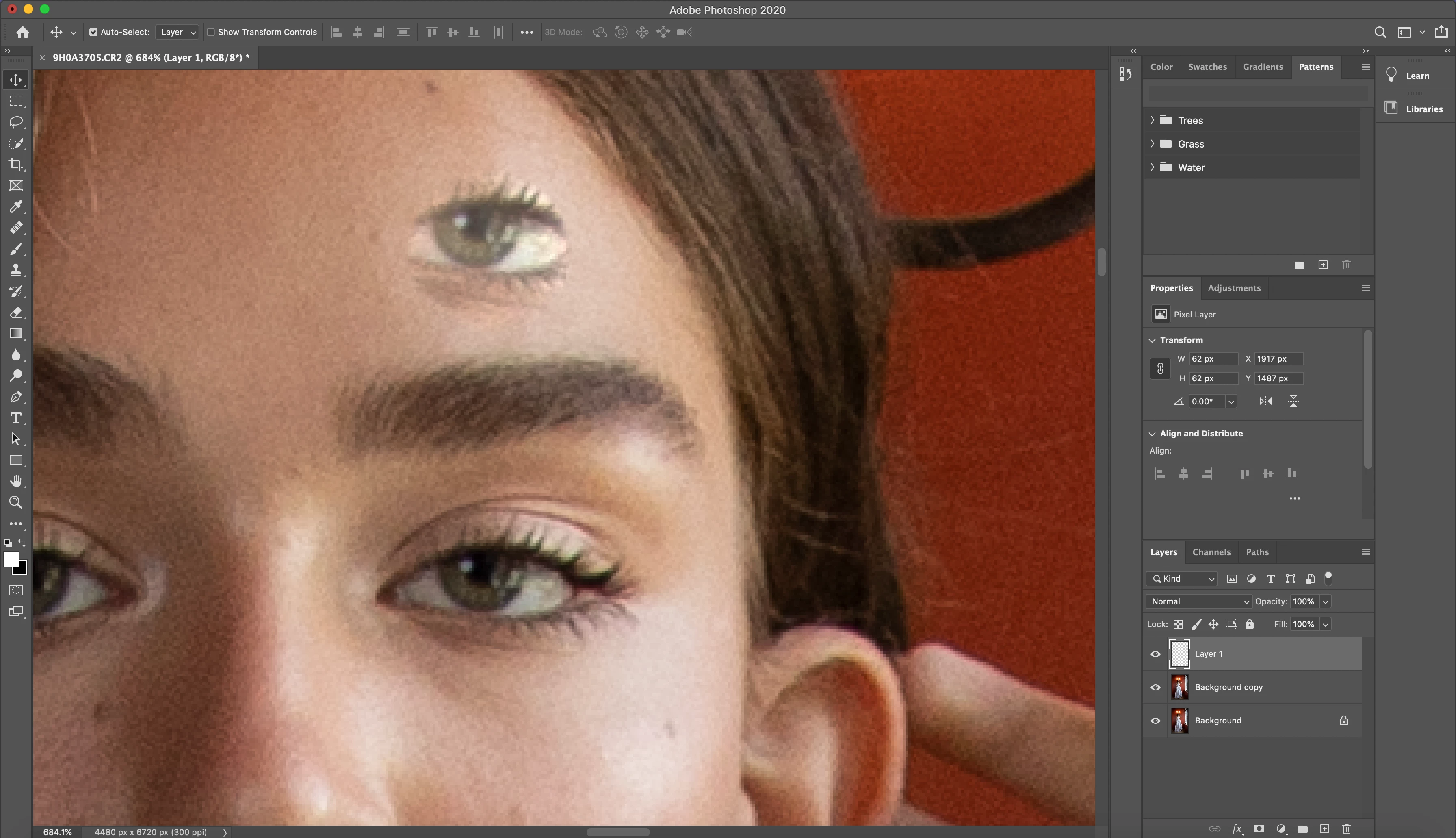
The problem is after using the healing brush tool, the 'heald' spot is coverd with a very low opacity.

I tried pressing 'reset tool' and it didn't work.

what can i do?

I add here an example of the eye just for you to understand what i'm talking about. (the eye on the top is in a really low opacity and i don’t understand how to change it so it will be in the highest amount of opacity)

Thanks in advance 
This topic has been closed for replies.

2 replies

Bojan Živković11378569
Community Expert
Community Expert
August 28, 2020

You have good answer and directions above. If you are still looking to solve opacity issue then open Window > Clone Source panel and check Opacity settings. Ensure that Opacity is set to 100%.

Another thing to check is blend mode set for Healing Brush. Activate tool and from Options bar choose Normal blend mode.


jane-e
Community Expert
Community Expert
August 28, 2020

Hi

The Healing Brush is used for correcting imperfections. See this Help page:

https://helpx.adobe.com/photoshop/using/retouching-repairing-images.html#retouch_with_the_healing_brush_tool


You might be better off with the Clone Stamp tool if you are trying to duplicate the eye:

https://helpx.adobe.com/photoshop/using/retouching-repairing-images.html


~ Jane