
Help automating / streamlining workflow?
I'm currently experimenting with using a domestic printer to print on to 16mm film and am happy with the results. I'm wondering if you clever photoshop folk may be able to spot a way for me to automate further parts of my workflow or at least suggest a way to streamline it. I'm working with pasting literally thousands of images to make this work. Current workflow as follows:
1. Import movie file
2. Define in & out points (work area)
3. File>export>Render
- here I choose 'Photoshop Image Sequence' & resize
4. I've recorded a new 'action' where I apply various filters
5. File>Automate>Batch....and I apply this new action to all my images in the sequence
......so far so good.....and the next steps I wondering if I can improve upon.
6. File>Open> All my image sequence images. They all open in tabs in Photoshop
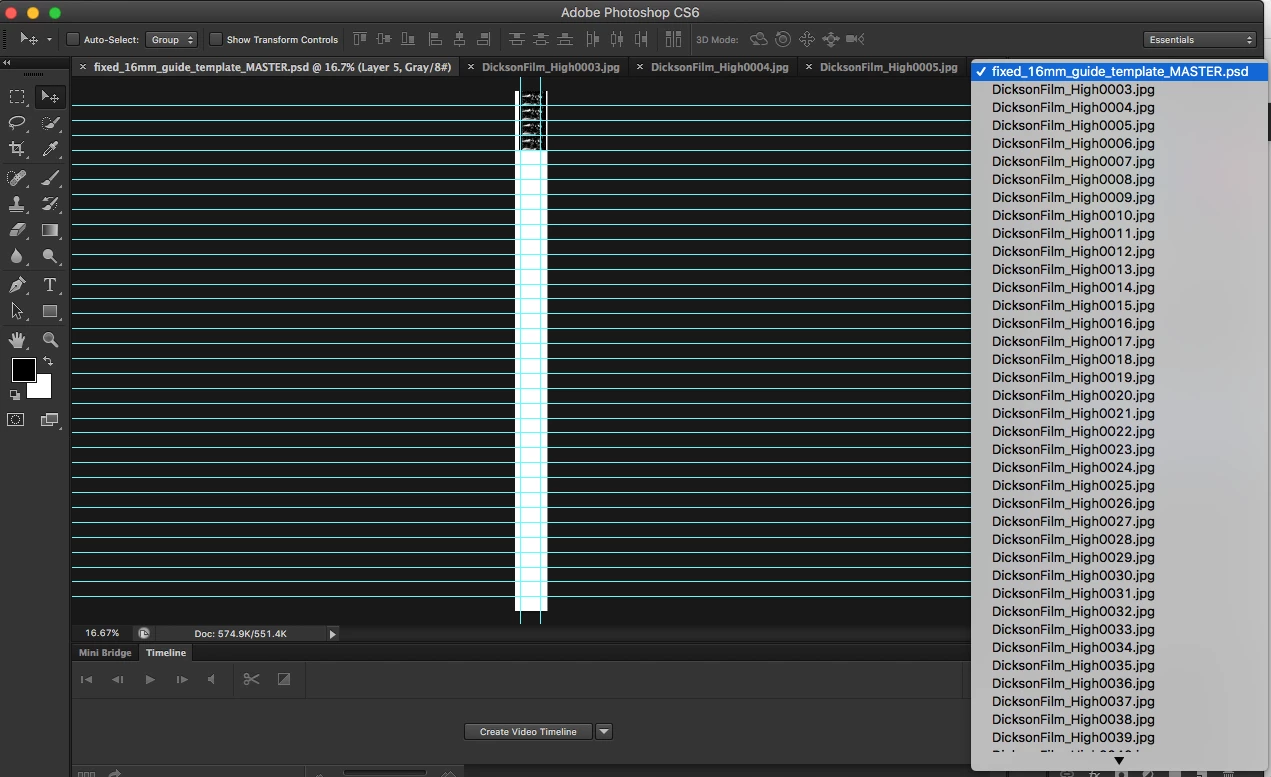
7. Go to first image; select (command A), copy (command c)
8. Back to my 16mm template; paste (command v) then I have to manually position the new image into the next frame of my template.
9. Repeat ad infinitum!
So I'm wondering if anyone can see a more efficient way of doing these last few steps. In particular if there's a way for me to get the next image to paste into the correct position. I've tried zooming in but there always involves a manual positioning. I figured as I've got the guide lines in my template that there may be a way to make this work.
Thanks in advance
 AdChoices