

Answered
Help creating an Action to Liquify
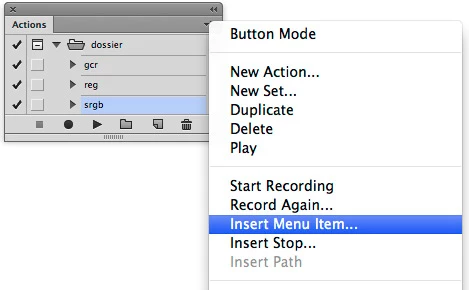
I use the Liquify tool all the time in my images so I was hoping to create a simple Liquify Action. The problem is that when I try to Record a New Action and I go to "Filter/Liquify..." this is when I need to finish the Action by pressing the Stop button but I no longer have access to the stop button as the Liquify screen is up. So is there a way of doing this? The only thing I want is to hit the Liquify Action and for it to open the Panel. I can take it from there. Note: I know there is a shortcut to Liquify but I prefer the button of an action.
Thanks,
Estela
 AdChoices