Above Artistic
Participant
July 28, 2020
Question

Help Figuring Out a, Zooming, Issue

  • July 28, 2020
  • 2 replies
  • 427 views

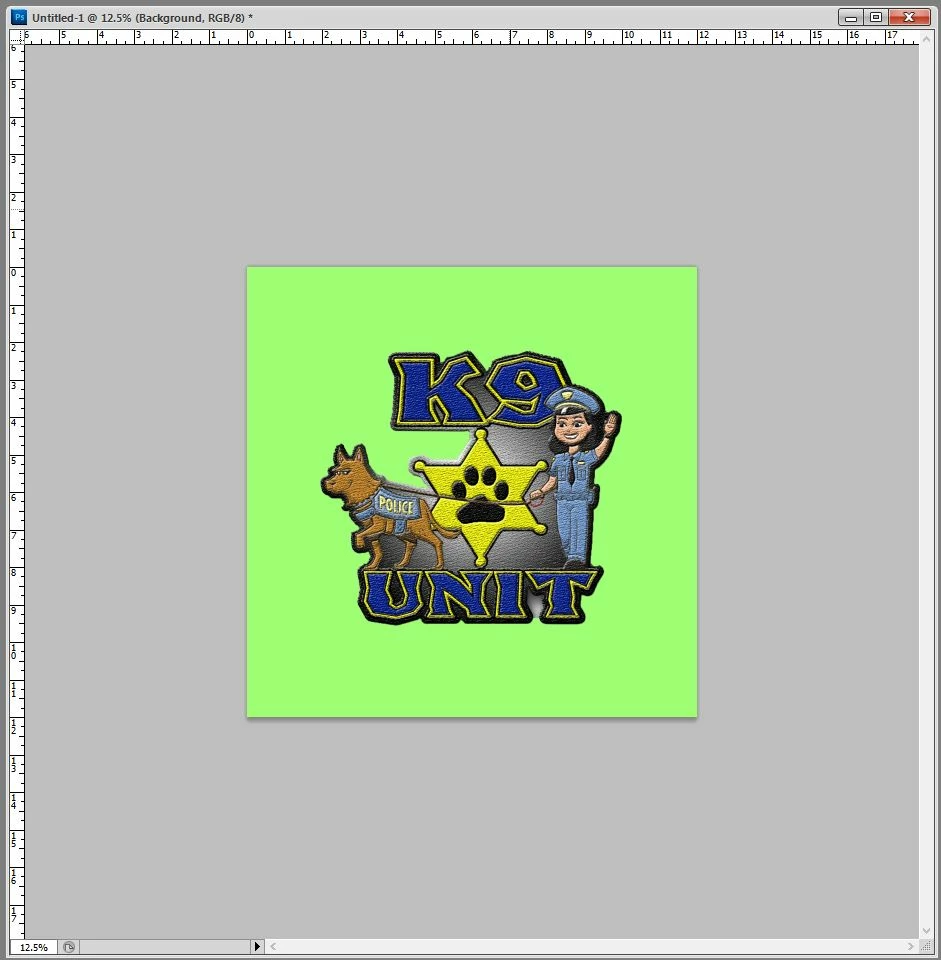
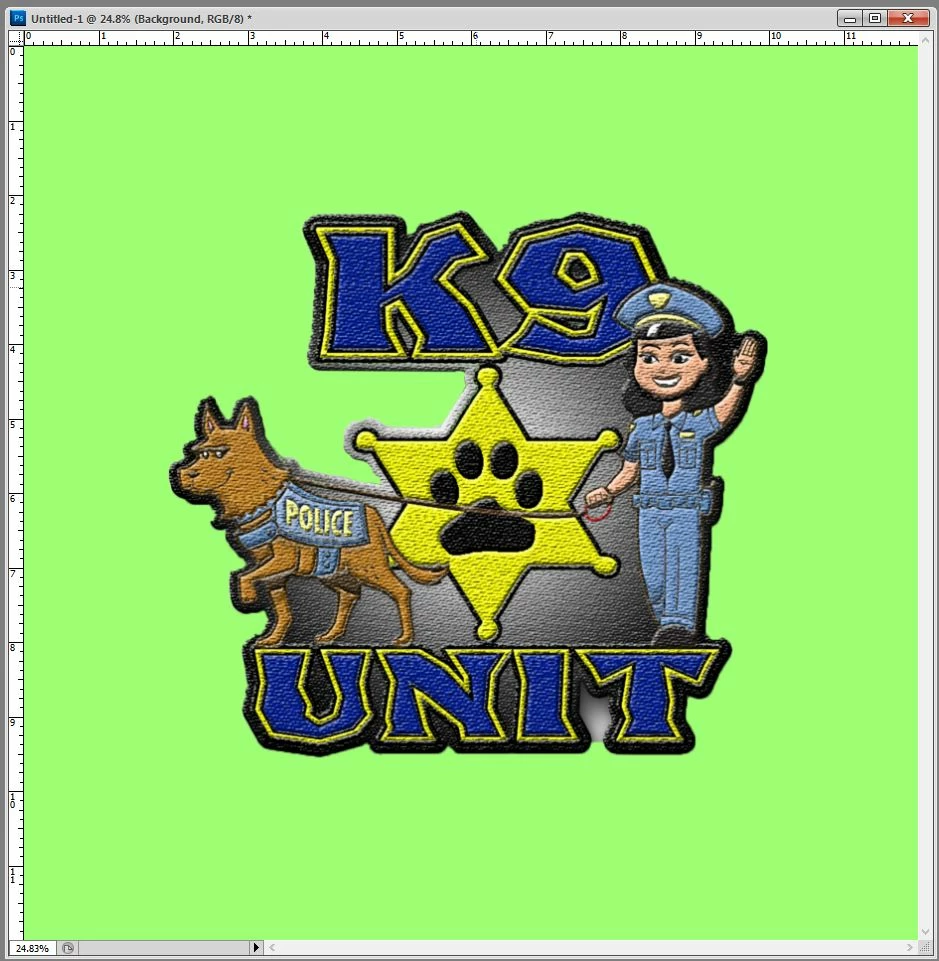
I have used many different versions of Photoshop and have yet to run into this issue.While working with any file , using CS5, I can zoom in and out of the file. How ever the canvas that the image is on, dose'nt follow the zooming in or out . I also have to gab the canvas but the cornor and drg it to a larger or samller size. Anyone know a setting or a way to fix it. The first image shows the artwork and canvas , the same size. However if you look at the second pic, I have zoomed out on the image, yeet the canvas/ work space doesnt zoom with it,    Thanks
This topic has been closed for replies.

2 replies

JJMack
Community Expert
Community Expert
July 28, 2020

Check you Preferences in each Version of Photoshop.  Something I do in Photoshop seems to change my Preferences from zooming image windows.  I have been unable to track the problem down for years.

JJMack
Above Artistic
Participant
July 28, 2020

I have a question about what yo showed and said to me. That screen shot that you sent. Im not sure where it is located. I dont have those same "ptahs" on my CS5 verion. Anywhere eles to check or a different suggestion?

JJMack
Community Expert
Community Expert
July 28, 2020

Menu Edit>Preferences the Preferencs settinsf are change between versions.   I doe bot  have CS5 installed.  I can show CS3 and CS6 preferences zoom preferences.

Cs6

cs3


JJMack
jane-e
Community Expert
Community Expert
July 28, 2020

Hi

We can't see your toolbar or the options bar to see the settings, and you didn't say what method you are using to zoom. It looks like you are on Windows, though. Do any of these work? 

  • Shortcuts: Ctrl + and Ctrl - 
  • View menu: select an option
  • Zoom tool: click or press and hold or drag
  • Status bar: type in a zoom percentage (lowest left corner)

There are more methods here:

https://helpx.adobe.com/photoshop/using/viewing-images.html


~ Jane

Above Artistic
Participant
July 28, 2020

i got the problem fied, but thnksfor lending a hand on the situation