Participant
February 9, 2022
Question

Help! Huge Color shift in reds when opening from LR to PS in sRGB color profile
  • February 9, 2022
  • 3 replies
  • 1861 views


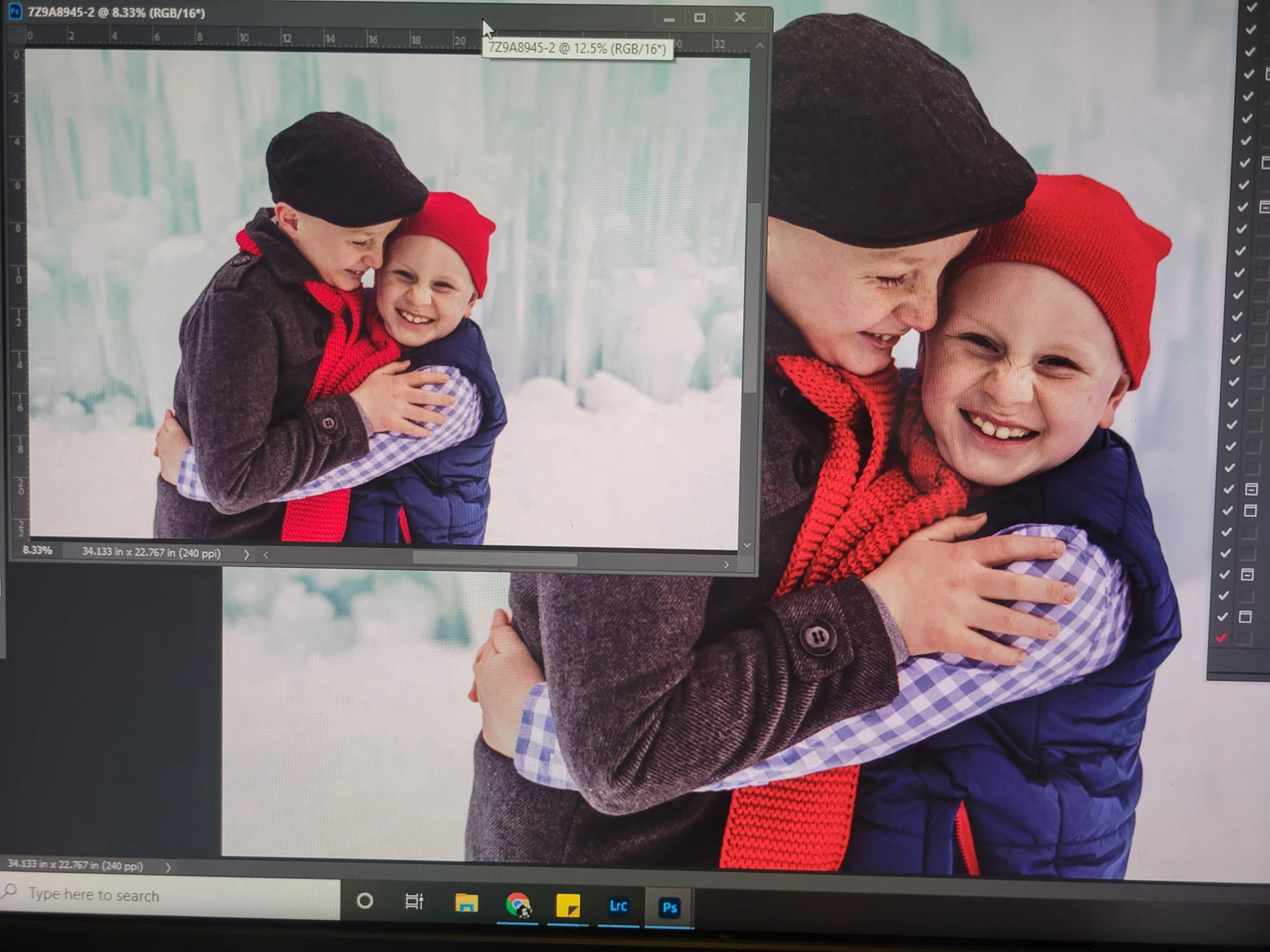
Help!  I am having huge issues with my reds when converting to an sRGB color space.  Yes my monitor is calibrated.  When taking the file from LR to PS I auto convert it as an sRGB which causes a minor color shift in everything except red.  I tried taking the file from LR to PS with a PhotoPro RGB color profile and it retains the red, but when I switch the color profile to sRGB in PS most color is retained except red.  Can anyone help me understand why and what to do to preserve my reds?  It goes from a rich bold red to an orangey red.  TIA!

This topic has been closed for replies.

3 replies

NB, colourmanagement
Community Expert
Community Expert
February 10, 2022

I agree with what's been suggested here.

In summary, if you have a wide gamut display* it will be capable of showing you colour beyond the range that can be contained with in the sRGB colour space.

    [*i.e. a display with coverage of a large percentage of Adobe RGB] .

So, if a Prophoto** colour space image has bright saturated colours then those colours may easily be beyond the range of sRGB.

    [**Prophoto is a VERY large colourspace the use of which takes some expertise / experience]

You can 'softproof' that conversion in view/proof setup/custom (set to sRGB and activate 'gamut warning').


Additionally you MUST embed the icc profile in all saved documents.

AND finally, do not use the display profile as the working space in edit/color/settings. a working colour space should be a universal space like Adobe RGB (1998) or sRGB [actually sRGB IEC61966].


I hope this helps
neil barstow, colourmanagement net :: adobe forum volunteer:: Co-Author:Getting Colour Right
google me "neil barstow colourmanagement" for lots of free articles on colour management

D Fosse
Community Expert
Community Expert
February 9, 2022

This becomes much easier to answer if we can see the embedded profile in each document:

And a few questions to clarify:

  • Have you made any changes in Photoshop's color settings?
  • What do you mean when you say "auto-convert"? How precisely?
  • How is your monitor calibrated, what software and sensor are you using?
  • What monitor, is it a wide gamut model?


Also, you don't have to take a photo with your phone. Press "print screen" and paste into a new Photoshop file. If you want us to see the colors as you see them, assign your monitor profile to the file. That's the one your calibrator makes, and is listed as "Monitor RGB" in Photoshop.

Participant
February 9, 2022

-I have followed tutorials when setting up color space for PS, working space set for sRGB.

-when I convert from ProPhoto to sRGB

-Monitor calibrated via Syder5

-Monitor is a Dell.  It's roughly 5-6 years old.  UP2716D.


D Fosse
Community Expert
Community Expert
February 9, 2022

OK. That's a wide gamut monitor, which will display colors outside sRGB, up to roughly Adobe RGB-ish.


So what you're seeing is probably just the normal gamut clipping from ProPhoto limited to ca. Adobe RGB and into sRGB, which is a considerably smaller color space. *


If you had a standard gamut monitor, you wouldn't see any of this. It would all have been clipped to sRGB anyway. The difference you see is outside sRGB.


In other words, everything is normal and expected. But I would recommend that you take some time to understand what a wide gamut monitor is, what it does and how it differs from standard monitors. That will save you a lot of confusion and headaches down the road.


* I say probably because your screenshot didn't have a profile embedded, and so without a fixed reference to what it should look like.

Legend
February 9, 2022

What is the original colour space? The space you are converting to sRGB?

Participant
February 9, 2022

Photopro RGB.  Converting to sRGB.  Minor shift in most colors.  Major shift in red only.  Goes from rich bold red to dull and orange/red