Participating Frequently
March 29, 2022
Question

Help me fix this: "...because the </a @-1 font server> could not be created"

  • March 29, 2022
  • 2 replies
  • 1620 views

This has been happening on and off for a month. Photoshop is 100% up-to-date, yet when I boot it up and try to change the font in the /Character panel (sorry, I don't know the technical term) I get the following error:

Could not complete your request because the </a @-1 font server> could not be created


Ugh...
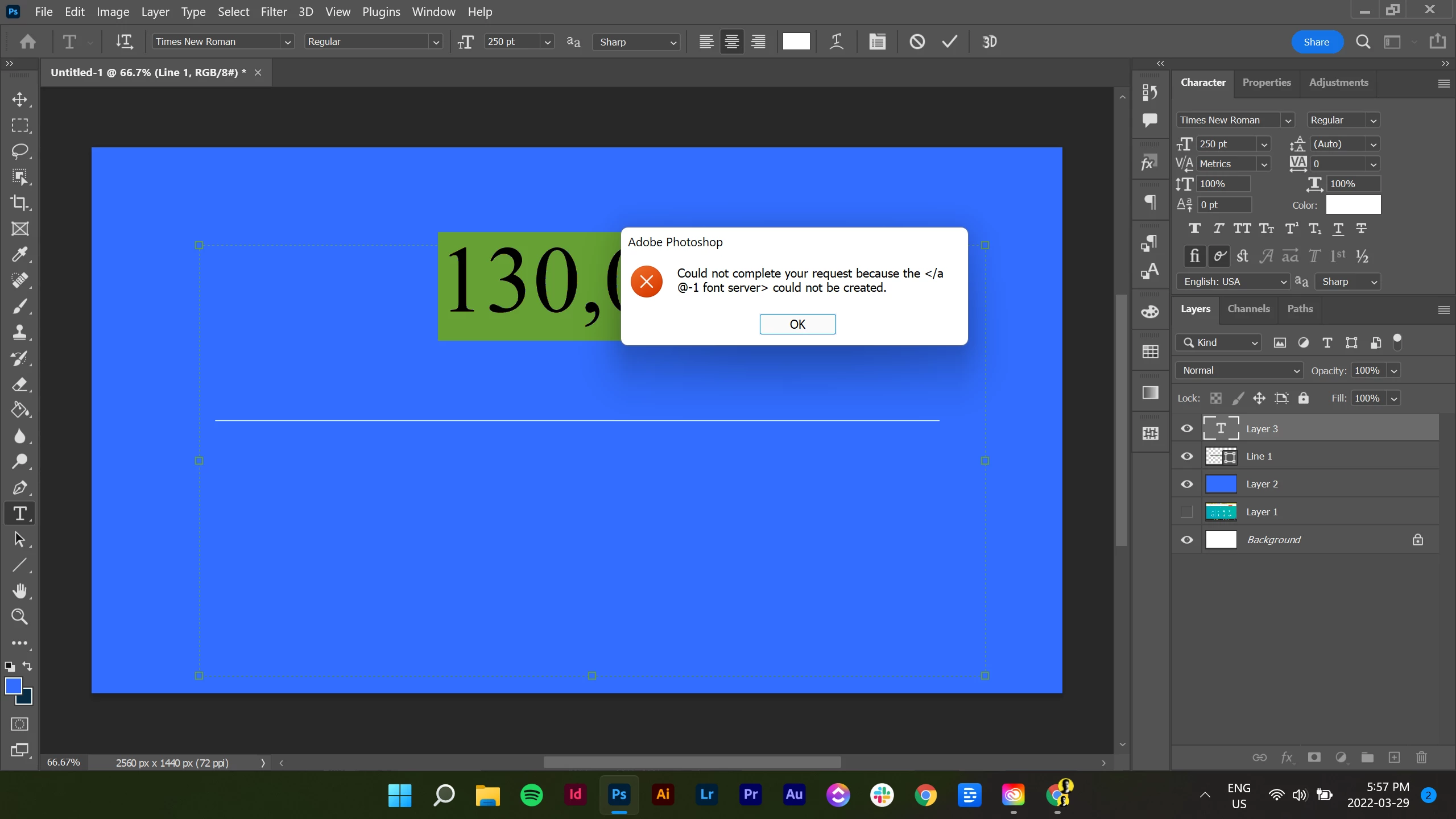

Why?

This topic has been closed for replies.

2 replies

mglush
Community Expert
Community Expert
March 29, 2022

Hi!

Are you on Mac or Windows?

Michelle

jane-e
Community Expert
Community Expert
March 30, 2022

@mglush wrote:

Are you on Mac or Windows?


Windows, according to the tag at the bottom of the post as well as the screenshot. 😊


Jane


mglush
Community Expert
Community Expert
March 30, 2022

Oopes! Thanks! I missed that. 🙂


jane-e
Community Expert
Community Expert
March 29, 2022
Participating Frequently
March 29, 2022

Thanks @jane-e

I tried but couldn't find any CT Font Cache.

And yes, I have access to hidden folders. 

I've just installed and uninstalled Photoshop. Again. 

But, I feel this is a temporary fix. 

I've also gone through the list of "known fonts that cause issues" and I have none of those fonts on my lappy top. 

jane-e
Community Expert
Community Expert
March 29, 2022

Hi @Gednav_the_Great 


https://helpx.adobe.com/photoshop/kb/troubleshoot-crash-or-freeze.html?trackingid=W2T7JV6Q&mv=in-product&mv2=ps

If help page doesn't help, you will need to contact Adobe Customer Care directly:
https://helpx.adobe.com/contact.html?rghtup=autoOpen  (type "agent" to get a human)

If your browser does not auto-open the Chat window, try these tips:
https://community.adobe.com/t5/creative-cloud-services/how-to-contact-adobe-support/td-p/11875703  

You can also send tweet to @AdobeCare.

~ Jane