Answered
Help me With Gradient editor !!!!!!!
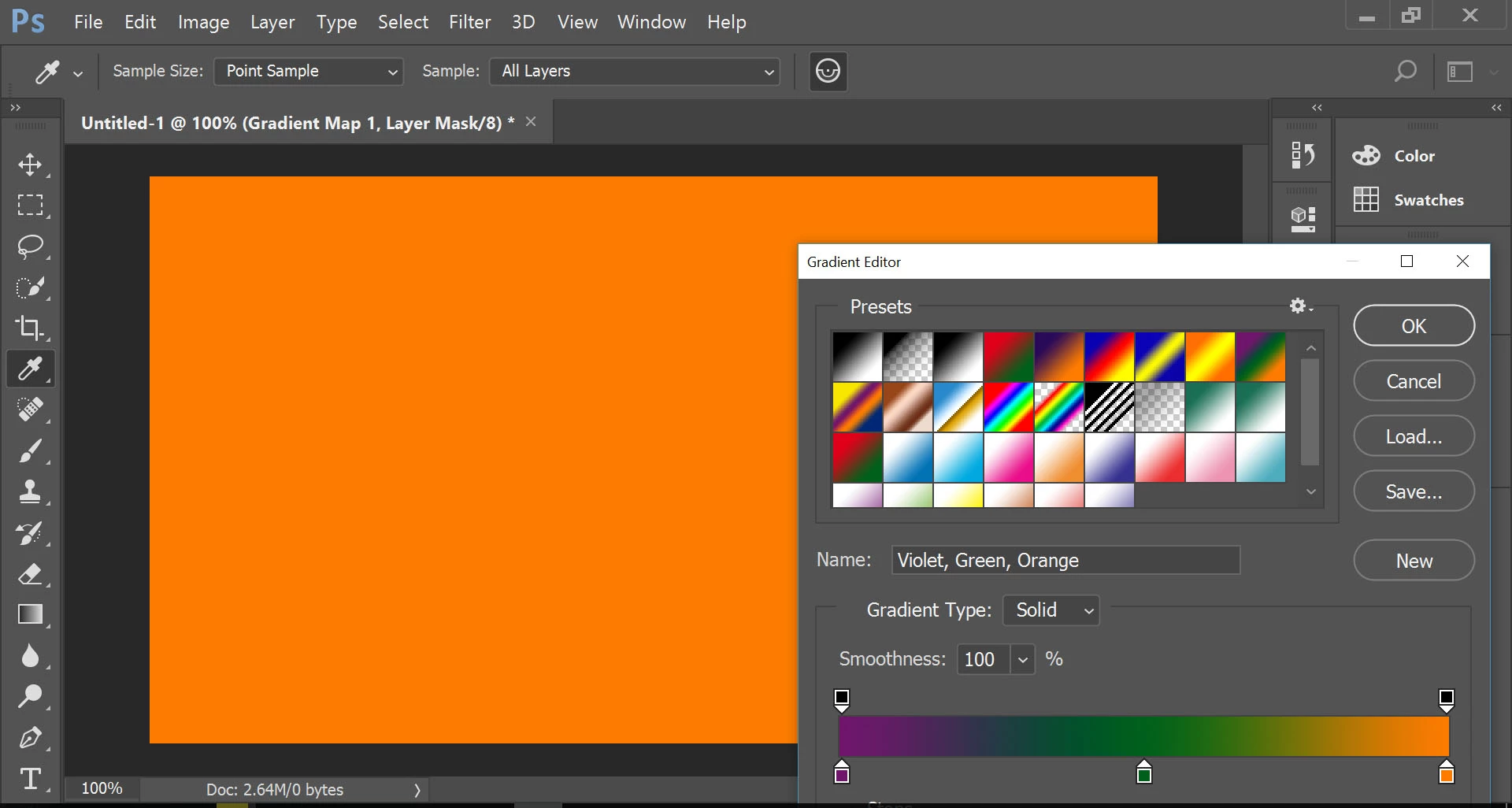 why Just one color is set when i try to put multi colors ????

why Just one color is set when i try to put multi colors ????
Make sure the correct layer is selected in the Layers panel. The screen shot says a Layer Mask is selected, so the color won't appear on the layer, but in the mask.
Also, the screen shot says you have applied a Gradient Map, so you edit the Gradient Map in the Properties panel, not using the Gradient tool and the options bar. If you intended to apply a Gradient Fill and not a Gradient Map, remove the Gradient Map adjustment layer and then apply a Gradient Fill adjustment layer.
Already have an account? Login
Enter your E-mail address. We'll send you an e-mail with instructions to reset your password.
 AdChoices