
Answered
Hi Tayo 
Anytime my Adobe apps start acting funny, I go through this process and it fixes it most of the time.
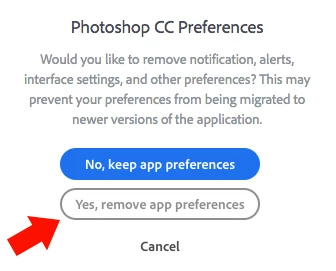
Uninstall photoshop BUT make sure to choose the option “Yes, remove app preference”. (image attached)
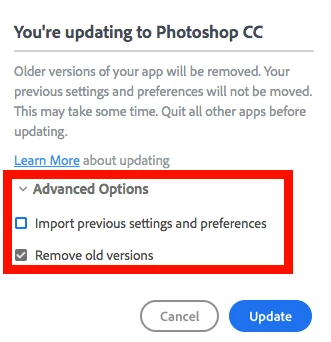
Once that process finishes, start the installation process and look into the “Advanced Options”. Uncheck “Import previous settings and preferences” and choose to “Remove old versions”. (image attached)
Hope you find this helpful!
Sebastian
Already have an account? Login
Enter your E-mail address. We'll send you an e-mail with instructions to reset your password.
 AdChoices