Participant
July 31, 2023
Answered

Help please

  • July 31, 2023
  • 2 replies
  • 230 views

hello photoshop noob here, i'm probably going to sound dumb but i've recently started using photoshop and i've been using the edit sidebar on the right hand side but as i reopened photoshop the edit bar was replaced with the colour bar and i can't figure out how to get the edit bar back 🤦🏼‍♂ can anybody help please 😂


This topic has been closed for replies.
Correct answer jane-e

@Mick31416437xctk 

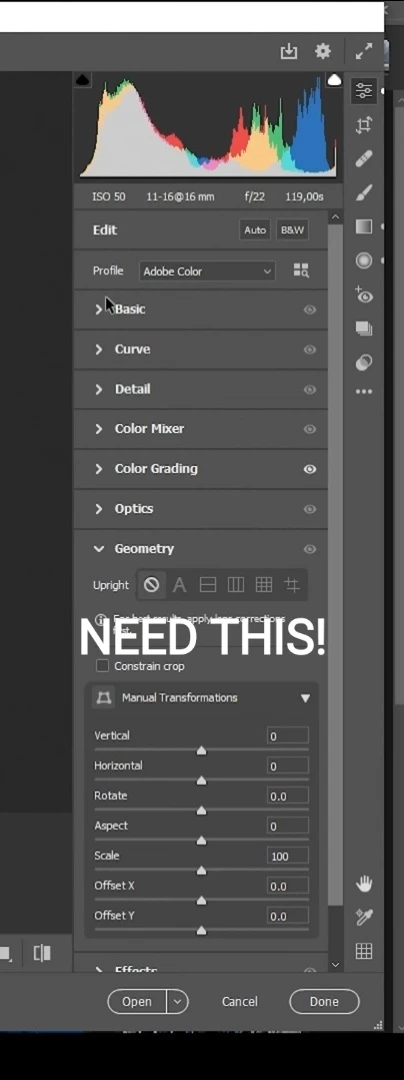
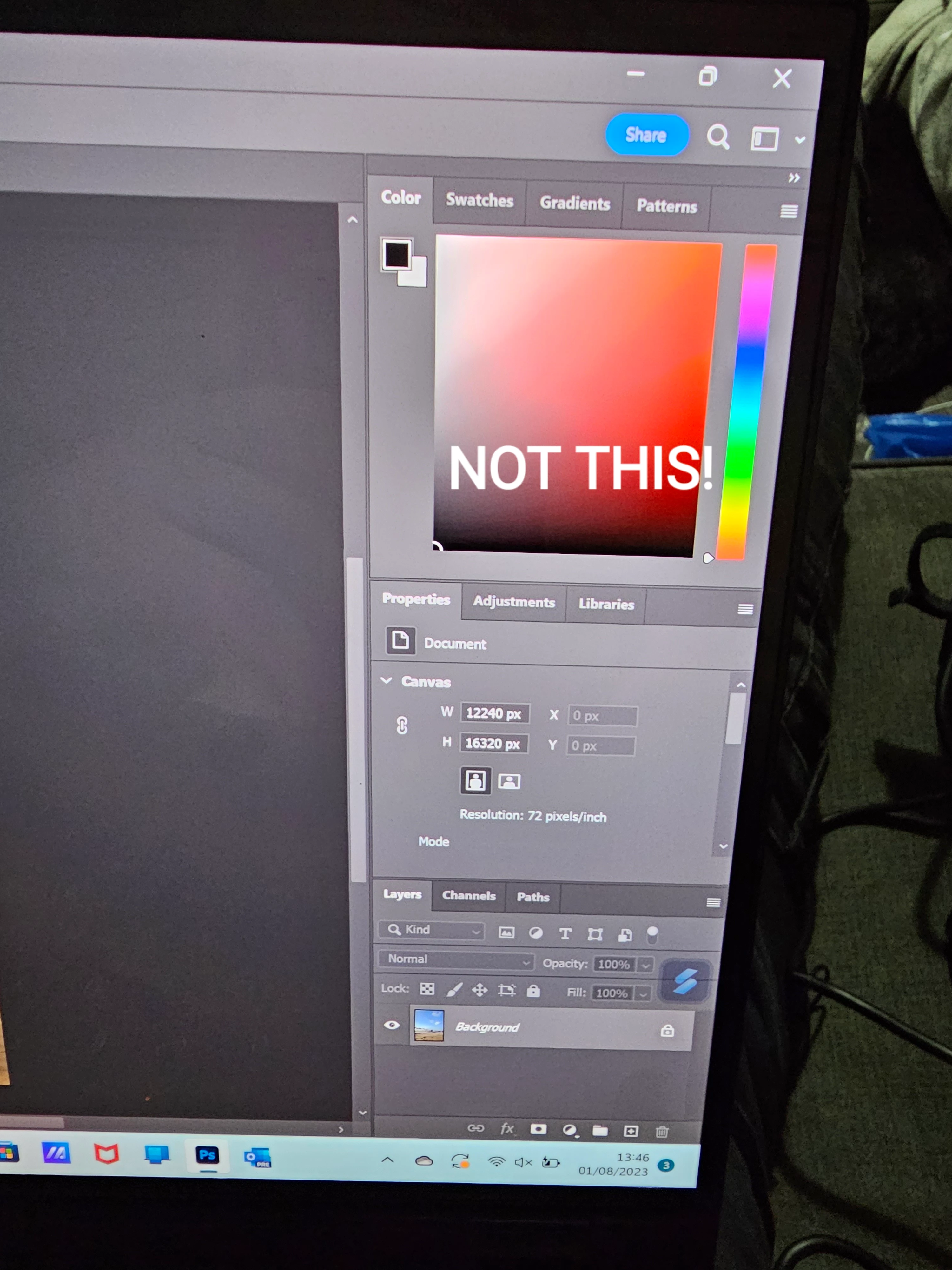
Your first image is from Adobe Camera Raw and the second is from Adobe Photoshop.


What is the file format you are using? If you are shooting raw from your camera, the images will open in ACR automatically. You can use Bridge to open some formats.

https://helpx.adobe.com/camera-raw/using/navigate-open-save-images-camera.html


You can also apply a camera raw filter to a layer from within Photoshop.


Tell us more about your workflow so we can target our answer.


Jane

2 replies

Participant
July 31, 2023

Go into the Window tab on the right side... Not the one on the screen....There's a list of menu that you can add to the drop downs... The ones that show are checked!

jane-e
Community Expert
jane-eCommunity ExpertCorrect answer
Community Expert
July 31, 2023

@Mick31416437xctk 

Your first image is from Adobe Camera Raw and the second is from Adobe Photoshop.


What is the file format you are using? If you are shooting raw from your camera, the images will open in ACR automatically. You can use Bridge to open some formats.

https://helpx.adobe.com/camera-raw/using/navigate-open-save-images-camera.html


You can also apply a camera raw filter to a layer from within Photoshop.


Tell us more about your workflow so we can target our answer.


Jane

jane-e
Community Expert
Community Expert
July 31, 2023

Also, instead of using your phone to take picture, here's how to take a proper screenshot :

https://www.take-a-screenshot.org/windows.html