ubau155552
Participating Frequently
July 23, 2020
Question

HELP! Refine Edge Tool in Select and Mask Eating in Layer

  • July 23, 2020
  • 2 replies
  • 1798 views

Hi community,


Desperate need of some help. I'm having issues selecting hair in Photoshop (21.01). From all of my research and tutorials I've seen, the process of making a selection, going to Select And Mask and then using the Refine Edge tool is simple enough.


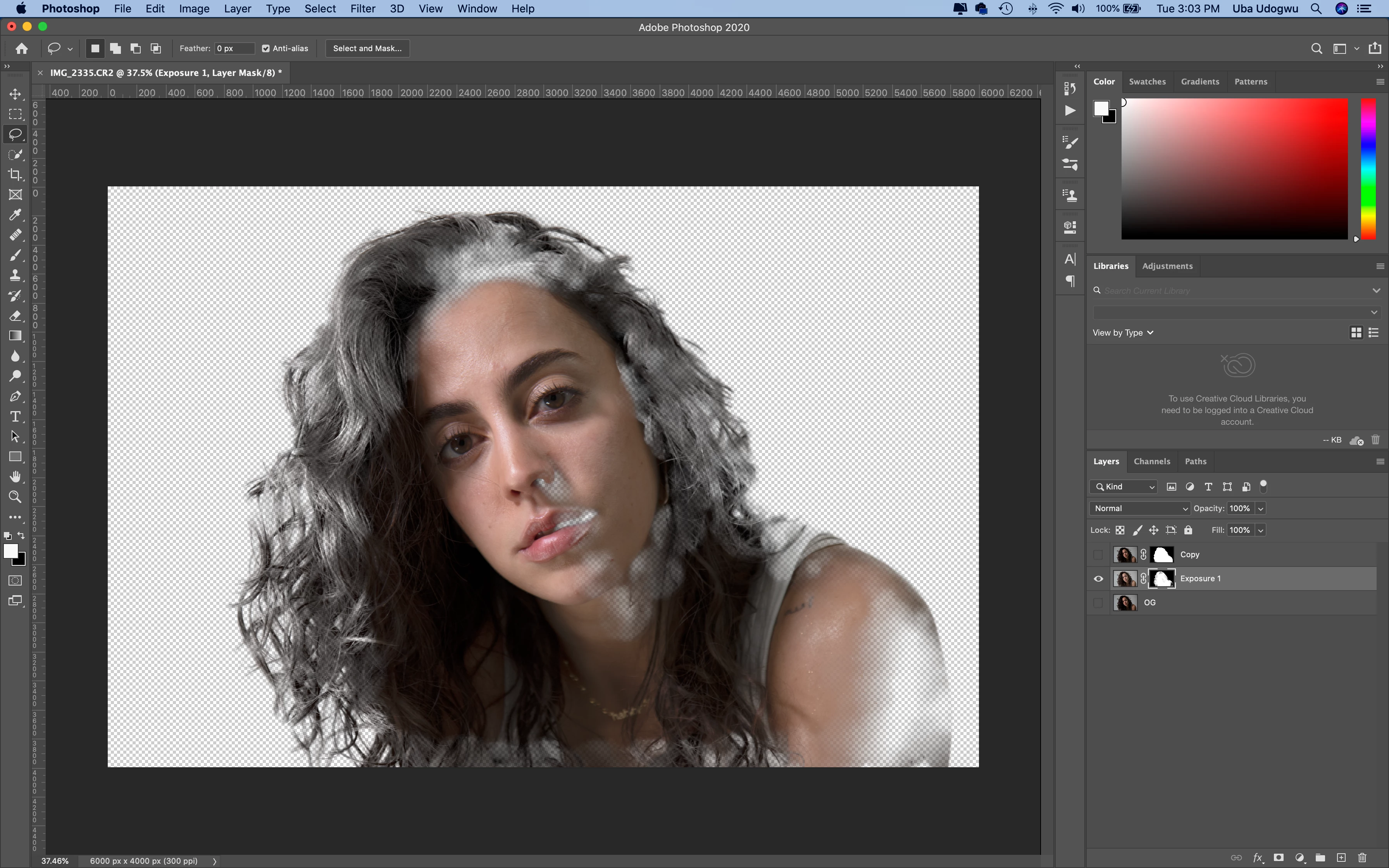
Unfortunately in my case,  the Refine Edge tool leaves me with an horrible half-transperant mess. In addition to eating into my layer, I can also still see my Refine Edge strokes in the final product. Any advice?


I currently work with a MacBook Pro (16-Inch, 2019)

Processor: 2.6 GHz 6-Core Intel Core i7

Memory: 16 GB 2667 MHz DDR4
 

This topic has been closed for replies.

2 replies

marliton
Community Expert
Community Expert
July 23, 2020

Hi. If you do not mind my basic english, maybe this video can help you: https://www.youtube.com/watch?v=gWzAQllOhEI

Marlon Ceballos
ubau155552
Participating Frequently
July 23, 2020

Hi marliton, thanks for the suggestion! I watched the video, but the trouble that I'm having is when I apply the refine edge brush, the area I use it on loses transparency for some reason. It leaves my layer with a weird ghost effect where you can see right through the edges. See below.


davescm
Community Expert
Community Expert
July 23, 2020

Hi

You are using far too big a brush on refine edge and painting it in the wrong places.

Refine edge is for edges, and only the soft hair/fur egdes at that. Keep the refine edge brush small and paint it only on those soft edges. It should not be used at all on hard edges. You can check where you are painting by toggling "show edge" (shortcut J)  in Select and Mask.


Dave

ubau155552
Participating Frequently
July 23, 2020

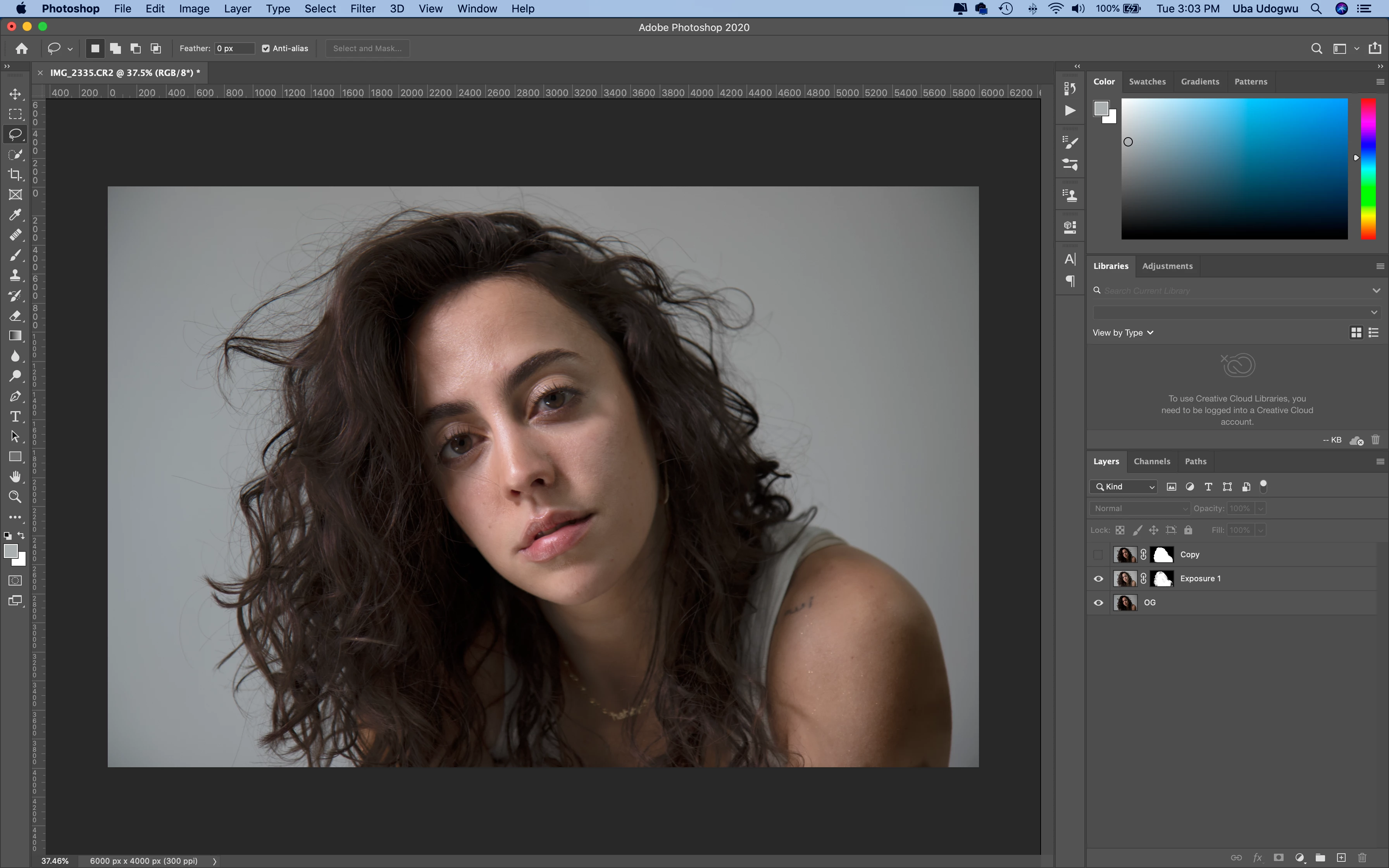
Thanks for replying, Dave. But even when I use a small brush and paint outside or along soft edges (like hair), I get this weird ghosting effect (see an image I worked on just now below). Any time I get near any edge with Refine Edge, my layer loses transparancy. Is this a settings or program issue?


Take this short tutorial video for instance (https://www.youtube.com/watch?v=QCUVl3WIaIo&t=171s), the guy is able to use the RE brush around hair and come out with a layer that's fully transparent.