michaelt66237630
Participant
January 15, 2017
Answered

Help Search Bar

  • January 15, 2017
  • 3 replies
  • 2087 views

I haven't been on Photoshop for a little less than a year, I've had computer troubles. I finally went in big for the Microsoft Surface Pro and the first thing I did was download Photoshop. Well, of course it's different in a few ways, as I expected. However, I always remembered that no matter what my problem was there was a search bar in the Help tab. If I wanted to pull up my swatches I could just go to the Help tab type in "swatches" and it would take me right to them. I just can't think of a sensible reason why they would take this away, as it was one of the most useful aspects of the entire service. I am here to ask if it is somewhere else and I am missing it, if there was somehow never a search bar in the Help tab and I am just mistaken, or if this option has really been taken away. I just want an answer, or help finding it if I can get it. I've googled it and the internet can't seem to comprehend my problem, so I'm here for the help of the experts. Thank you in advance.
    This topic has been closed for replies.
    Correct answer Jeff Arola

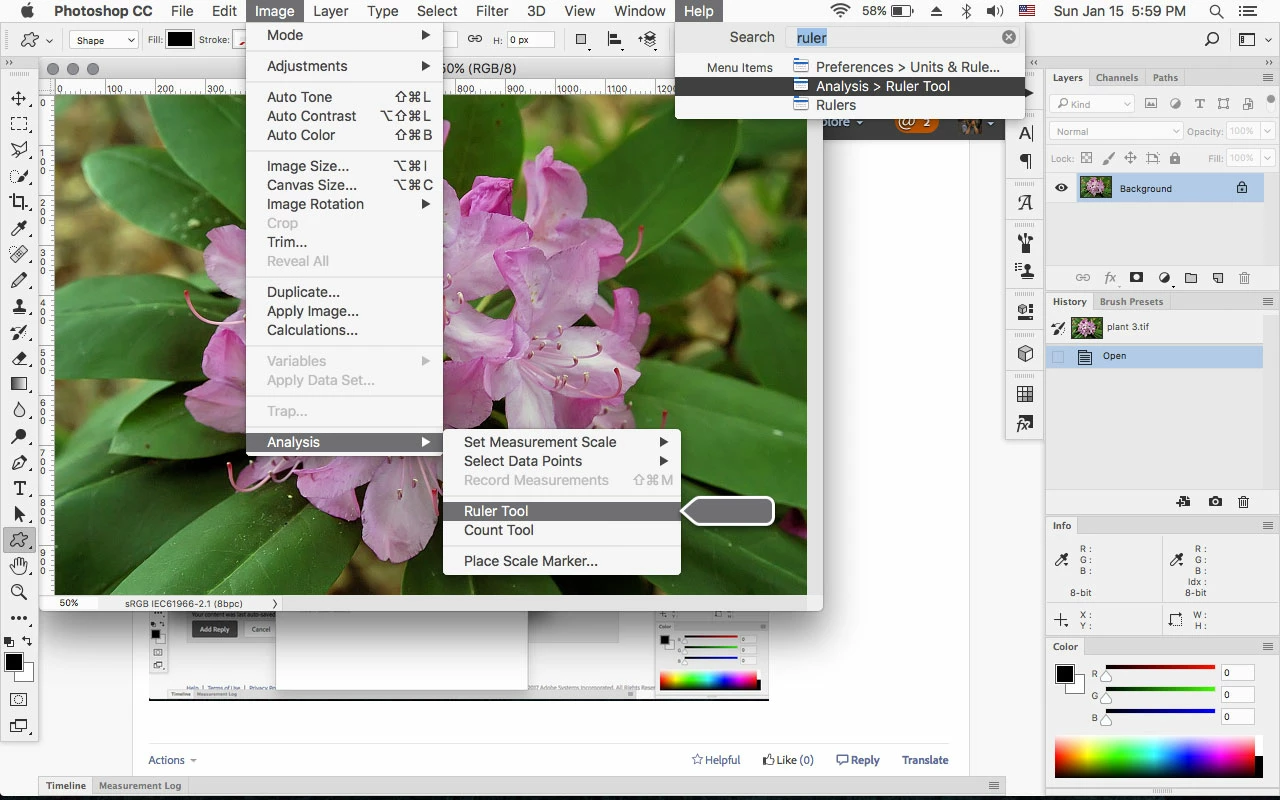
    I believe the Search Bar your referring to is mac only.

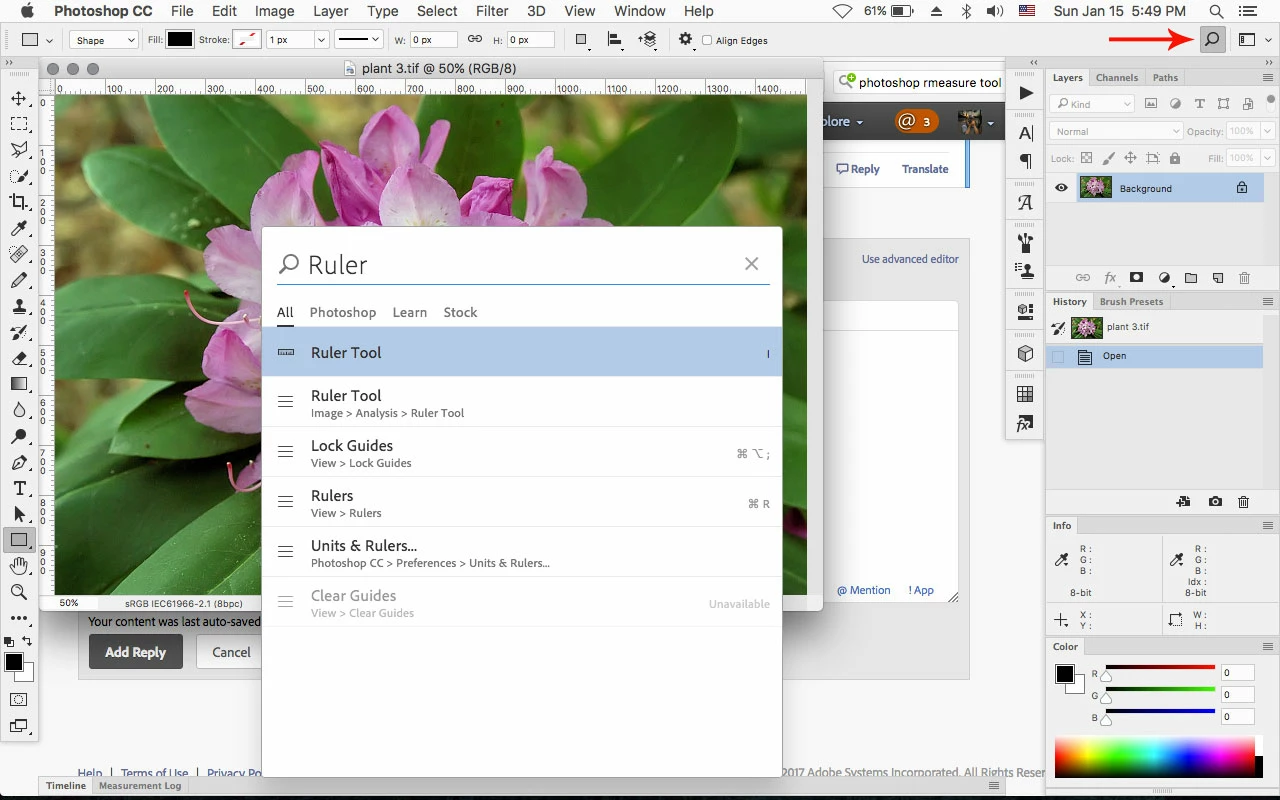
    However photoshop cc 2017 has search function that is similar sort of on both mac and windows.

    https://helpx.adobe.com/photoshop/using/search.html

    Just click on the Magnifying Glass icon in the tool options bar.

    the mac only Help>Search

    3 replies

    John Waller
    Community Expert
    Community Expert
    January 15, 2017

    However, I always remembered that no matter what my problem was there was a search bar in the Help tab. If I wanted to pull up my swatches I could just go to the Help tab type in "swatches" and it would take me right to them. I just can't think of a sensible reason why they would take this away, as it was one of the most useful aspects of the entire service. I am here to ask if it is somewhere else and I am missing it, if there was somehow never a search bar in the Help tab and I am just mistaken, or if this option has really been taken away. I just want an answer, or help finding it if I can get it.

    What R_Kelly said: Search in the Help menu is Mac OS X only

    http://www.imore.com/how-use-macs-help-menu#application

    Jeff Arola
    Community Expert
    Jeff ArolaCommunity ExpertCorrect answer
    Community Expert
    January 15, 2017

    I believe the Search Bar your referring to is mac only.

    However photoshop cc 2017 has search function that is similar sort of on both mac and windows.

    https://helpx.adobe.com/photoshop/using/search.html

    Just click on the Magnifying Glass icon in the tool options bar.

    the mac only Help>Search

    davescm
    Community Expert
    Community Expert
    January 15, 2017

    Hi

    Try this :   Press Ctrl+F

    Dave

    Known Participant
    March 27, 2023

    Thanks