
Answered
Help with brush diameter
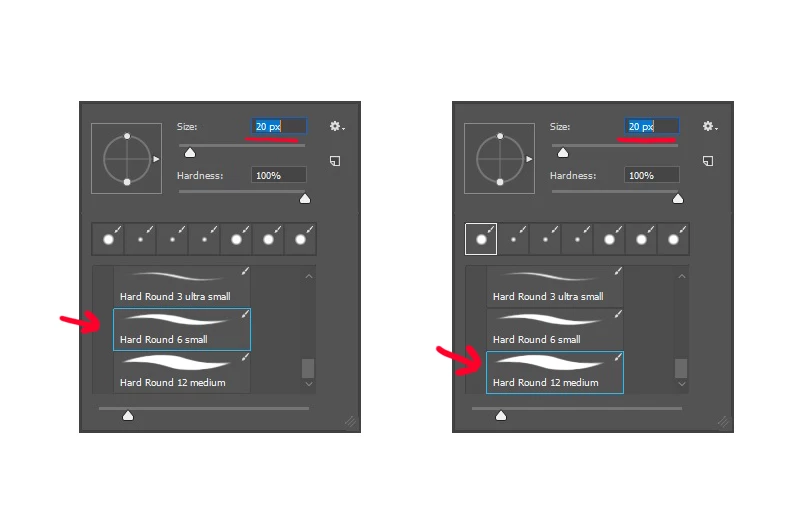 So I have created 3 brushes of different sizes (3, 6, and 12 px) from the hard round brush as seen above. This is to help make inking pencil sketches with varied line thickness easier. The problem is, despite defining the diameter of each brush, when accessing the brushes from this shortcut menu the diameter always remains the same, also seen above with the red underline. Is there a way to make my brush size correspond to the brush I choose when selecting this way?
Edit: I understand how to change my brush diameter, but I want it to change to the same size as the brush I select
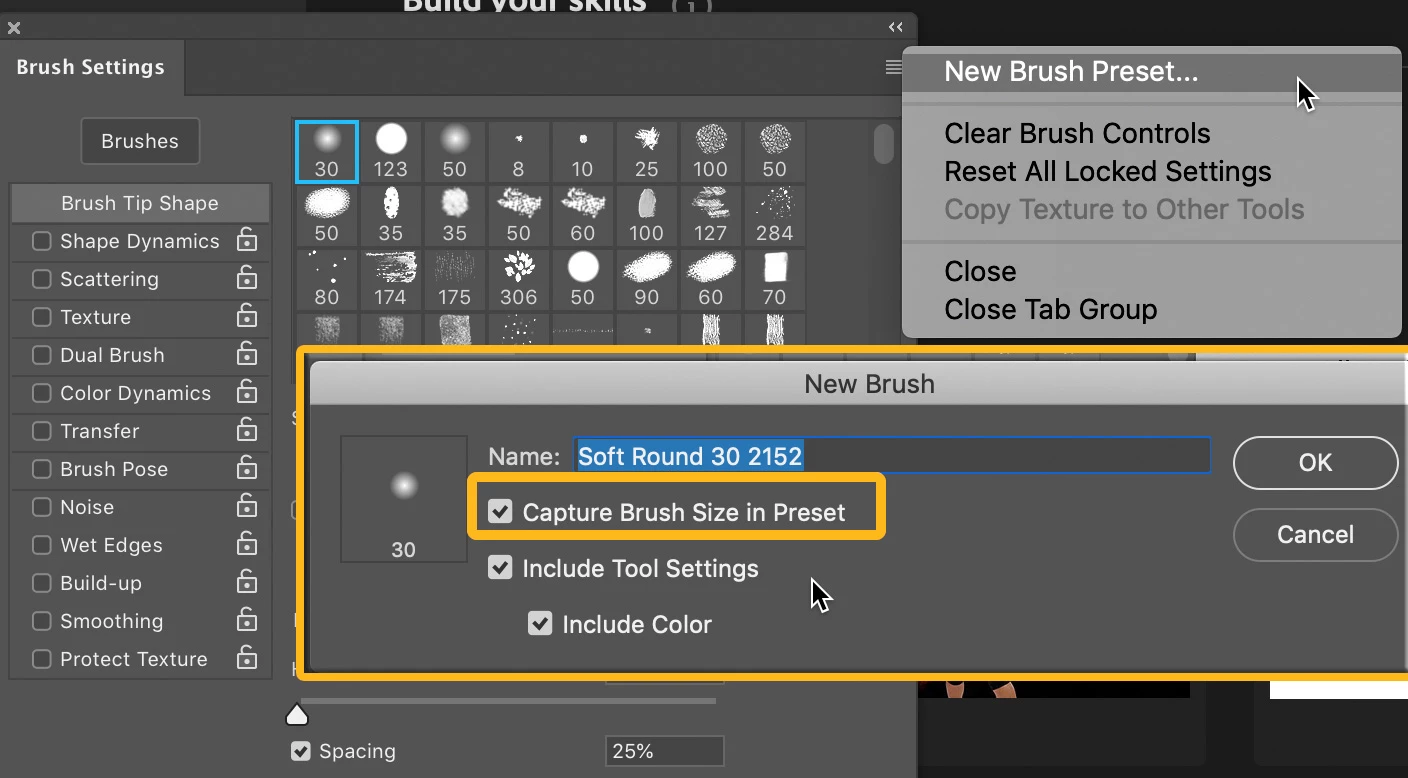 .
. AdChoices