

Answered
Help with brush stroke overlapping!
when I'm using a certain brush if I try color in something. if I let go of the mouse and then use the brush over again in the same area it seems like a brush stroke overlap each other its darker there. where can I fix this Issue
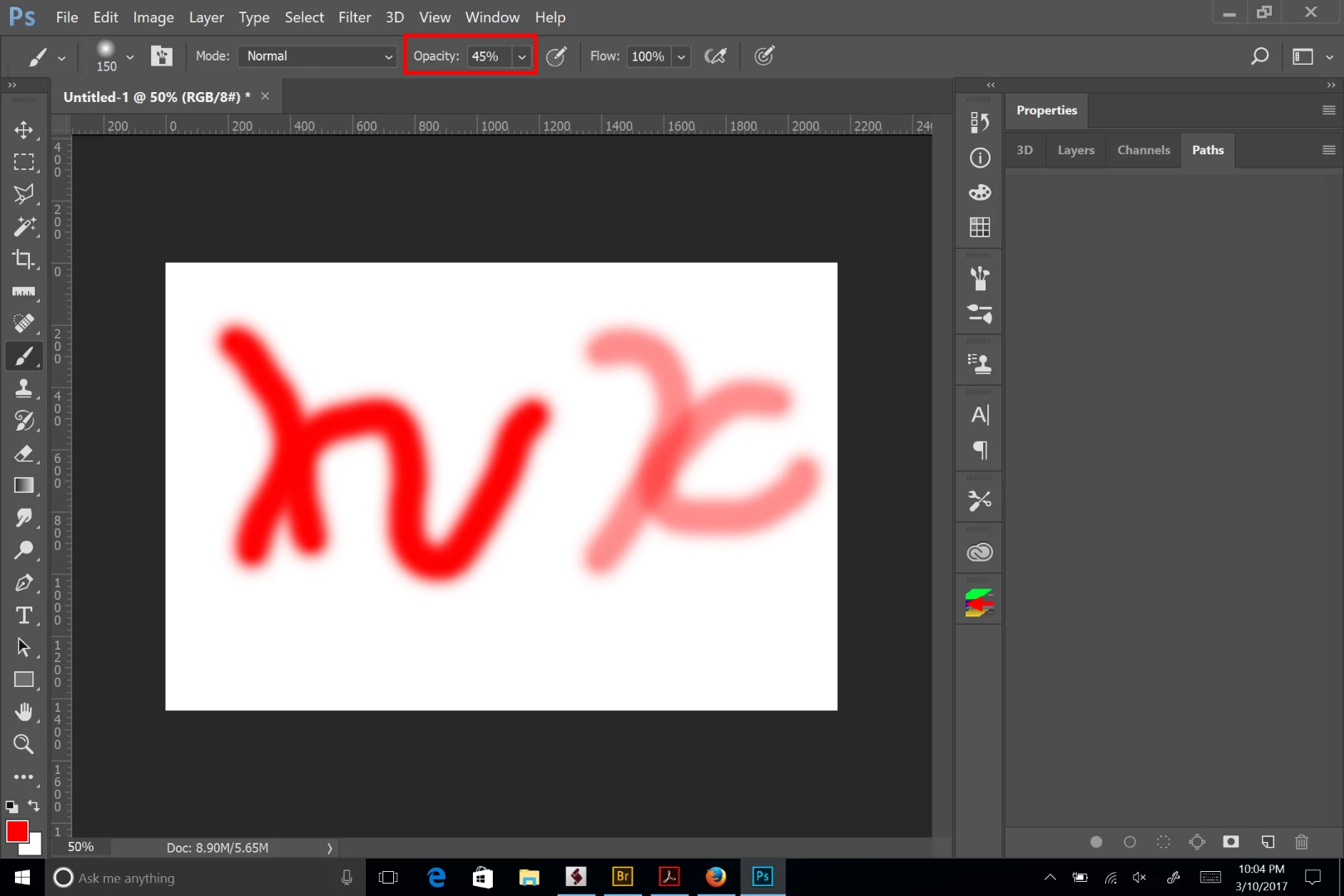 The opacity of your of your brush, most likely isn't at 100%. So every time you paint a new stroke by holding down the mouse key, you will add opacity to the layer until it reaches 100%. You can set the entire layer to a lower opacity and your brush at 100%. The screen shots shows, on the left, two brush strokes, with the brush set at 100%. The right shows the brush set at 45%.
 AdChoices