Answered
help with layers
hello, i just want to ask something.
i have saved my file in a jpg format and lost all my layers and i still have to work on it.
hello, i just want to ask something.
i have saved my file in a jpg format and lost all my layers and i still have to work on it.
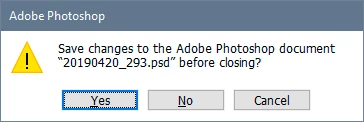
You need to pay attention to the dialogs you get. Photoshop never discards data without explicit user confirmation.
When you have a layered file, and save to a format that doesn't support layers, Photoshop will save out a flattened copy. But look in your Layers panel - the full layered original is still open! It's the one you still have on your screen. If you close that without saving, it's gone. Just like any other file that you close without saving.
Already have an account? Login
Enter your E-mail address. We'll send you an e-mail with instructions to reset your password.
 AdChoices