
Help with some issues regarding scratch files
Hoping to get better insight to how to set up scratch disks.
I’m running PS 2020 on a Dell 7710 with Windows 10. The Dell has a Xeon Quad Core with 32GB RAM and an Nvidia Quadro M5000M w/8GB. The operating system is on an M.2 PCIe SSD (256GB). There is a second internal drive, also M.2 PCIe 256GB.
Given how my work is evolving, I find myself processing files as large as 15-20 GB, with many layers, filters, smart objects, etc. Steps like rasterizing layers, applying layer masks, merging layers, etc. reduce file size but make the work much harder. I sometimes work on specific elements in separate “support files,” then duplicate the results into the “base file,” but there are times when that also is problematic. I need to find a way to optimize my current machine or develop specs for a new machine. (Ouch!)
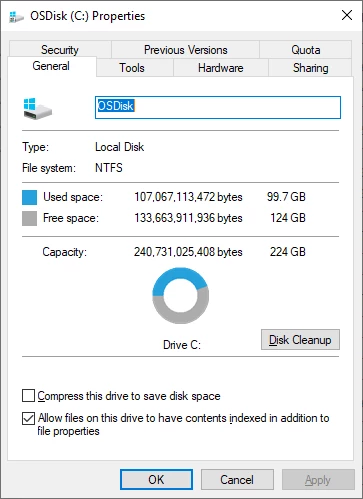
According to Adobe (https://helpx.adobe.com/photoshop/using/scratch-disks-preferences.html), “An SSD…performs well as both the primary startup and scratch disk. In fact, using an SSD is probably better than using a separate hard disk as your primary scratch disk.” So, on my startup drive, I have my installed programs, a single “workspace” folder (where I keep only the file I am working on currently), and I assign the remaining ~ 100GB on the startup drive as the first scratch space. The second internal drive is kept empty and is assigned as the second scratch space.
Here are few things that confuse me:
1) If I use one SSD as both the primary startup and a scratch disk, then PS’s first scratch disk is on the same drive as Windows’ Pagefile. I’ve read that’s not good.
2) I keep the file I’m currently editing on the startup drive, where PS is installed. My assumption is that I will get the fastest processing if PS does not have to look on another drive for the current file. However, Adobe states that “Scratch disks should be on a different drive than any large files you are editing.”
3) While Adobe says “using an SSD is probably better than using a separate hard disk as your primary scratch disk,” they also say, “Scratch disks should be on a different drive than the one your operating system uses for virtual memory.”
Can anyone help me sort this out?
 .
. AdChoices