Participant
September 10, 2021
Answered

Help with word in word overlay

  • September 10, 2021
  • 1 reply
  • 621 views

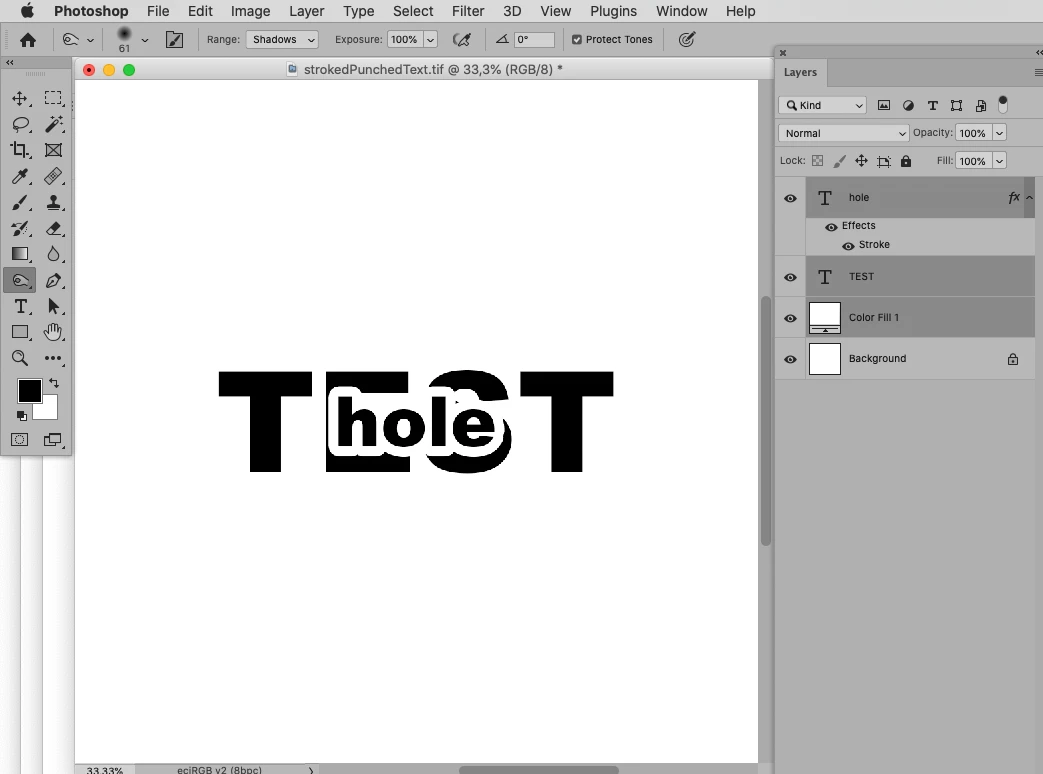
Could someone please help me out with instructions on how to create a word within word overlay like the one pictured below.  I did ask this question a few days ago, but now cannot find my original post.  Any help would be most greatly appreciated.  Thanks!!!

This topic has been closed for replies.
Correct answer c.pfaffenbichler

That looks great.  May I please ask for the steps you took to arrive at that?  I'm fraid I'm a total newbie at Photoshop.


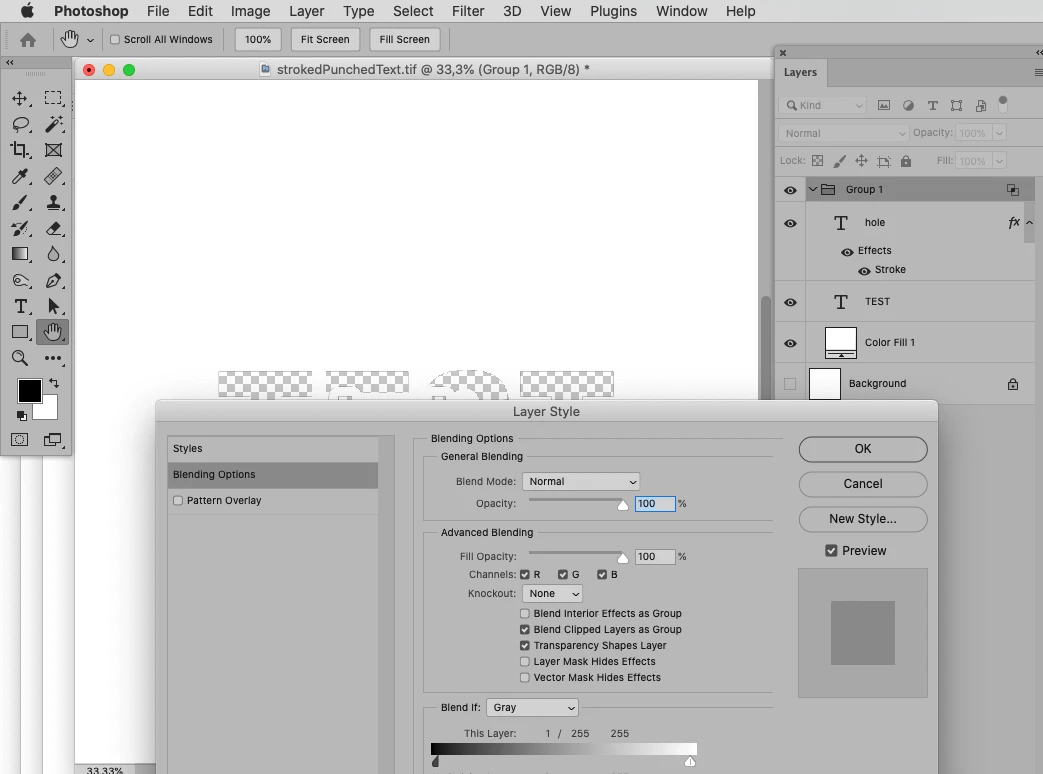
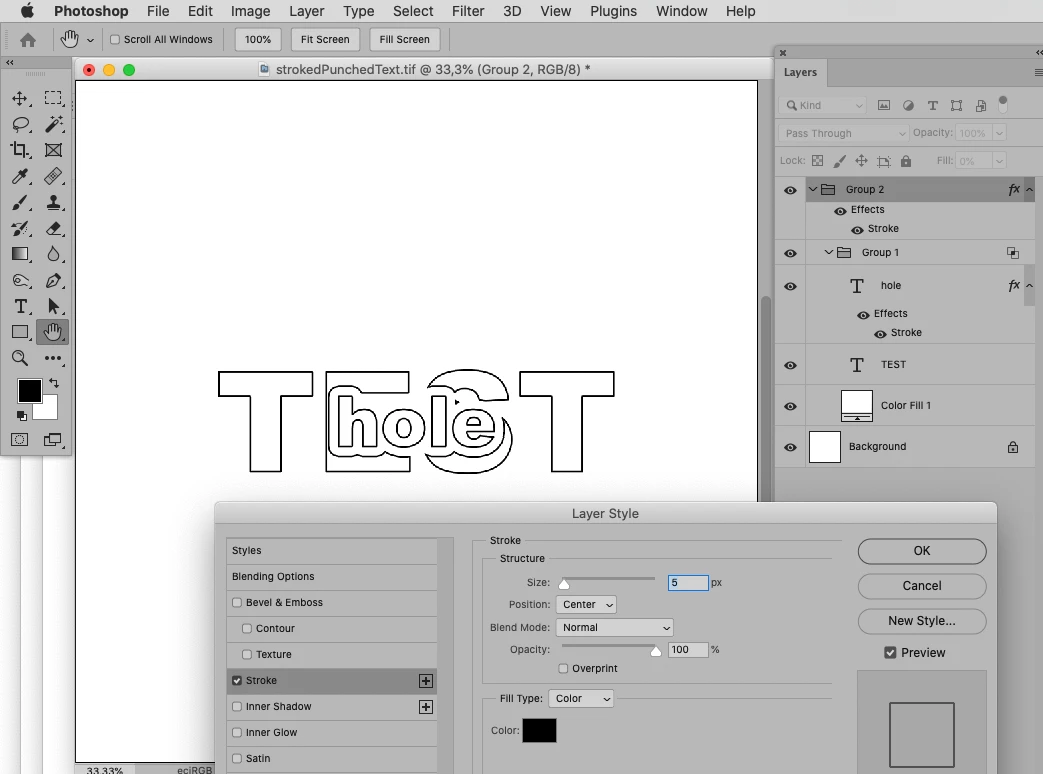
• Two Type Layers, one with Layer Style Stroke and a white Solid Color Layer … 

• … in a Group with a Blend if-setting … 

• … in a Group with Fill 0% and a Stroke. 

1 reply

c.pfaffenbichler
Community Expert
Community Expert
September 10, 2021

I would recommend doing such things in Illustrator. 

In Photoshop 

edit: … a combinatoin of Layer Styles and Blend if-settings would allow to keep the text editable. 

mike5256Author
Participant
September 10, 2021
Thank you for the suggestion, but I’m afraid all I have is photoshop.

Sent from Mail for Windows
c.pfaffenbichler
Community Expert
Community Expert
September 10, 2021

I added something to the previous post.