
SumitUniyal
Participant
September 29, 2021
Answered

Hey, my photoshop interface looks like this, what should i do?
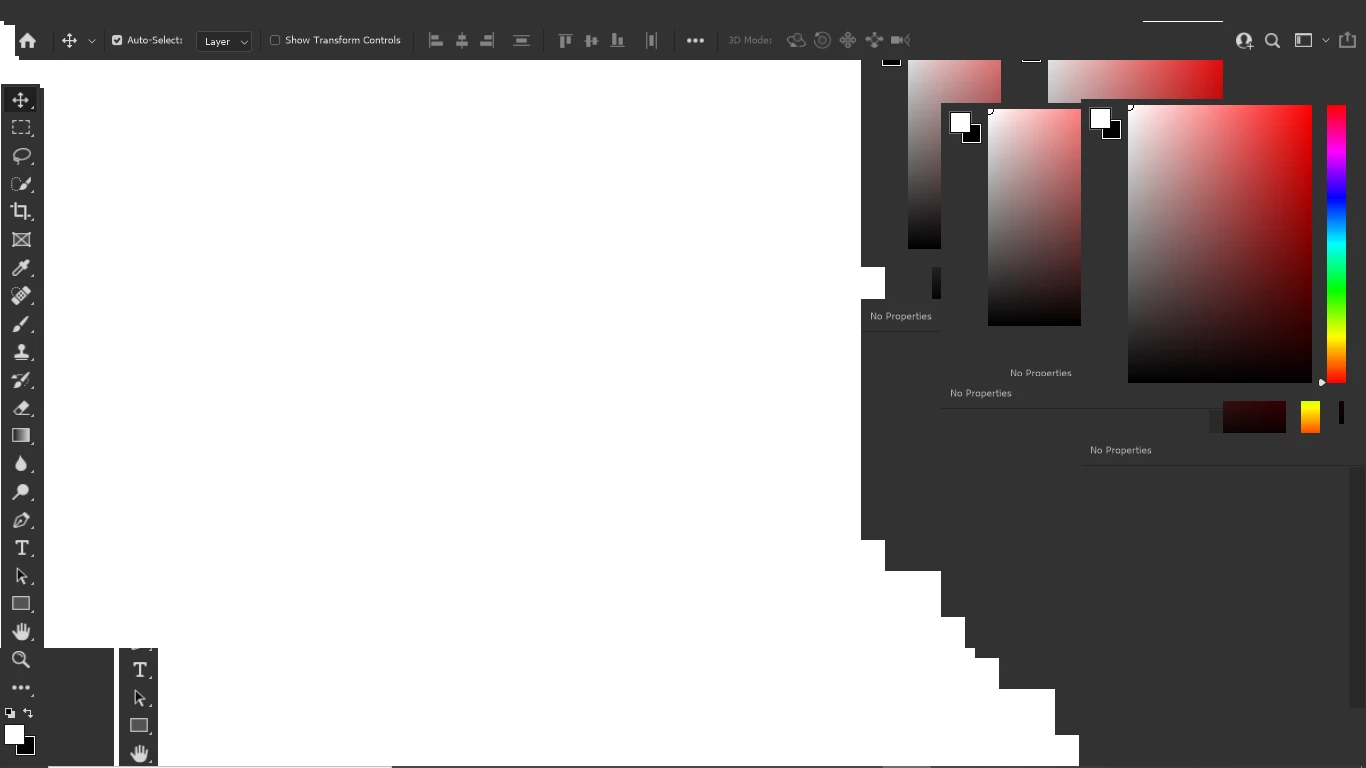
  • September 29, 2021
  • 3 replies
  • 397 views

This topic has been closed for replies.
Correct answer SumitUniyal

Update - Thanks to all for help. It get solved after i uninstall the graphic driver.

3 replies

SumitUniyal
SumitUniyalAuthorCorrect answer
Participant
September 29, 2021

Update - Thanks to all for help. It get solved after i uninstall the graphic driver.

Trevor.Dennis
Community Expert
Community Expert
September 29, 2021

You say you hhave reinstalled Photoshop and get the same messed up User Interface?  That is radically out there!

It looks like a GPU issue, but how consistent is the look you are getting?  Does it always look exactly like that?


We need to know something about the system you are using.  What is the hardware spec?  How is the health of your Operating System?  Have you had system crashes for instance?  Is that Windows 10?


If you are able, open Photoshop and go Help > System Information > Copy and paste to this thread.


Before you do that reinstall Photoshop one more time, but this time us the Cleaner Tool

Use the Creative Cloud Cleaner tool to solve installation problems (adobe.com)

Ged_Traynor
Community Expert
Community Expert
September 29, 2021

Hi

Try resetting your Photoshop preferences

https://helpx.adobe.com/photoshop/using/preferences.html

Also have you updated your GPU driver from the manufacturers website

SumitUniyal
Participant
September 29, 2021

My GPU driver is updated. 


Things that i already tried are:-

reinstallation of photoshop.

tried graphics processor enabled and disabled both.
