
Question
Hide coordinate X Y box in CS6
Not sure if there's a specific CS6 community for the forums, didn't find one. Just gonna hope this counts.
I've been searching forever for this, is there a way to hide this X and Y coordinate box that appears when you drag an object?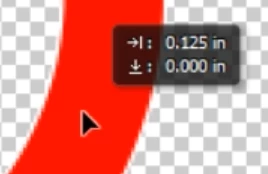
CS6 does not have a "Tools" tab in Preferences, which can used to be disable it in other photoshop versions.
 AdChoices