
Plekuz
Participating Frequently
January 14, 2022
Answered

Hide recent files on home page, but not in files menu inside Photoshop

  • January 14, 2022
  • 1 reply
  • 4133 views

Alright, this has been bugging me for years now and I have never found a solution for it, if any even exists. I would like to hide recent files from the Home page in Photoshop, but not remove them from File - Open recent.


I know I can set the number of recent files to zero inside the preferences or clear the recent files list to clear the list on the Home page, however: I only want them partialy removed as statet above. Is this even possible?


The reason is that not everyone watching when I want to show them something inside Photoshop is allowed to see all the files I am working on. The thumbnails on the home page might give too much away if by accident or necessity I need to go to the Home page in PS. However: I do like to maintain quick access via the File - Open recent menu which they do not see.


Yes, I could be much more carefull and try to set everything up beforehand to prevent this, but some things are not very much planned ahead. So is it possible to hide or get rid of the thumbnails and keep the recent filelist inside the menu?


Thanks!
Correct answer D Fosse

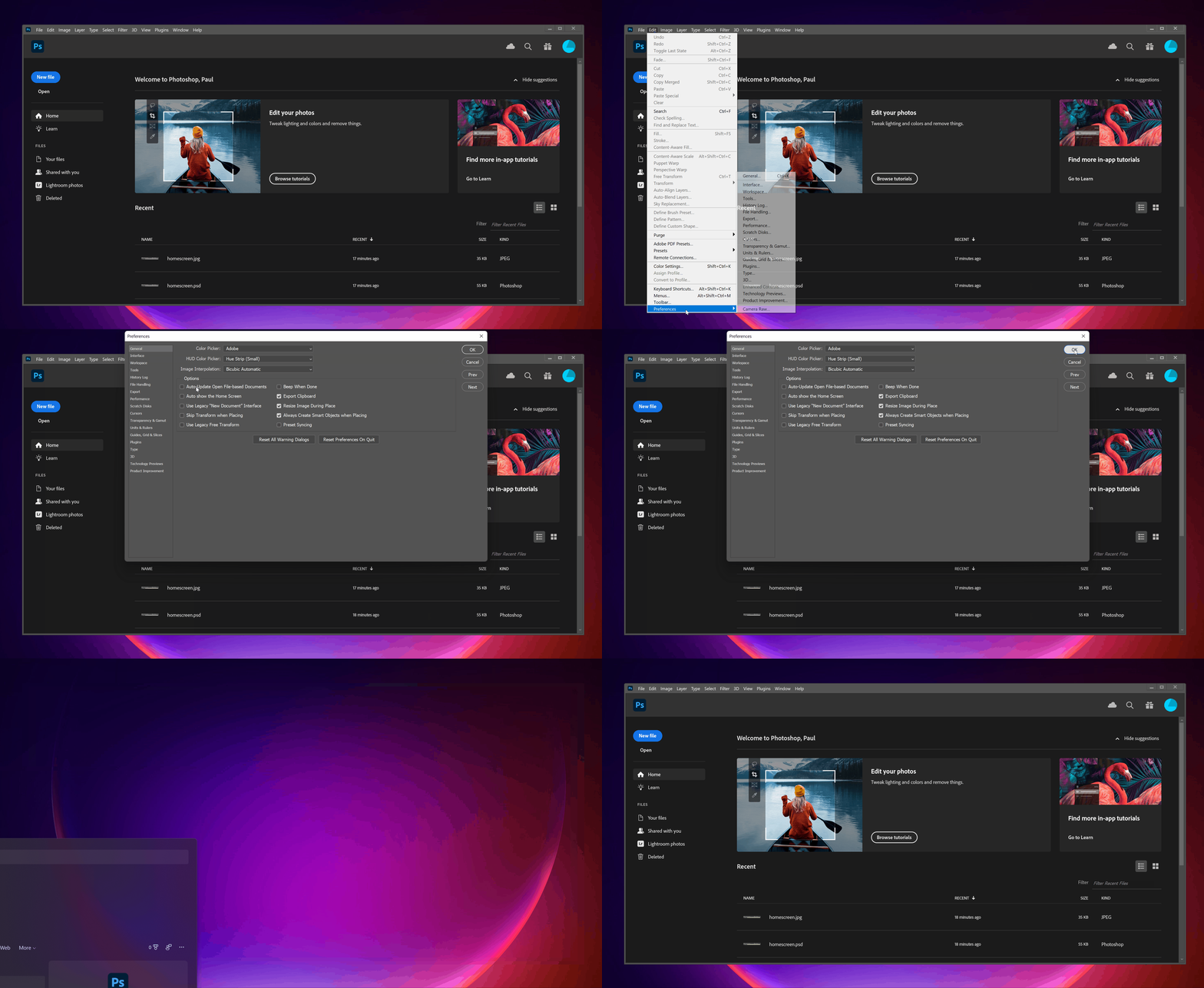
Lets see if a rather large animated GIF works here ...


This isn't how it's supposed to work. As I said, I haven't seen the home screen in years.


Try to close Photoshop without the home screen active. There should be an icon that takes you directly to the workspace whether you have an open image or not. Or open an image and close out again.

1 reply

jane-e
Community Expert
Community Expert
January 14, 2022

@Plekuz 

No, not directly.


You might want to disable your Home Screen in Edit > Preferences and use the menus or shortcuts for New, Open, Open Recent, etc. One thing I do when I'm taking screen shots is to Filter to something I don't have in the Home Screen (such as "zzz"), which effectively hides all of my recent files.


Jane

Plekuz
PlekuzAuthor
Participating Frequently
January 14, 2022

Thank you. The option to disable the Home Screen only prevents it from popping up when you close the last open file in PS it seems. I will have a look into using a filter.

jane-e
Community Expert
Community Expert
January 14, 2022

You're welcome, @Plekuz ,


It's super quick and it sounds like you only need to hide your recents when you are showing files to others. It could be any random characters.


Jane