Known Participant
November 5, 2017
Answered

highlight shadow tool not working in photoshop 2018 cc

  • November 5, 2017
  • 3 replies
  • 3860 views

when i activate the tool and try to lighten the shadows, it lightens the highlights.  when i click on highlights, it lightens the highlights  as well.  it seems to me that the tool is not working at all.

are other people having this difficulty? 

judy
This topic has been closed for replies.
Correct answer davescm

......................... this is not supposed to happen and did not happen before the latest update.

Hi

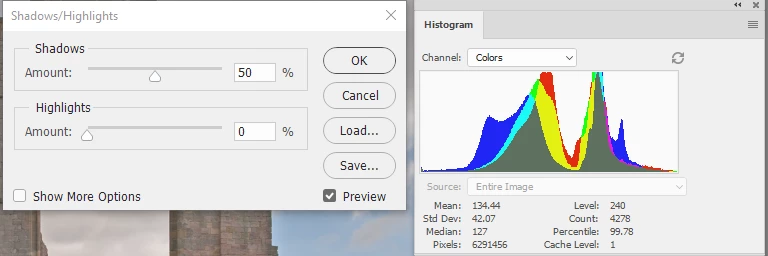
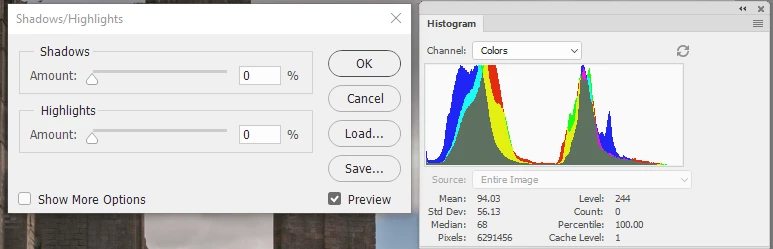
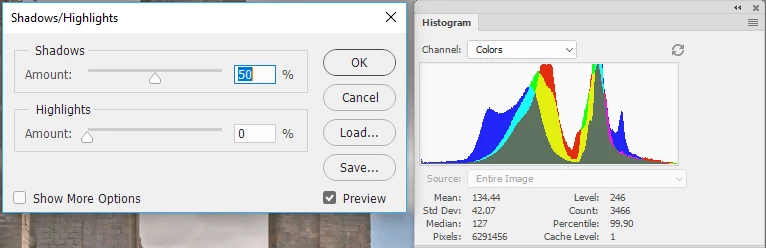
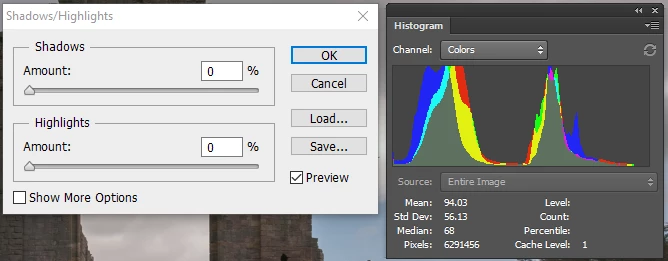
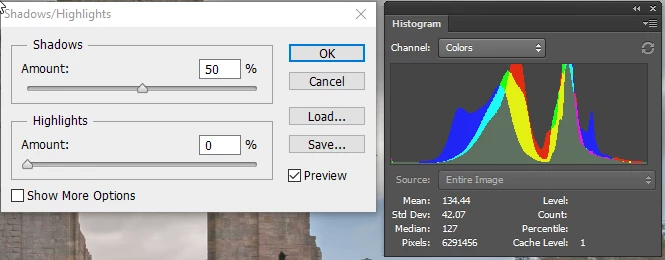
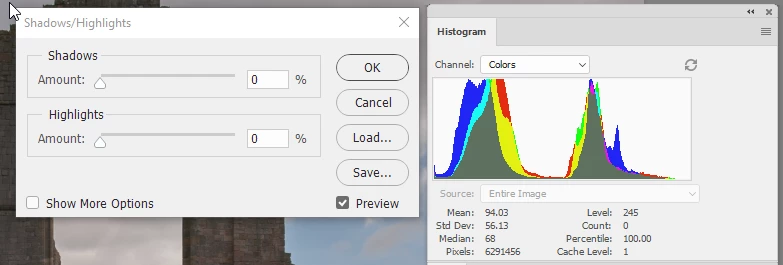
I don't use Highlights and shadows I much prefer curves. However, I just tried the tool in CC2018 (vr.190), CC2017 and CS6 with the results below. I used an image which I deliberately brought down the highlights in camera raw to test the effect.

CC2018 before :

CC2018 after :

CC2017 before:

CC2017 after

CS6 before :

CS6 after :

The impact of shadows on the highlights  looks the same in all versions - nothing has changed.

Dave

3 replies

D Fosse
Community Expert
Community Expert
December 26, 2017

Note, everybody, that "show more options" lets you set tonal range and radius as well. If these are set differently between versions, you'll get very different results. Tonal range cranked all the way up will lift the whole image.

Known Participant
December 25, 2017

i believe that the highlight shadow tool does not work correctly in photoshop 2018.  it has nothing to do with preferences.  take any photo in which on the histogram the white point does not go the farthest to the right and use the highlight shadow tool to open up the shadows.  the tool will open up the shadows, but also pull the white point all the way to the right.  this is not supposed to happen and did not happen before the latest update.

Sahil.Chawla
Adobe Employee
Adobe Employee
November 14, 2017

Hi Judy,

Could you please try updating to Photoshop CC 19.0.1 and let us know if it helps?

Please open the creative cloud app then click on the 3 dots on the top right corner & choose "Check for updates".

Regards,

Sahil

martinp34698710
Participant
December 18, 2017

I have the same problem with the Highlight Shadow Tool. I can see no Photoshop CC 19.0.1 update. Mine says it is up to date at 19.0.

regards

Martin

Sahil.Chawla
Adobe Employee
Adobe Employee
December 19, 2017

Hi Martin,

Could you please try resetting the preferences of Photoshop & let us know if it helps?

Preferences in Photoshop

Regards,

Sahil