Participant
October 2, 2020
Answered

Highlighting corners of shapes

  • October 2, 2020
  • 1 reply
  • 437 views

I'm looking at creating some images for the rugby club i am involved in. I like the look at the below, how can you highlight the corners of shapes that i may want to use, eg rectangles or squares like in the attached? 

This topic has been closed for replies.
Correct answer Bob_Hallam

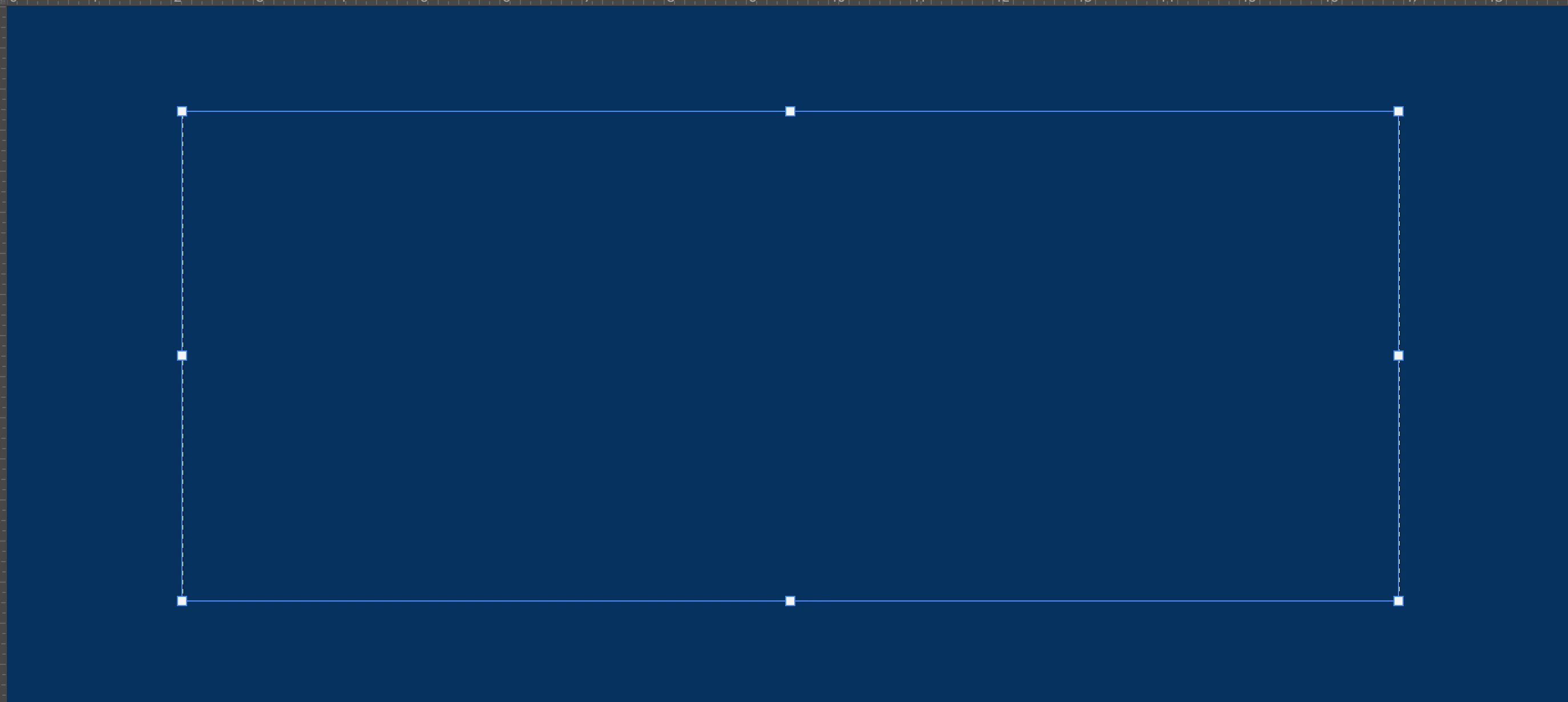
First, you make the dark blue background layer.  Then copy that layer and select all, Transform that layer to be the size you want for the center blue color.  Fill that layer with the proper color then de-select it.  

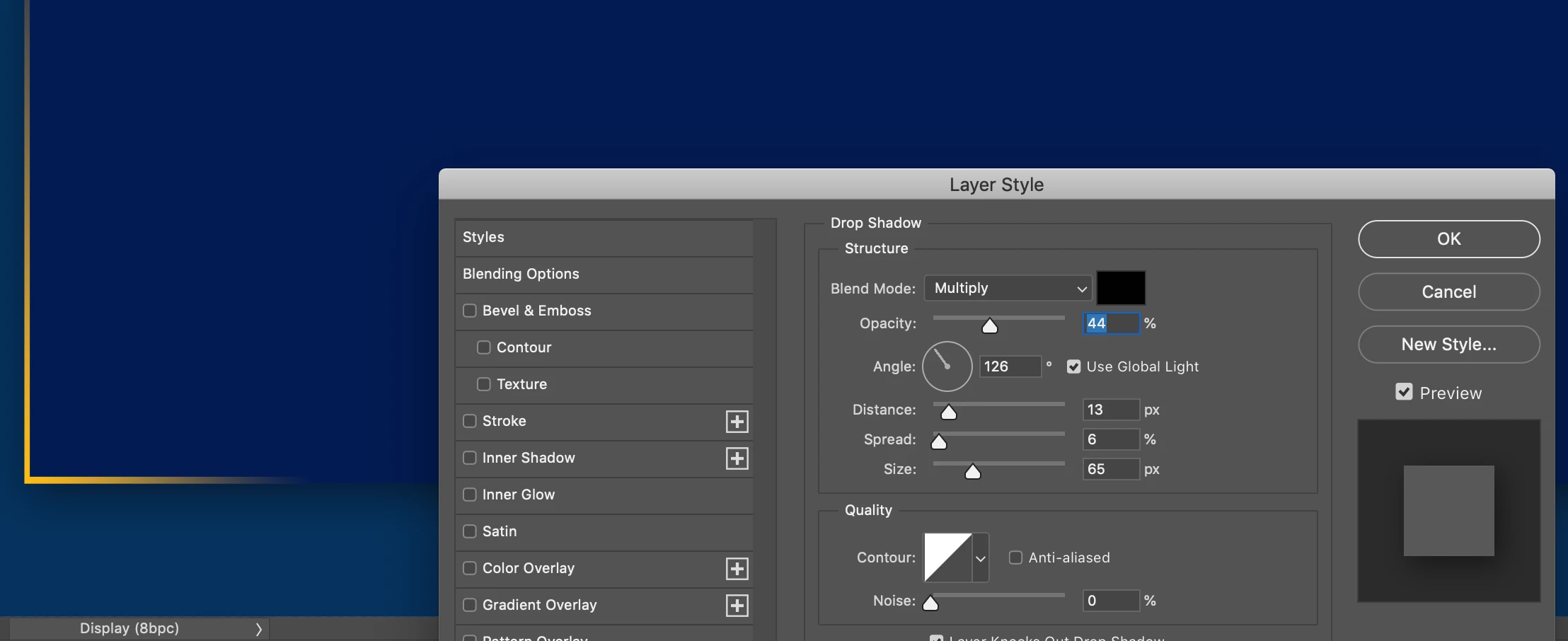
Make Copy that into another layer and name it gradient.  Adjust its size slightly larger and make a layer effect for drop shadow as shown.  

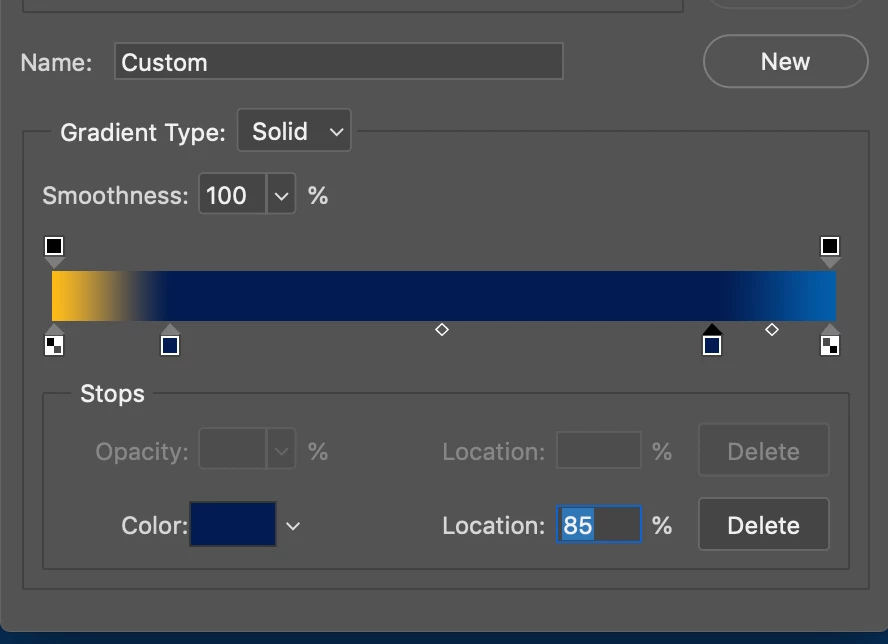
Add a gradient as shown below to make the highlighted corners. 

 This is the result:

1 reply

Kevin Stohlmeyer
Community Expert
Community Expert
October 2, 2020

You can use the rectangle shape tool with the stroke set to a gradient fill.

Bob_Hallam
Bob_HallamCorrect answer
Legend
October 2, 2020

First, you make the dark blue background layer.  Then copy that layer and select all, Transform that layer to be the size you want for the center blue color.  Fill that layer with the proper color then de-select it.  

Make Copy that into another layer and name it gradient.  Adjust its size slightly larger and make a layer effect for drop shadow as shown.  

Add a gradient as shown below to make the highlighted corners. 

 This is the result:

ICC programmer and developer, Photographer, artist and color management expert, Print standards and process expert.