March 6, 2023
Question

history brush makes untouched part bright

  • March 6, 2023
  • 3 replies
  • 680 views

Hi, 

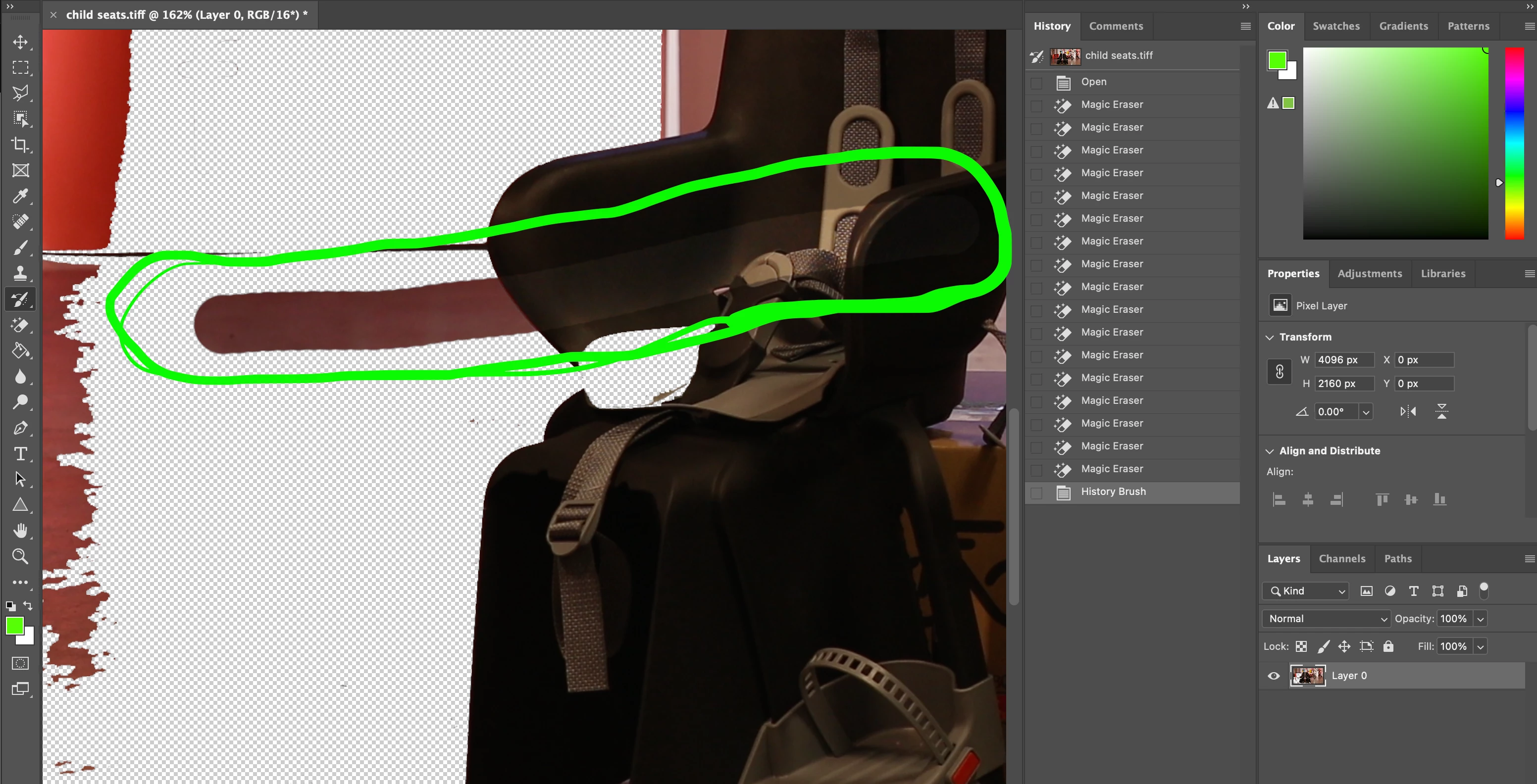
Does anybody know why does the history brush brightens the part of the image that was not erased?

On my older device it only restored the part of the image that was changed. 

Dont see any point in using this tool.
 photoshop 2023 v 24.2.0

mac Os Ventura 13.2.1

This topic has been closed for replies.

3 replies

March 7, 2023

Look, I've only been using Hisory Brush in this example.

Myra Ferguson
Community Expert
Community Expert
March 7, 2023

In this screenshot, I can see that the History Brush has its Blend Mode set to Screen. Set it to Normal to make it not lighten the image.

Trevor.Dennis
Community Expert
Community Expert
March 7, 2023

That'll do it all right. 😉  I spent a few minutes, a wee while ago, chasing a problem where a layer set to Screen was showing black, which didn't make sense to me.  Then I twigged that the area displaying black had transparent pixels behind it.  IME the two main things waiting to trip you up with Photoshop are blend modes and the Options Bar.

March 6, 2023

No, the image was never darkened. Check the history tab: there is only eraser used before history brush. Why does the history brush leaves a bright streak on the originally dark area?

D Fosse
Community Expert
Community Expert
March 6, 2023

All we can tell from your screenshot and what you write, is that at some point the image was darkened.


It seems you have the restore point at the original opened file, so that means everything you have done will be reversed.


You can put the history restore point at any history state, so make sure you don't go further back than you want.