
Participant
January 29, 2018
Answered

Horizontal Type Mask Tool

  • January 29, 2018
  • 2 replies
  • 2087 views

I have seen demos about the horizontal type mask tool -- I just up-dated photoshop and I can not find the tool. Under the text tool I only have horizontal and vertical text tools -- NO masking tools --- how do I bring them up?
    This topic has been closed for replies.
    Correct answer davescm

    Hi

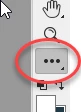
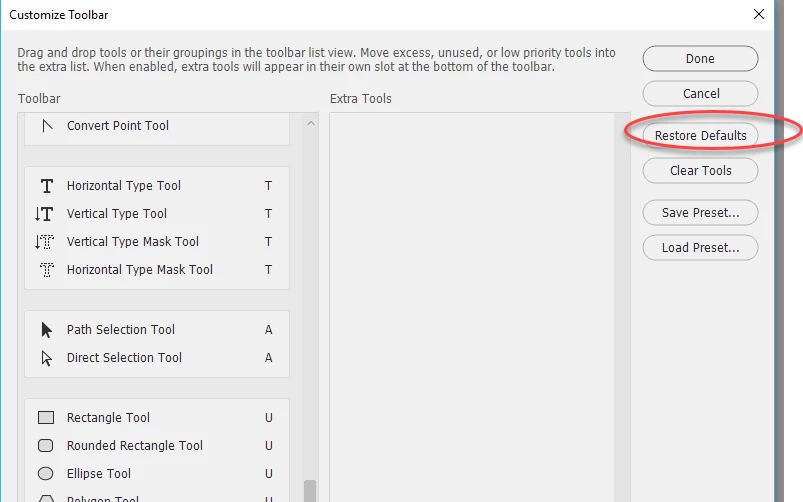
    In CC go to the three dots on the toolbar, click Edit toolbar,  then in the menu that opens choose "Restore defaults"

    Dave

    2 replies

    barbara_a7746676
    Community Expert
    Community Expert
    January 29, 2018

    Under the Edit menu, choose Toolbar and click Restore Defaults. Alternatively, if you see the tools in the Extra Tools list, you can drag them to the Toolbar list on the left. Re-launch Photoshop.

    Some workspaces customize the toolbars. If you choose the Essentials workspace and click Reset, that should restore the tools.

    davescm
    Community Expert
    davescmCommunity ExpertCorrect answer
    Community Expert
    January 29, 2018

    Hi

    In CC go to the three dots on the toolbar, click Edit toolbar,  then in the menu that opens choose "Restore defaults"

    Dave