Answered
How a spot color channel is displayed in Photoshop?
When I pick a Pantone color for a spot color channel, it is a gradient, How the channel is displayed? or How Photoshop calculate the color of midtone? Thanks.
When I pick a Pantone color for a spot color channel, it is a gradient, How the channel is displayed? or How Photoshop calculate the color of midtone? Thanks.
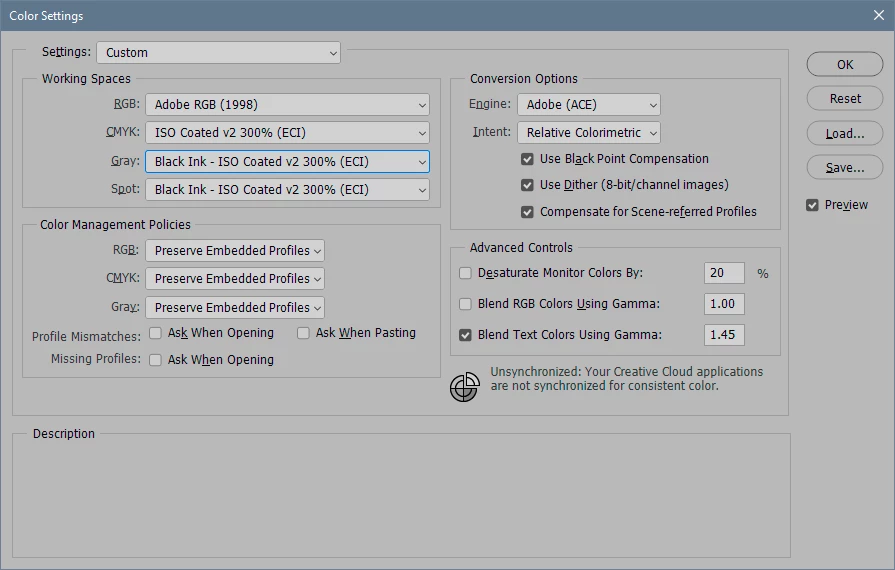
That's right, the profile specified in the working spaces section. The spot channel is displayed and handled in Photoshop according to this.
It might be a good idea to change this to something that reflects the actual printing process. The dot gain profiles are generic (and somewhat outdated), referring to a fixed ink spread percentage in the paper. In reality, it isn't a fixed percentage, but a rather more complex curve.
However, I assume spot inks behave somewhat differently than the process inks. Perhaps even different for individual inks. I would definitely ask the printer about this. In the meantime, I'd start here (substitute the actual CMYK):
Already have an account? Login
Enter your E-mail address. We'll send you an e-mail with instructions to reset your password.
 AdChoices