Answered
How can I change black and white vector to a specific RGB colour?
Hi All,
Once again, I need some of your photoshop expertise.
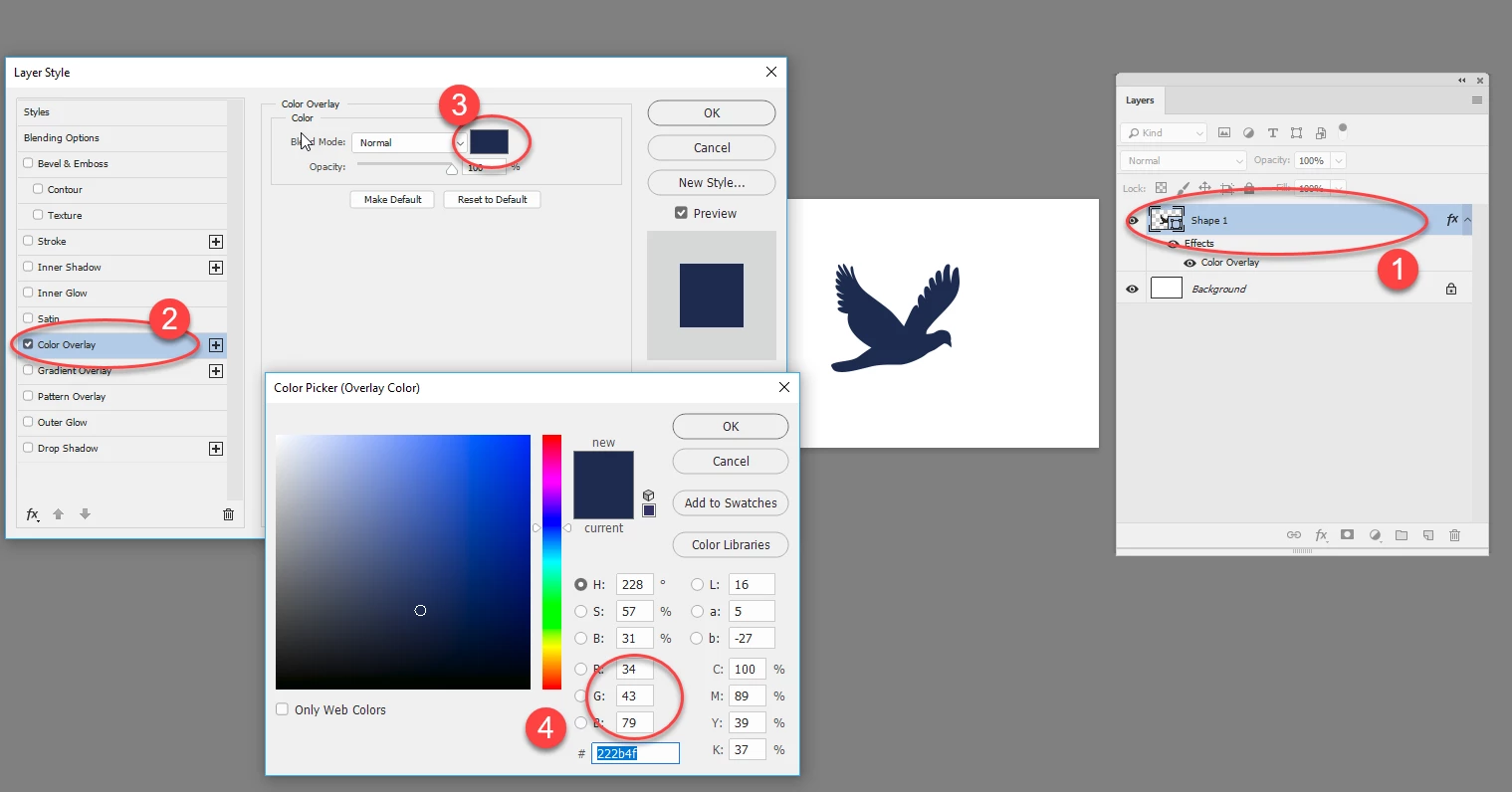
I've bought a black and white vector image from Adobe Stock. It's black. I now need to change it to a specific RGB colour (R: 34, G: 43, B: 79). How would you go about doing this? I've tried using 'colour range' to select the image, then a hue/saturation adjustment layer to alter colour, which means I get get pretty close to the colour I need by moving the slidErs and judging by eye. But I need it to be an exact match. Any ideas?
Thanks in advance!
 AdChoices