I know that the shortcut keys to change the selected layer are '[' and ']'.
But this shortcut is so far away from my left hand that it's uncomfortable to press. I'd like to change it to a different shortcut.
However, '[' and ']' cannot be found in the function of changing the shortcut. May I know where it is?
my Photoshop version is 19.1.9 20190724.r.451 2019/07/24: 1207350 x64
Please can you help me? T_T
By @LLLLLLLLLLLL
Just to be clear, you know that Ctrl [ and Ctrl ] move the selected layer up and down the layer stack, and don't actually change the selected layer?
The shortcuts should definitely be there in version 19.
Do you have it set to Application Menues ?
You need to scroll a long way down the Layers shortcuts to Arrange.
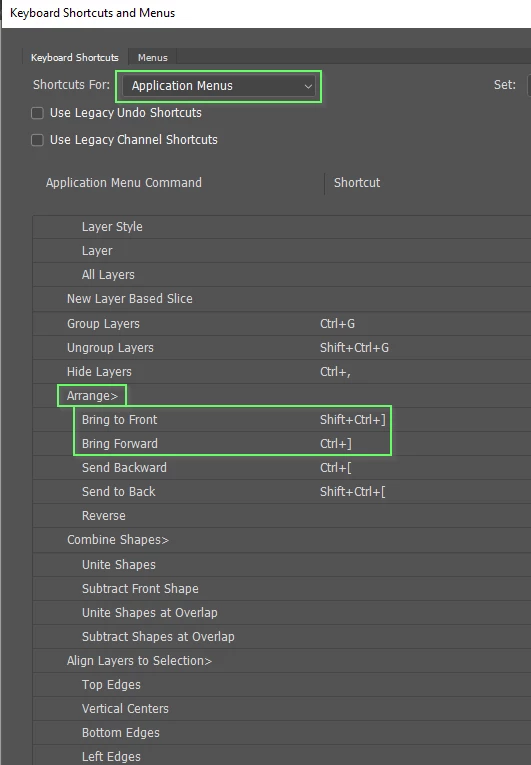
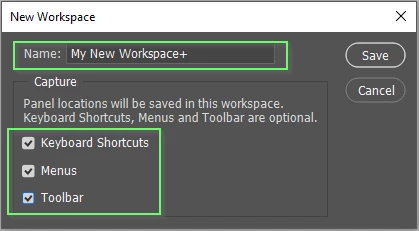
You can set the shortcut to anything you like. A good way to do it is to save your custom shortcuts to a custom workspace. You can then switch back to Essentials if you need the default shortcuts.


 AdChoices