
BenSCR
Inspiring
January 7, 2017
Answered

How can I create a transparent photomontage?

  • January 7, 2017
  • 2 replies
  • 657 views

How can I create a transparent photomontage like this photo of Gene Kelly.
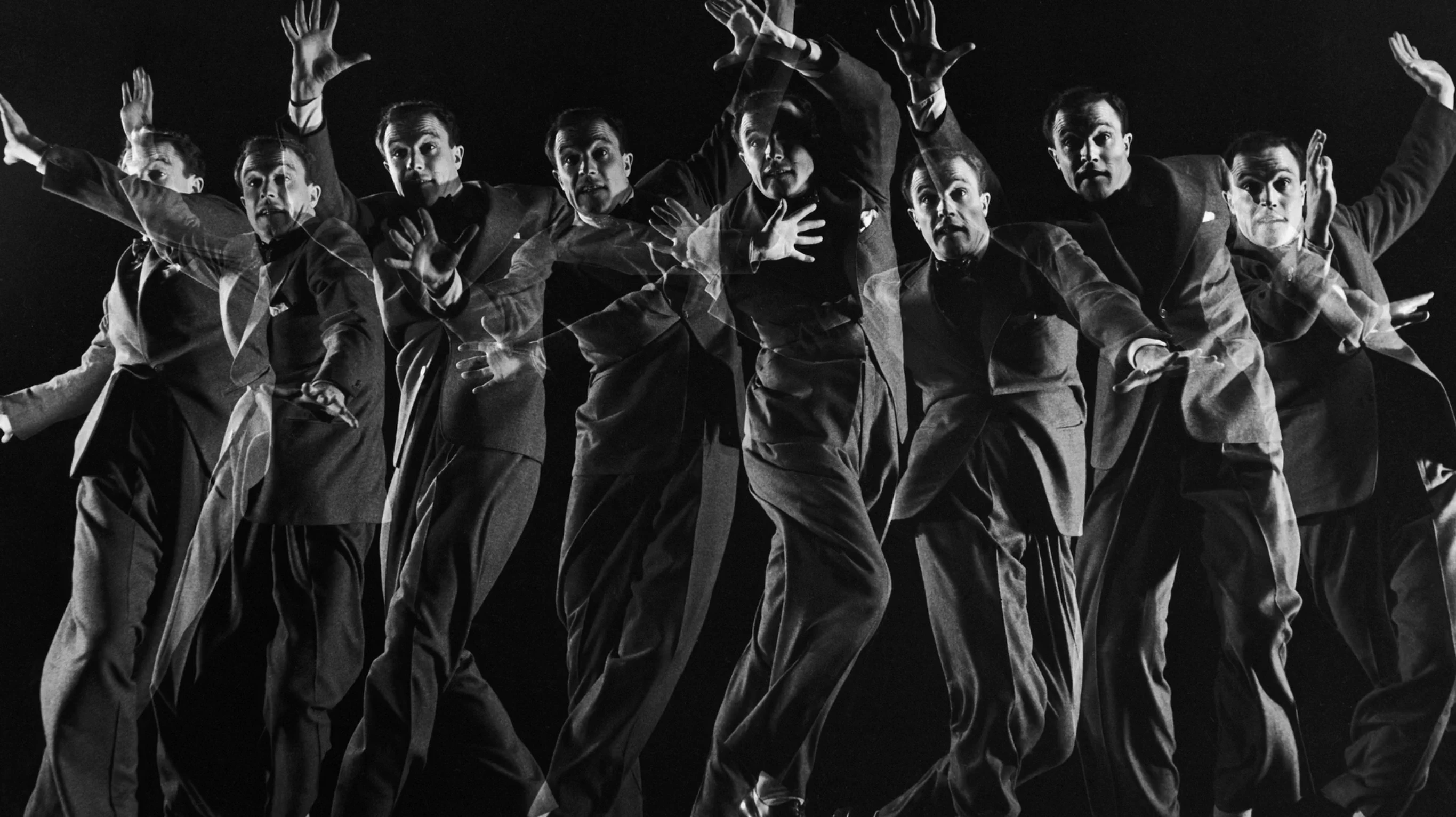
    This topic has been closed for replies.
    Correct answer Barb Binder
    1. Open each of the individual photos of the subject, and mask out the background, leaving only the subject visible.
    2. Drag each of the subjects from the original file to a single new file, each will appear on its own layer.
    3. Set the background on the new file—in the example file, it's black.
    4. Set the opacity in the Layers panel for each floating layer.
    5. Move each layer into the correct position. (In this situation, you may find it easiest to adjust the layer positions in the final file if you activate Auto-Select layer in the Options bar.)

    2 replies

    Barb Binder
    Community Expert
    Barb BinderCommunity ExpertCorrect answer
    Community Expert
    January 7, 2017
    1. Open each of the individual photos of the subject, and mask out the background, leaving only the subject visible.
    2. Drag each of the subjects from the original file to a single new file, each will appear on its own layer.
    3. Set the background on the new file—in the example file, it's black.
    4. Set the opacity in the Layers panel for each floating layer.
    5. Move each layer into the correct position. (In this situation, you may find it easiest to adjust the layer positions in the final file if you activate Auto-Select layer in the Options bar.)
    ~Barb at Rocky Mountain Training
    BenSCR
    BenSCRAuthor
    Inspiring
    January 7, 2017

    Thanks answering my question. I will try this tonight!

    Peru Bob
    Community Expert
    Community Expert
    January 7, 2017

    Please tell us what software you are using so that this can be moved from the non-technical Lounge Forum to the proper forum for help.

    BenSCR
    BenSCRAuthor
    Inspiring
    January 7, 2017

    I'm using Photoshop CC 2017.

    Peru Bob
    Community Expert
    Community Expert
    January 7, 2017

    I've moved it to the Photoshop Forum.