Answered
How can I fit in a character in space?
I want to put a man floating in space (don't ask why that man is Rick Astley) and I have no experience in creating lighting in space... any tips on how to make it realistic?
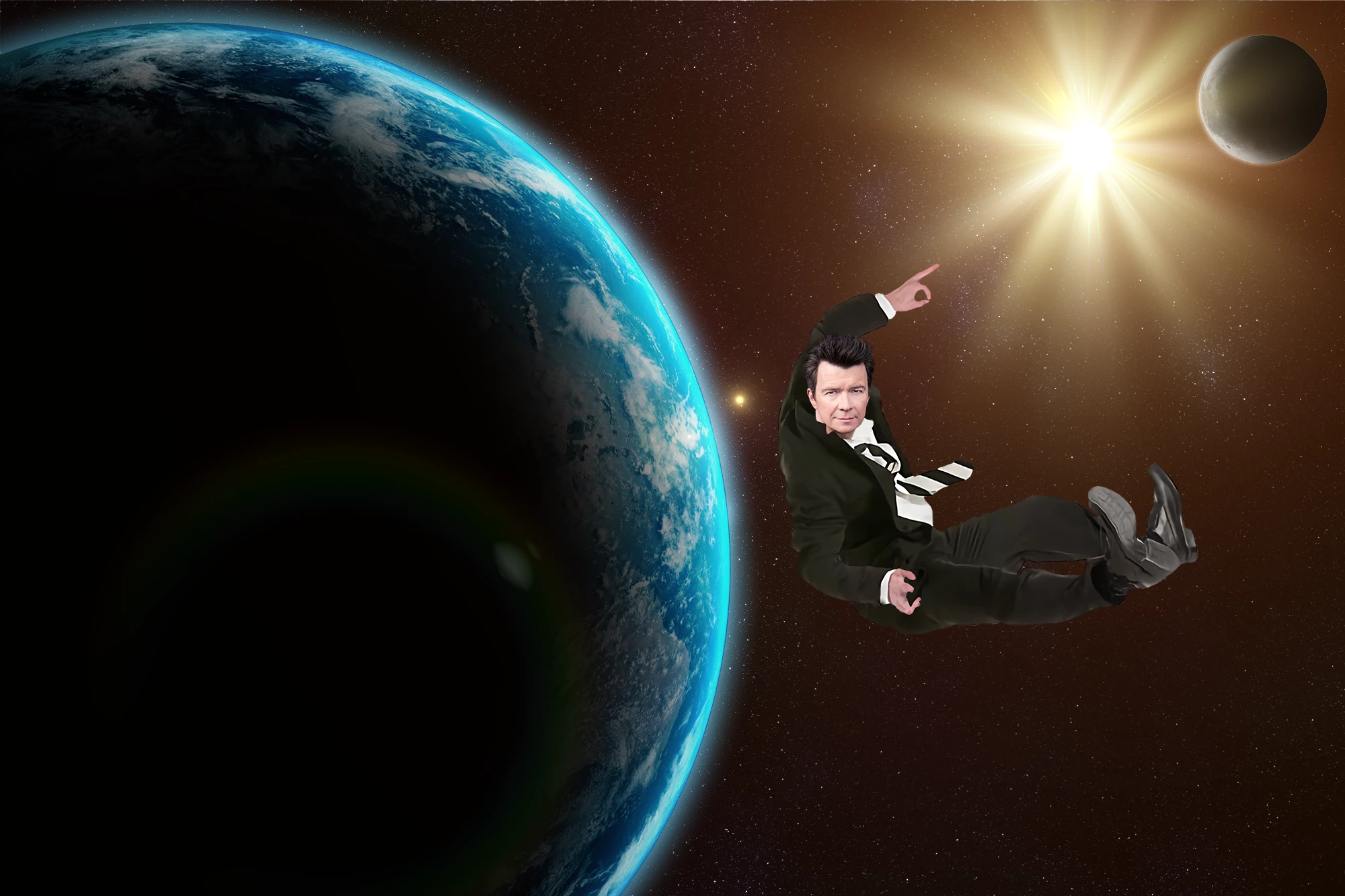

I want to put a man floating in space (don't ask why that man is Rick Astley) and I have no experience in creating lighting in space... any tips on how to make it realistic?
This is just common sense. You can see what the light source is here, right? Do you think it's logical that backlight should illuminate the subject from the front?
This is just common sense. You can see what the light source is here, right? Do you think it's logical that backlight should illuminate the subject from the front?
By @D Fosse
That's about how I look at it. You can see where the light should be hitting, so it comes down to the best ways to darken and lighten the relative areas of the composited image element.
Curves set to Luminosity is how I would darken, and my first step to brighten is to duplicate the layer and set to screen. Add a fully concealed layer mask and paint in the effect. The composited image is going to be a cutout, so something I use a lot is to Ctrl click to load the selection, and stroke the selection either in the layer mask to reveal a highlight, or directly onto a new layer above the image layer with a white stroke.
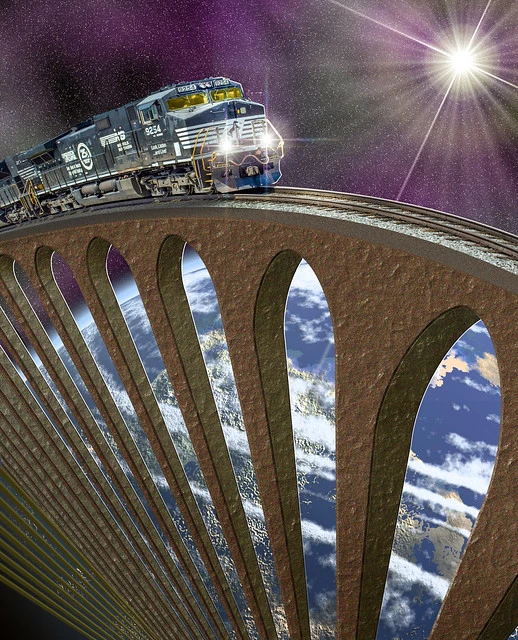
The bridge below was built with Photoshop for one of our SFTW threads, and has a white stroke to highlight the hard edges. You can feather the layer mask with mask properties, or make the layer a Smart Object so you can keep fine tuning any feather.
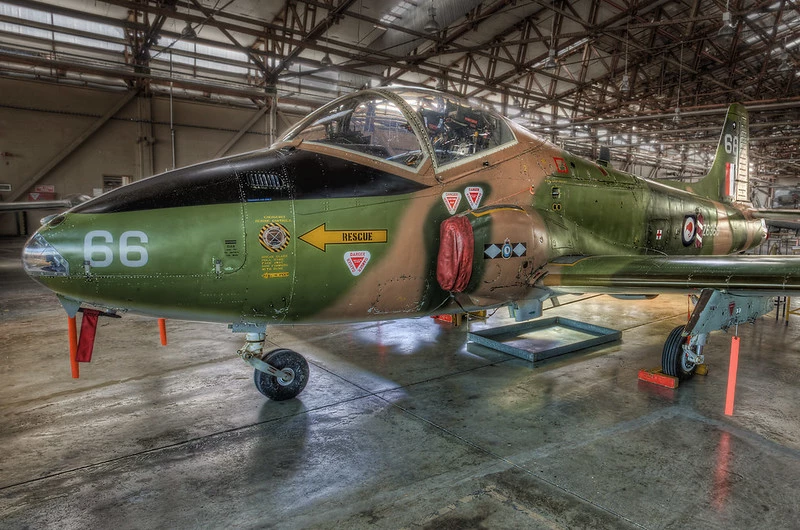
Same sort of thing with this photo. The aircraft's outline was selected with the Pen tool, and selectively stroked with white to lift it from the background. As before, make the stroke layer a Smart object so you can fine tune any blur, and make sure you save the workpath so you can use it again (that means drag the path to the New Path icon.
I use Dodge and Burn a lot on copied layers. The trick with those tools is using the right tonal range setting (Shadows, midtone, highlights). Use trial and error to start with — you'll get nasty muddy results using the wrong setting.
Shadows are going to be super hard edged in space because there are no reflections to soften them, but you'll need to use artistic license and take some liberties with reality becauuse you'll want to see some detail on the darkside.
BTW, I was not going to reply to this thread after your first reply to Nancy. Check out her profile to see how many thousands of people she has helped over the years she has posted here. We do it because we love the apps, and we learn new things ourselves, and we have no obligation to help folk.
Already have an account? Login
Enter your E-mail address. We'll send you an e-mail with instructions to reset your password.

 AdChoices