rachelr84732490
Participant
December 11, 2016
Question

How can I get the Select & Mask Tool to keep from "under-selecting"?

  • December 11, 2016
  • 2 replies
  • 679 views

Hi there,

I'm fairly new to compositing so I don't have a lot of experience with selecting images. I recently upgraded to Photoshop CC and found the Select and Mask Tool. I've had a very hard time getting it to work properly.

My steps:

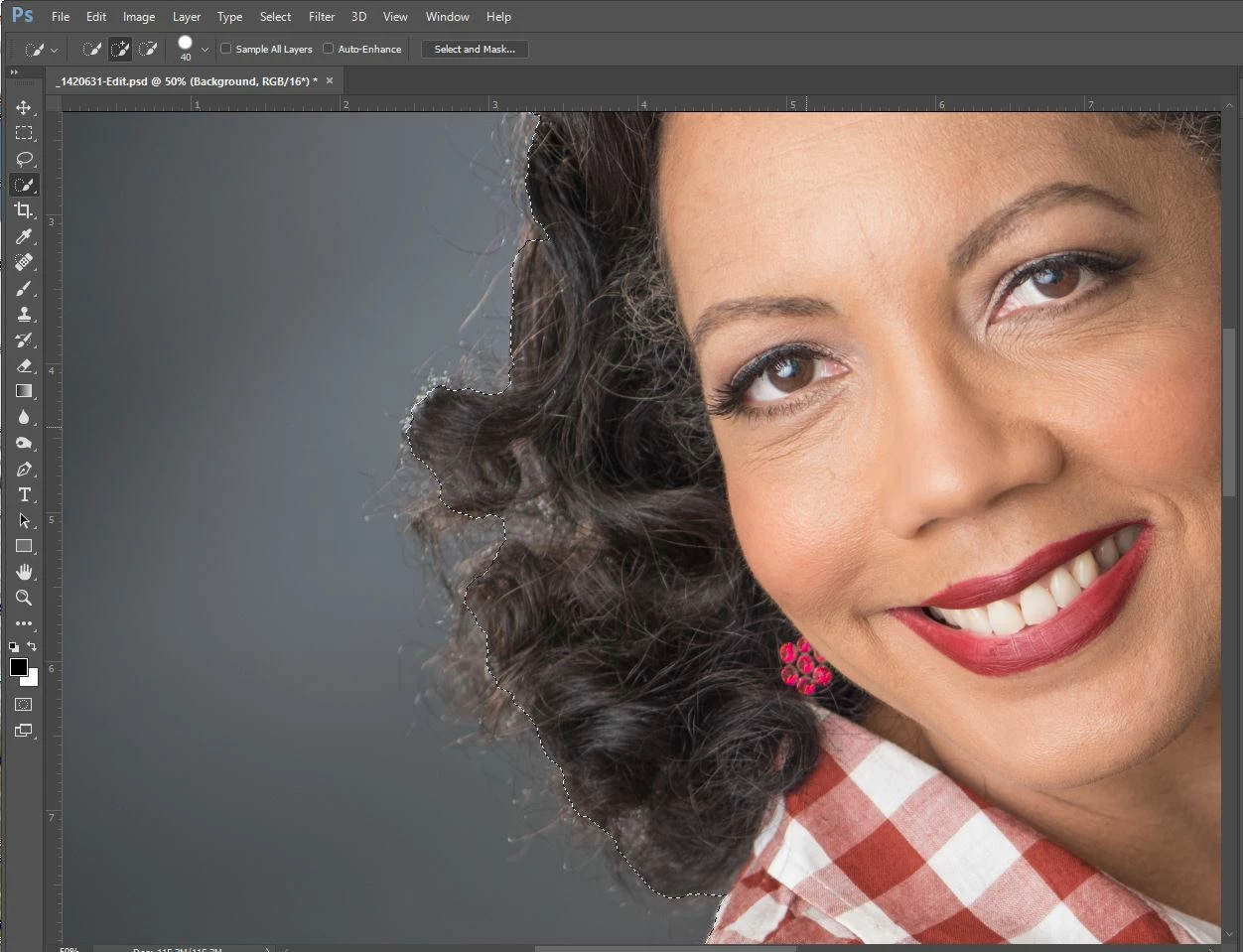
     Do a quick selection of the image taking care not to get too close to the fuzzy areas (These are portraits on gray or white BGs, with hair or fur)

     Launch the Select & Mask Tool

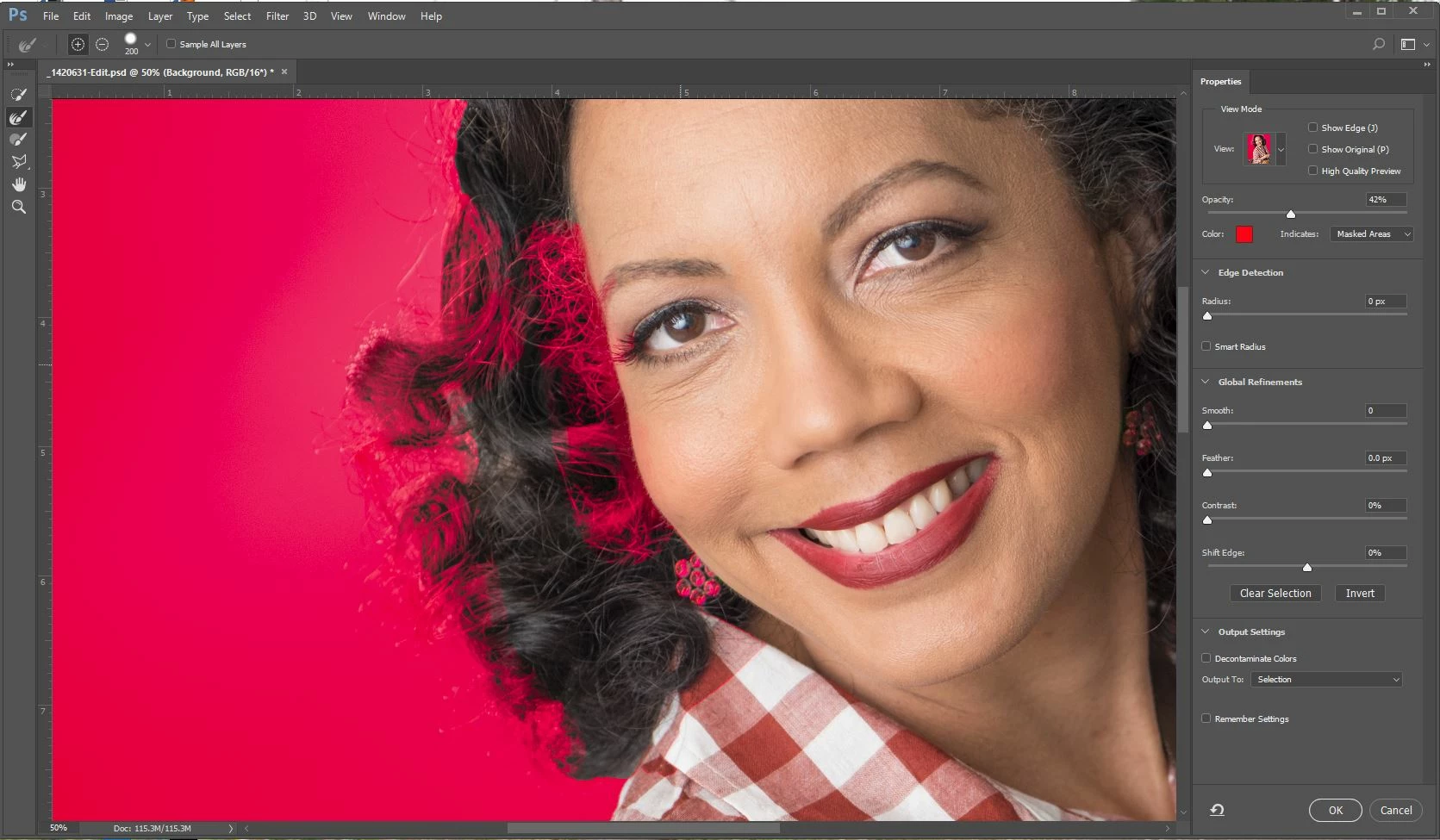
     Paint the edges with the refine edge tool

What happens next: the edges 'disappear' go back to the checkered grid, it doesn't see small sharp edges, will undo my quick selection.

I am at a loss for what to do. I'm a PC User, with a new graphics card (Radeon r7 360 DD 1050mhz 2GB DDR5DP which was on the Adobe list of recommended graphics cards)

Thank you in advance for your time

This topic has been closed for replies.

2 replies

davescm
Community Expert
Community Expert
December 11, 2016

Your brush size (200) is far too high for refine edge. I keep the brush small (c 10 px, 100% hardness and 1% spacing ) and ensure by checking show edge on and off that I am only refining the actual edges that I want - not straying into other areas.

I posted some advice on this recent thread  which may help:

Select and Mask problems

Dave

rachelr84732490
Participant
December 14, 2016

Thanks, Dave. I will try using the settings to recommended and let you know how it worked out. I also watched Scott Kelby's tutorial.

Trevor.Dennis
Community Expert
Community Expert
December 11, 2016

That doesn't seem right.  Try resetting All tools from top left of the Options bar.   You'll at least know you are back to the defaults then.

rachelr84732490
Participant
December 14, 2016

Thanks, Trevor. I'll give that a shot.