You mean this?
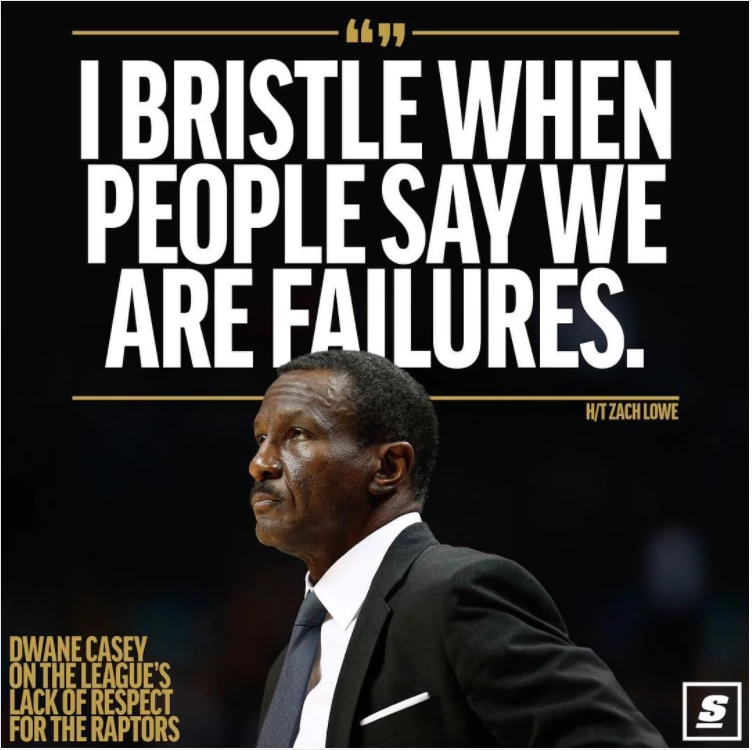
I'm not sure what you are asking, as it is pretty basic stuff.
Impact is commonly used with meme's but in this case, it is similar but a bit lighter and less condensed.
I am also not sure what you mean by 'black rectangle', unless you mean the black background?
As with so many things with Photoshop, you start with a selection, but that has become easier than ever now. Select the Quick Select tool, and then on Select Subject in the Options Bar, and it does an amazingly good job right off the bat. The marching ants are feint but visible
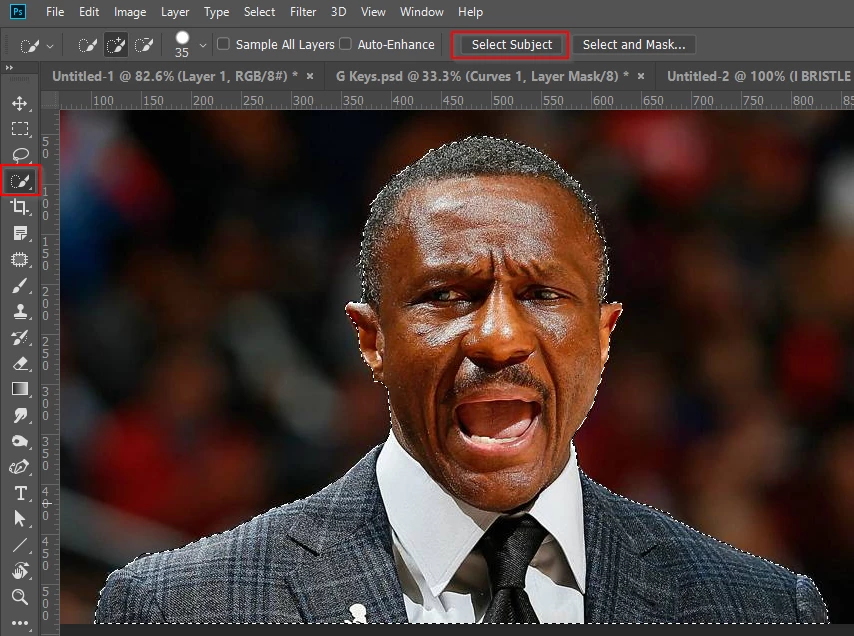
Copy that to a new layer and place all new layer lower down the layer stack.
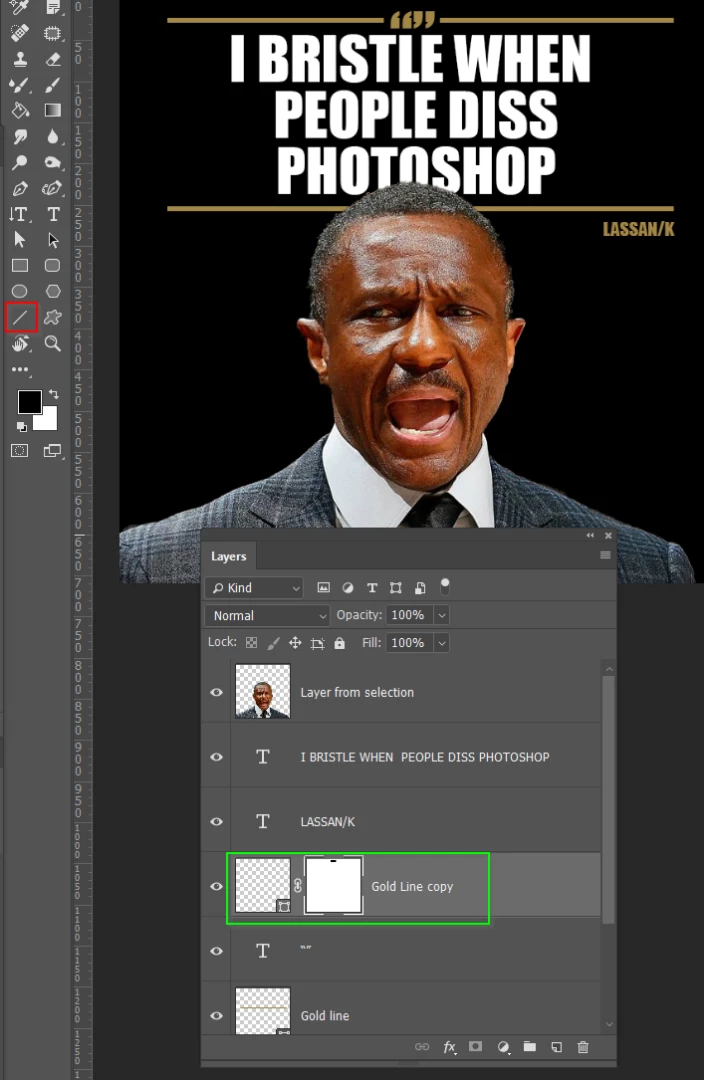
Use the Line tool for the lines (I bet that surprised you  ) Set the line weight in the Options bar.
To make a gap in the line for the Quote marks, add a layer mask to the upper line, and paint the gap in with black (green highlight below)
To find a font, select the Type tool, click on the font and start typing 'condensed' You'll get as far as Con, and all the condensed fonts will show.
Is there anything not clear to you?
 AdChoices