
We Run Hollywood!
Known Participant
April 20, 2024
Question

How can I make the overall color/texture on this shirt more evenly balanced?

  • April 20, 2024
  • 2 replies
  • 214 views

Hey You Guys!


If you look at this t-shirt, can you sort of notice how the gray region surrounding the logo seems more darker, compared to the rest of the shirt? Is there a way to somehow retouch that region, so that the overall color tone of the shirt appears more evenly balanced?
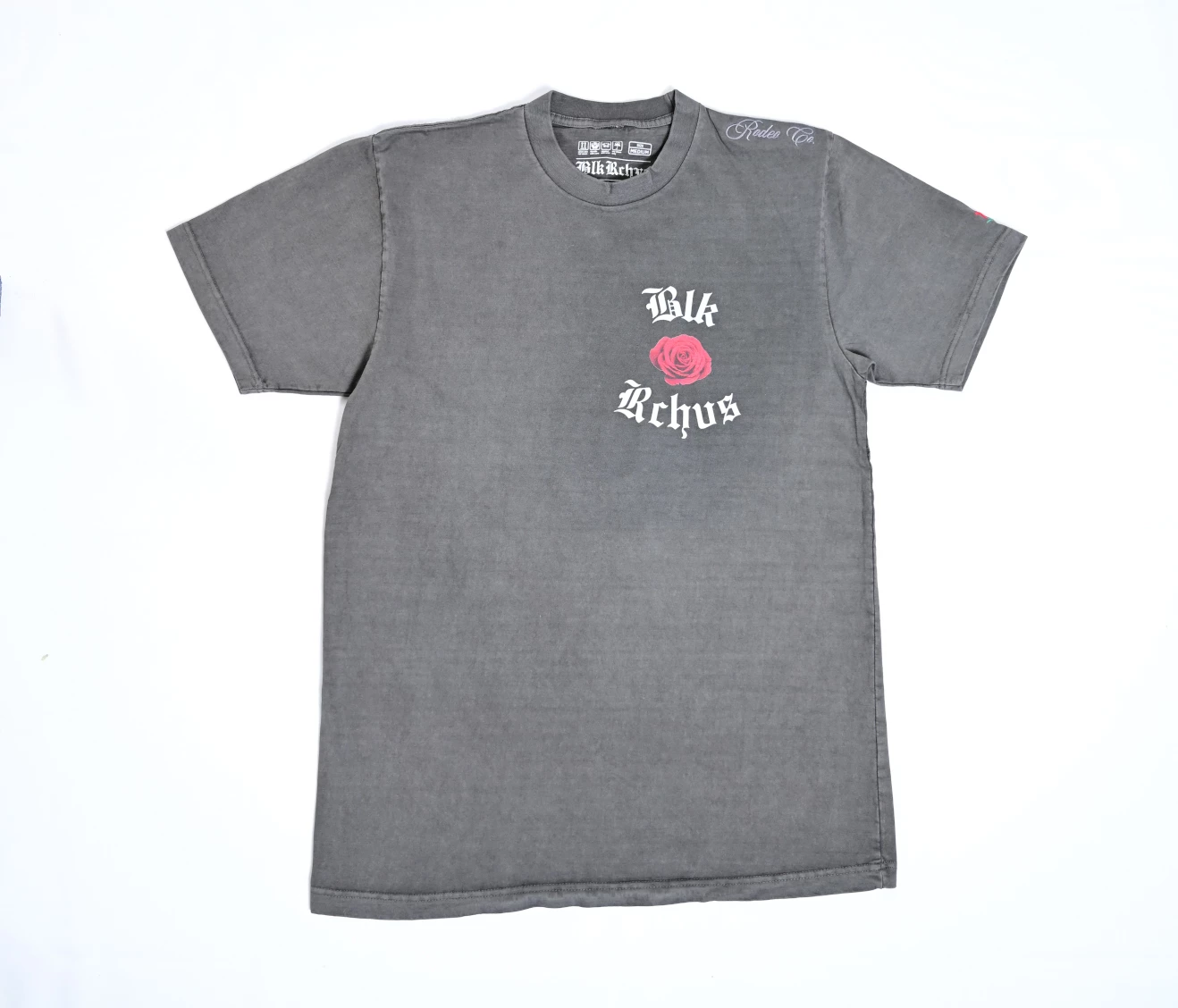
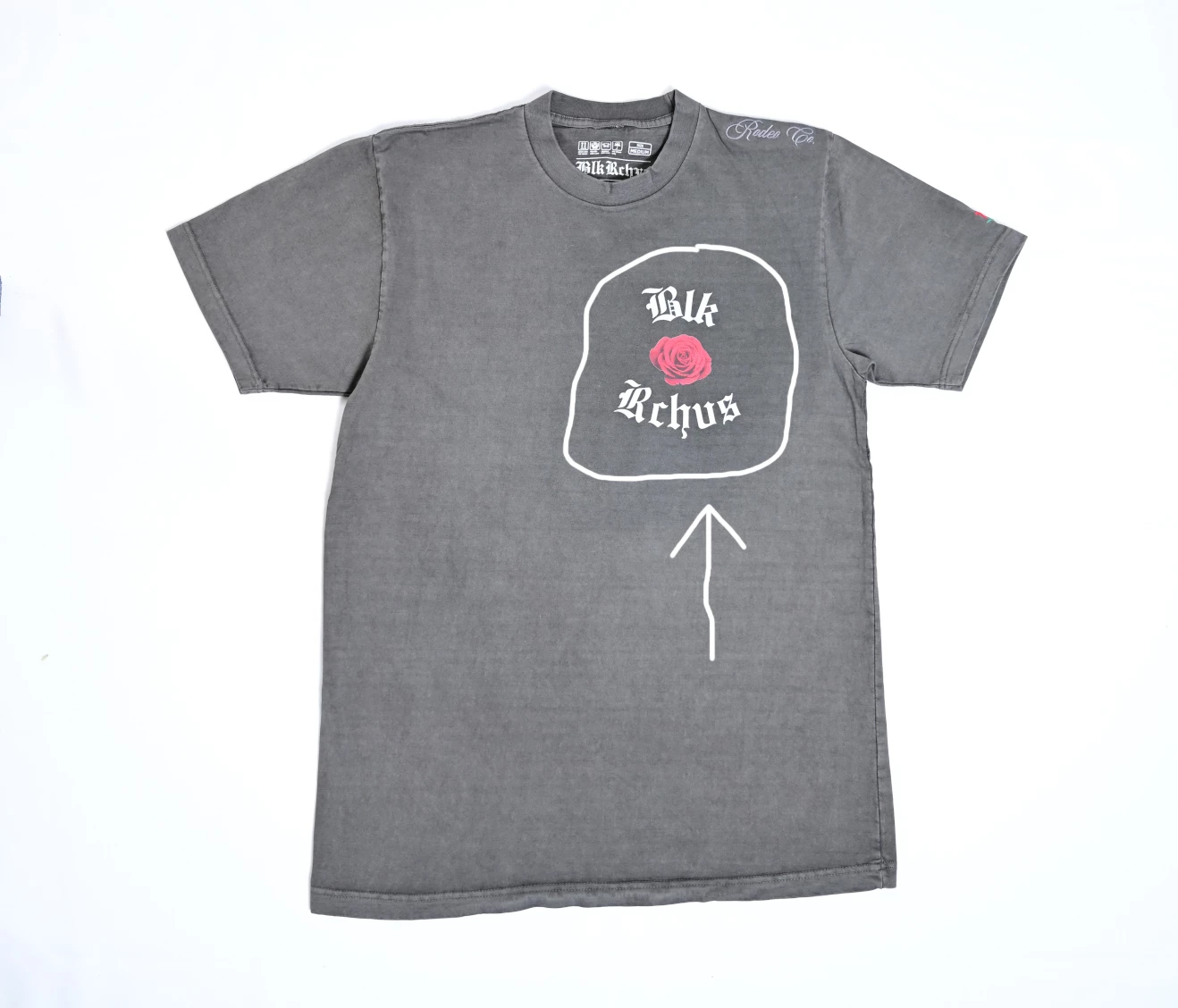


Thank You Guys sooo much for any responses that you can give. Have a wonderful day!!!

This topic has been closed for replies.

2 replies

Trevor.Dennis
Community Expert
Community Expert
April 21, 2024

You can home in on it quite well just using a curves layer together with the Color Sampler tool.

Thee curves layer is turned off below.  I dropped a bunch of sample points on both the darker and lighter areas, and used the little hand icon to let us place points on the curve.  You can see they close together, but far enough to work.  The top and bottom points are to stablise the curve.  IIt is also set to Luminosity to minimise any colour shift.


With the curve layer turned on, the tonal values are much closer.  The darker blotches away from the logo have also merged with the rest of the shirt

c.pfaffenbichler
Community Expert
Community Expert
April 21, 2024

The Red Channel could serve as the basis for a Layer Mask.